
4.21 Update from
1. Program selection and program start with Batch and Multi-batch
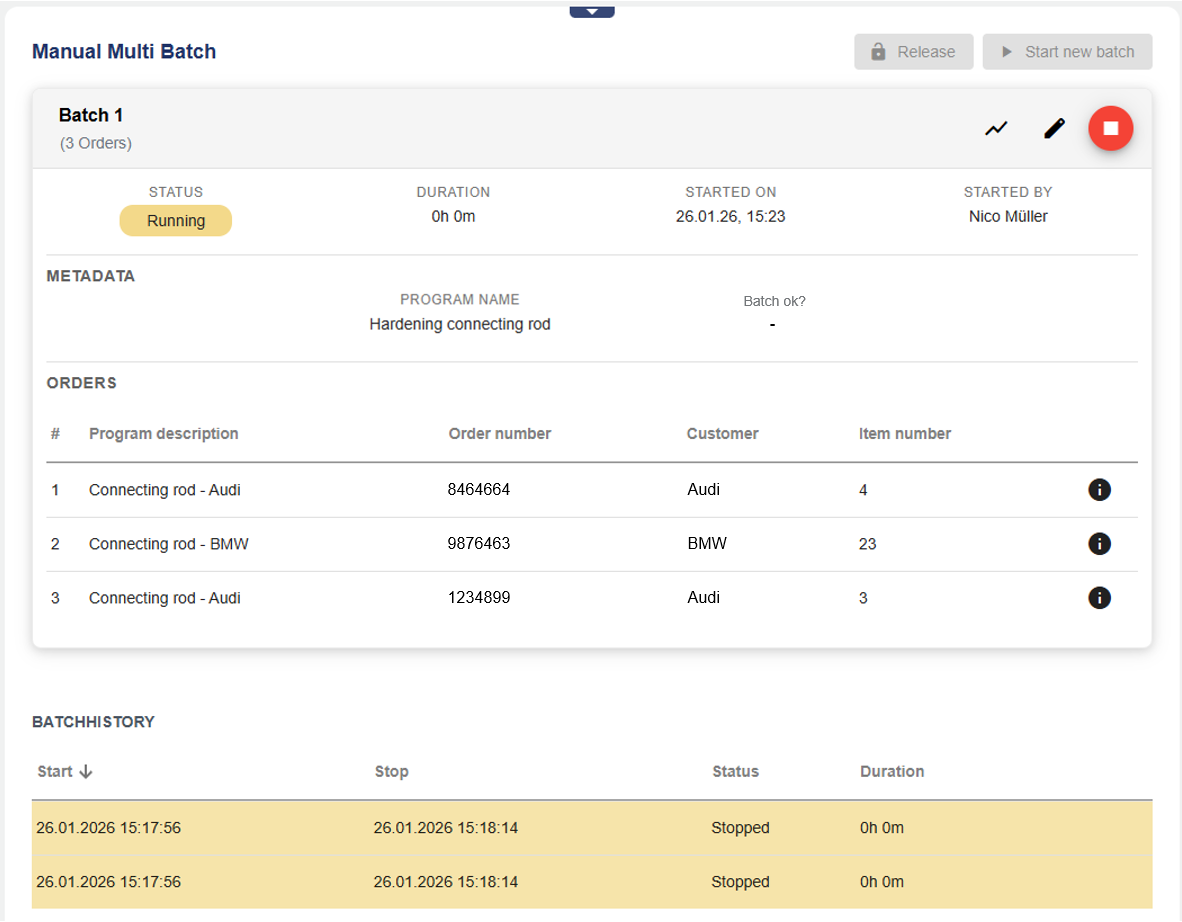
It is now possible to select and release programs and start them together with a batch using the improved Widget: Batch control. The program can be started with a batch directly via the platform or released by it. When released, the actual program start must first take place on the PLC (HMI) before the batch is recorded.
With the revised widget, it is also possible for a program run to generate several different order-specific batch entries in the archive at the same time (Multi-batch). The associated batch data can be entered line by line for each order. A logic prevents incorrect entries and controls the associated program start.
Greater flexibility, faster project planning, and more functionality with batches and programs
2. Introduction of “Tags” (grouping of configuration objects)
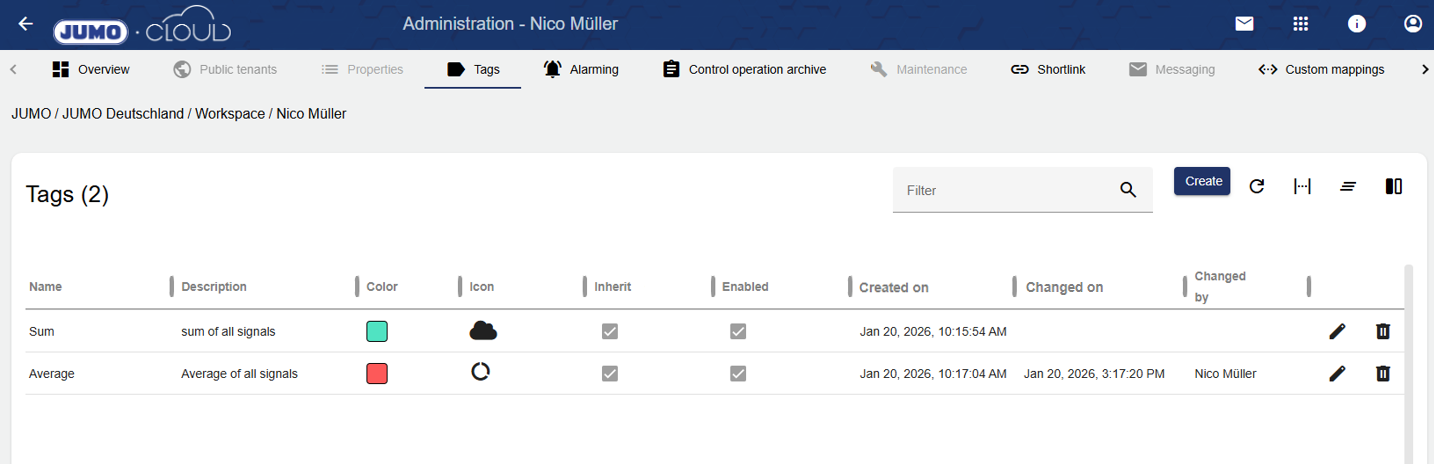
With the introduction of tags, it is now possible to group all objects in the configuration with a single word (Tag). In future versions, this will enable more efficient searching and configuration. Tags can be managed globally for each tenant via the administration.
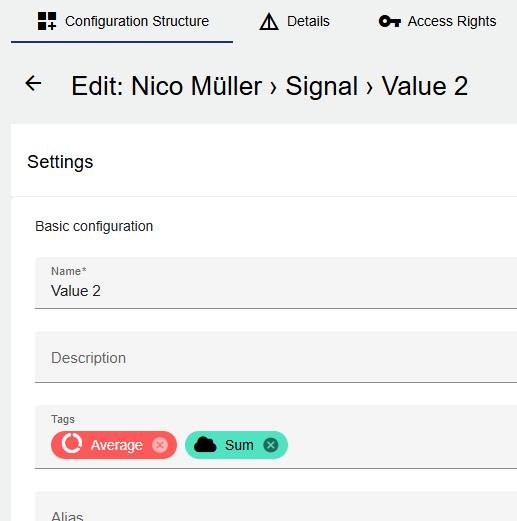
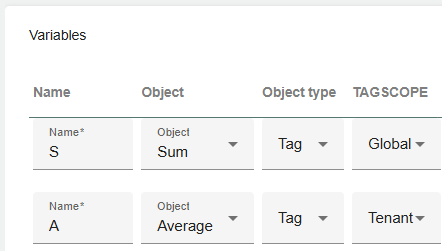
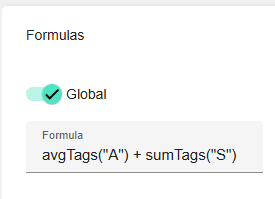
Starting with this version, it is already possible to use tags in formulas. With this new function, it is possible, for example, to create mean or average values of all signals that are tagged with a specific tag. Further use cases will follow.
Significantly faster and easier calculation of sums and averages.
|
Signal Tag Example |
Formula Tag Calculation |
|---|---|
|
|
3. Displaying the “Group” in the Widget: Entered Events
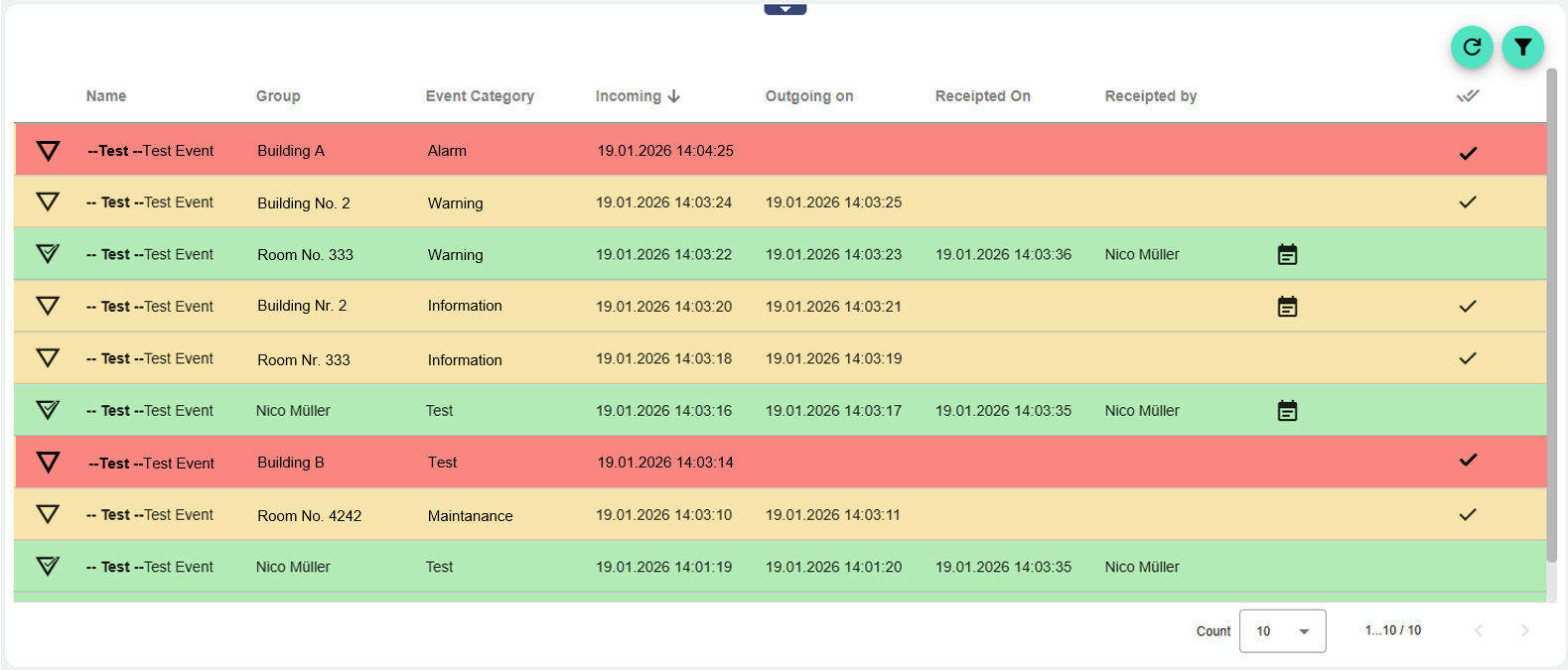
The Widget: Entered Events now also displays the associated group. Previously, only the triggering event definition and the event category were displayed.
Depending on the configuration, the group can represent a part of a building, for example. This makes it much easier to assign the event that has occurred.
Greater transparency in the display of events that have occurred
4. Extension of the REST API
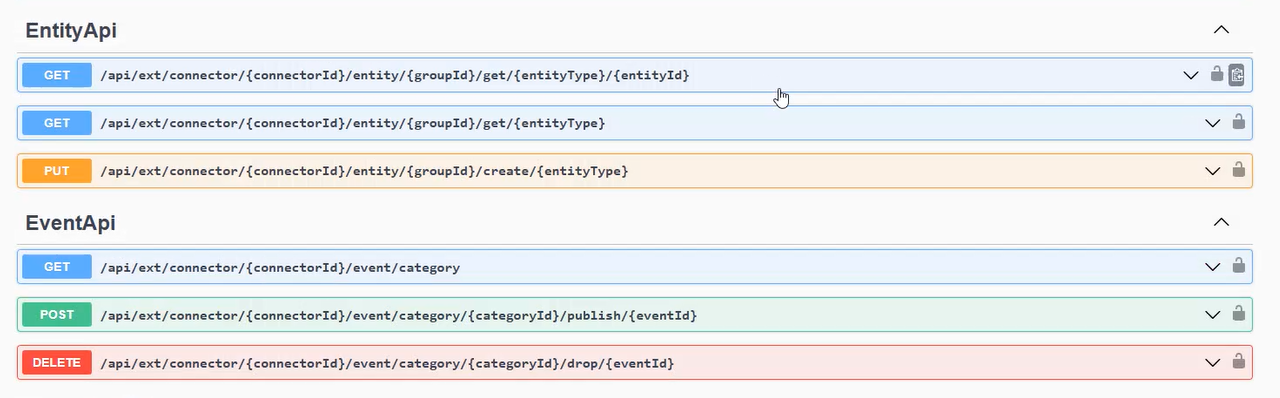
With this update, two new features have been added to the REST API. With the “EntityApi,” it is possible to create any object in the configuration of a tenant, e.g., a signal.
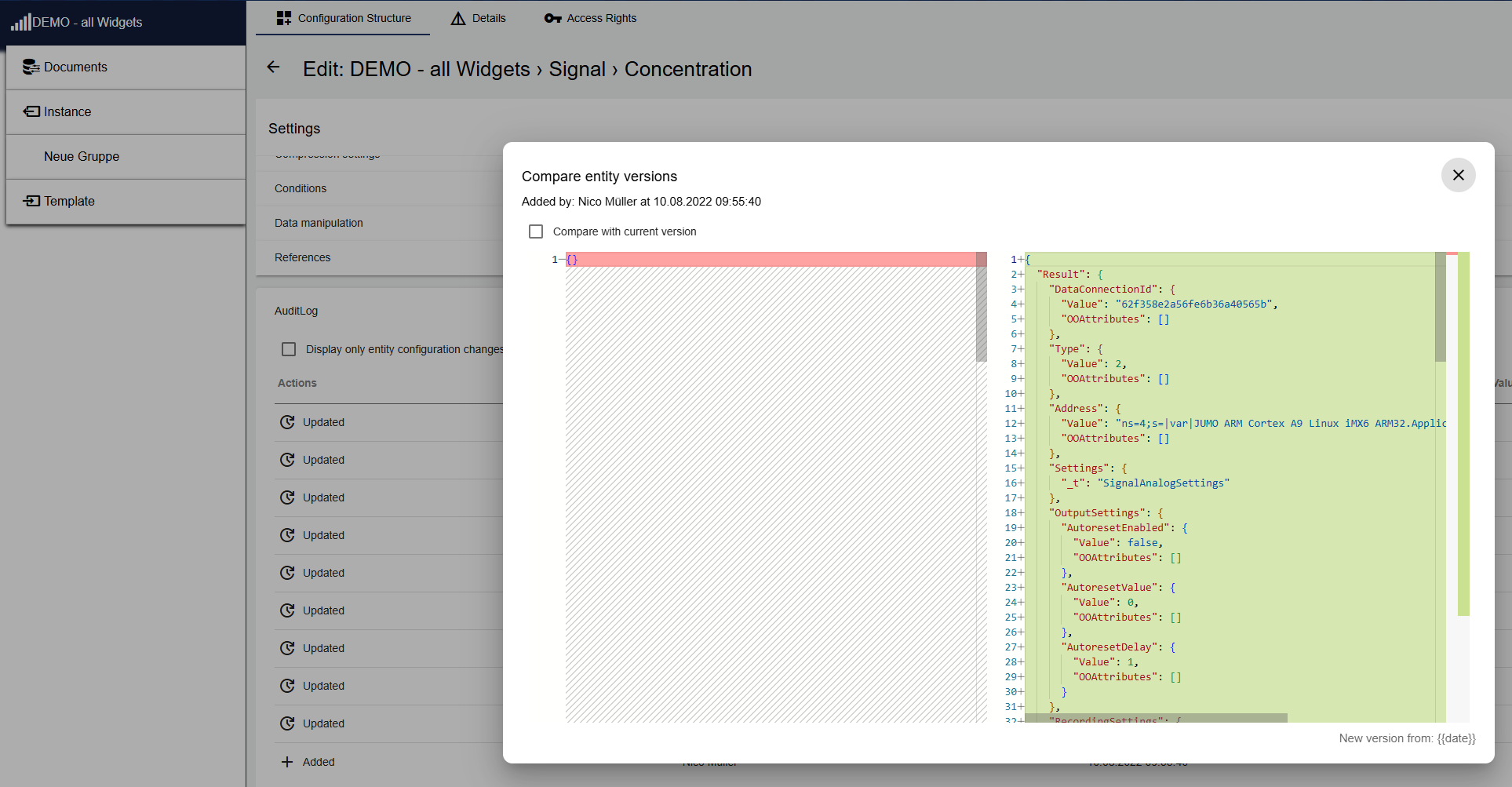
To find out how the desired object is described via REST API, it can be created in the configuration. Then, under the "Audit Log" tab, you can check how it should be described.
Audit Log description for REST API
With the “EventApi,” it is possible to influence event edges (0/1). This allows, for example, an event to be controlled from True to False using the REST API.
In addition, the “GroupsApi” has been adjusted in the following POST command.
|
Old |
New |
|---|---|

[…] /setmany |

[…] /set/many |
More functionality for interaction using REST API
5. Signal name added for Widget: Gauge Chart and Widget: Digital Switch
The Widget: Gauge Chart and Widget: Digital Switch now display the corresponding signal names even when the header is hidden. With this change, all comparable signal widgets now behave in the same way.
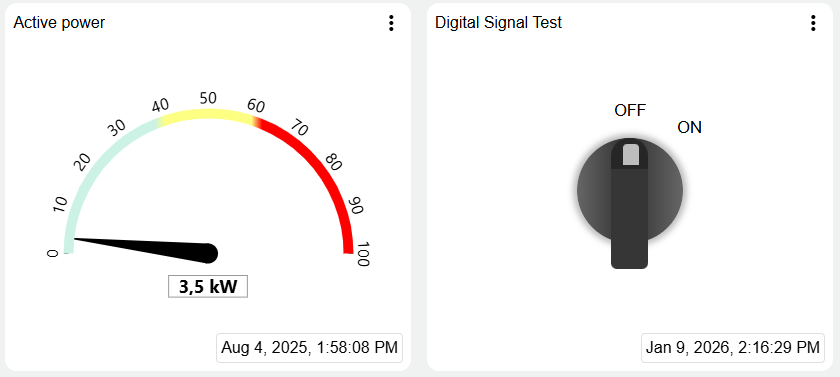
More information and consistent behavior for all signal widgets
6. Geo-redundancy of the JUMO Cloud 
The JUMO Cloud has been geo-redundant since 2026. This means that all data and services are available in two independent and geographically separated data centers.
This dual design increases reliability and ensures that your data remains available at all times, even in the event of regional disruptions.
7. Other important features
-
Randomization of digital signal colors (batch widgets)
The colors of the digital signals within the Widgets: Batch are now assigned randomly. Previously, all digital signals were displayed in black, making it impossible to distinguish between them visually.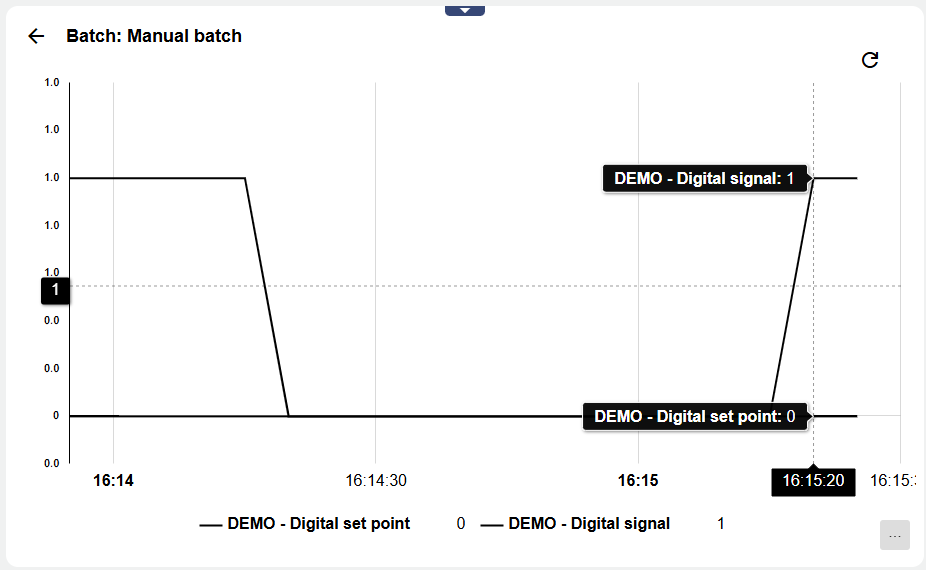
Old design (black digital signals)
-
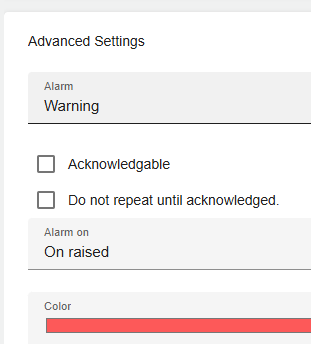
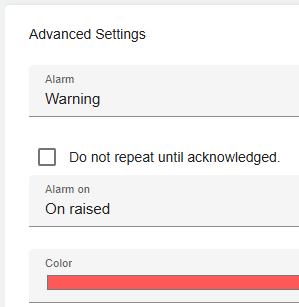
"Acknowledge" button removed (no functionality)
The "Acknowledge" button had no function within the Event Category. For this reason, it has been removed until further notice. Every event can be acknowledged.
|
Old |
New |
|---|---|
|
|
-
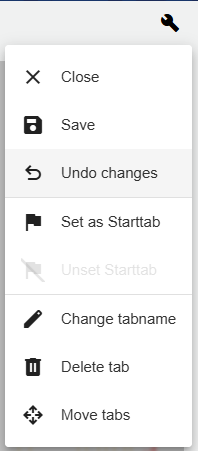
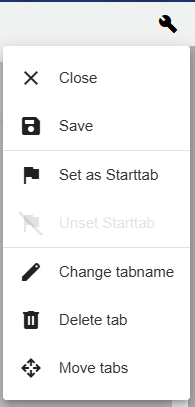
Undo function has been removed
The "Undo" function was rarely used when editing the dashboard, was considered unnecessary, and has therefore been removed.
|
Old |
New |
|---|---|
|
|
-
Bug fix and system maintenance