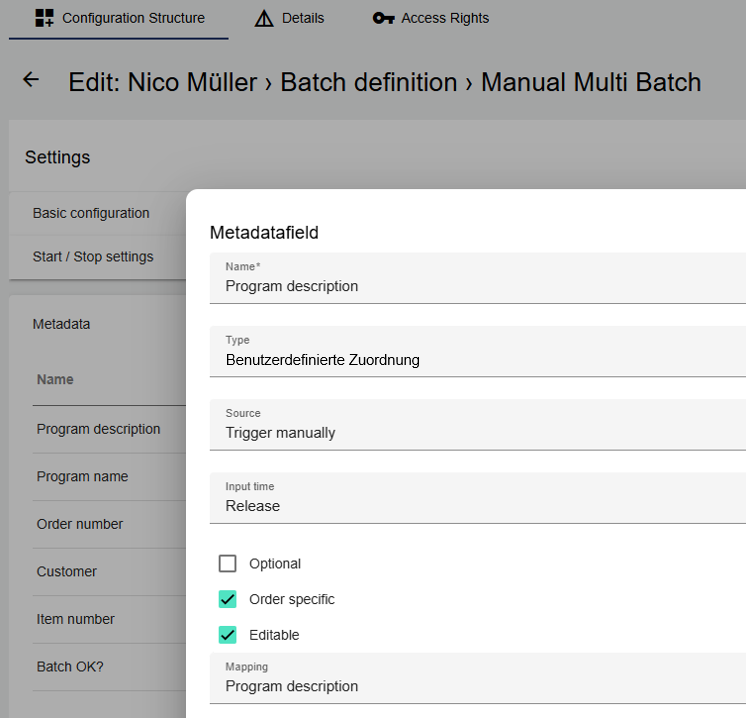
With Custom mapping, it is possible to map text and values in the form of a table. It can be selected as a Metadata within the Batch definition. The function is required for the end user in the Widget: Batch control (for multi-batches).
Use Case Multi-batches:
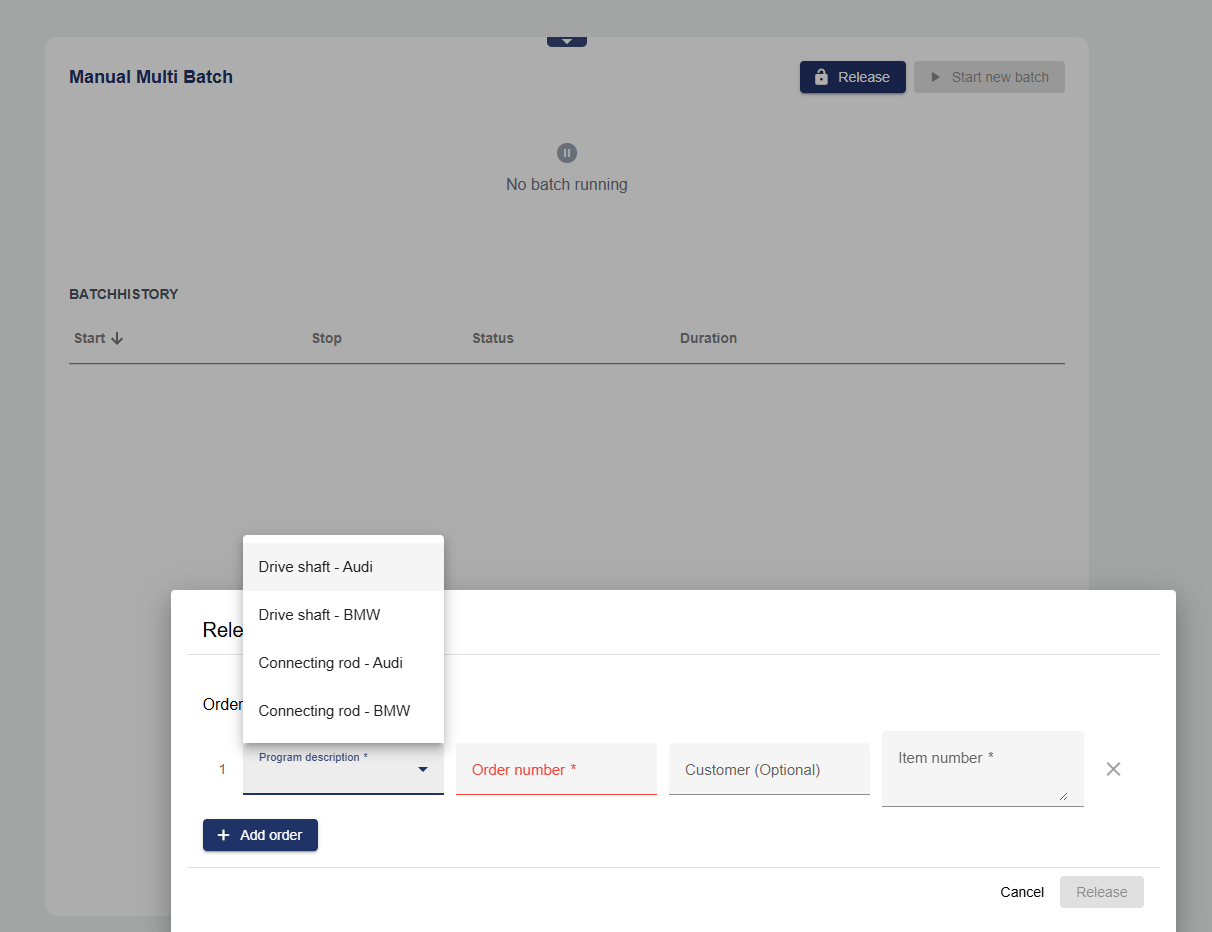
In a multi-batch, a program run generates several different order-specific batch entries in the archive at the same time. Each batch entry in the archive that was generated by a multi-batch contains order-specific metadata. This can be entered line by line at the start of the batch. If the metadata field of the user-defined assignment is selected, the user sees the text of this assignment list as a dropdown menu. For the example below, these would be the following selection items: Drive shaft - Audi, Drive shaft - BMW, Connecting rod - Audi, Connecting rod - BMW. When the first order is added, all 4 selection fields are available. When adding the second order, the system checks whether the selection items in the list correspond to the same value as the one previously entered. If Drive shaft - BMW (value: 1) is selected, only a selection item that has the same value in the user-defined assignment can then be selected. The value of the assignment list is written to a signal as the target value when the metadata field is selected. This allows a corresponding program to be selected on the controller.
In this use case, the value of the custom mapping corresponds to a defined program on the controller. This function therefore prevents incorrect entries when selecting programs. Only orders with the same program can run within a multicharge.
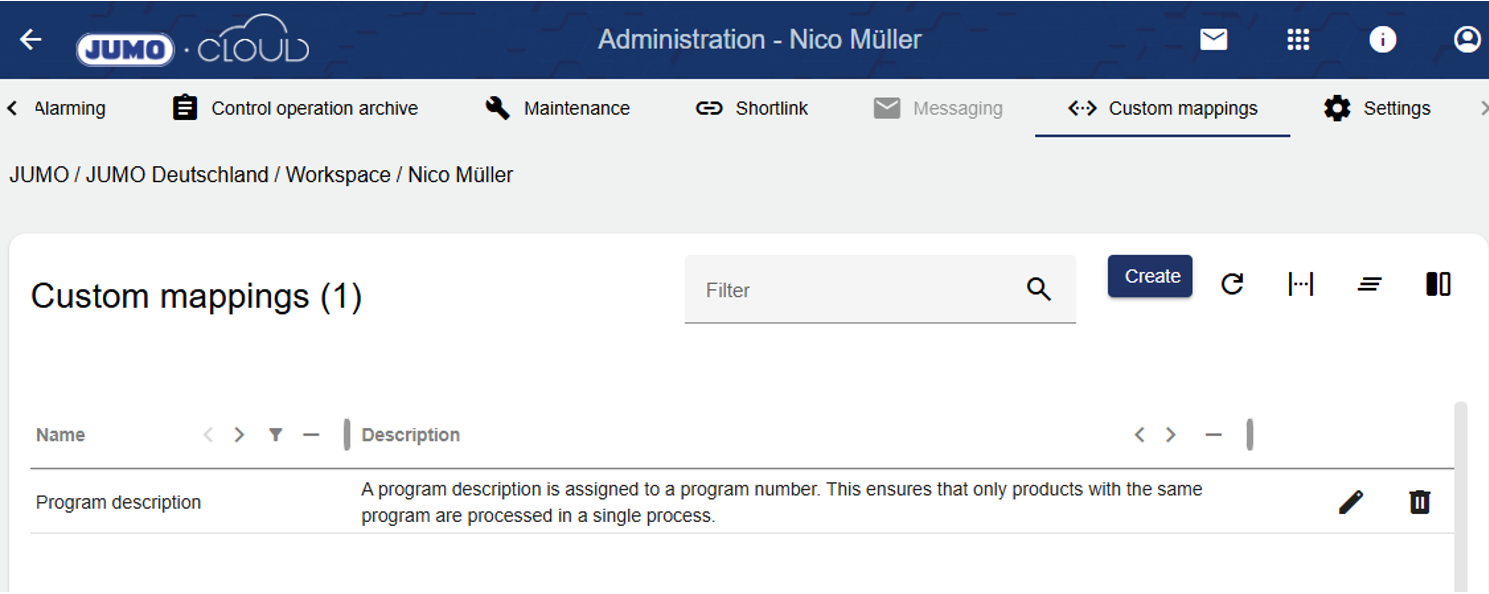
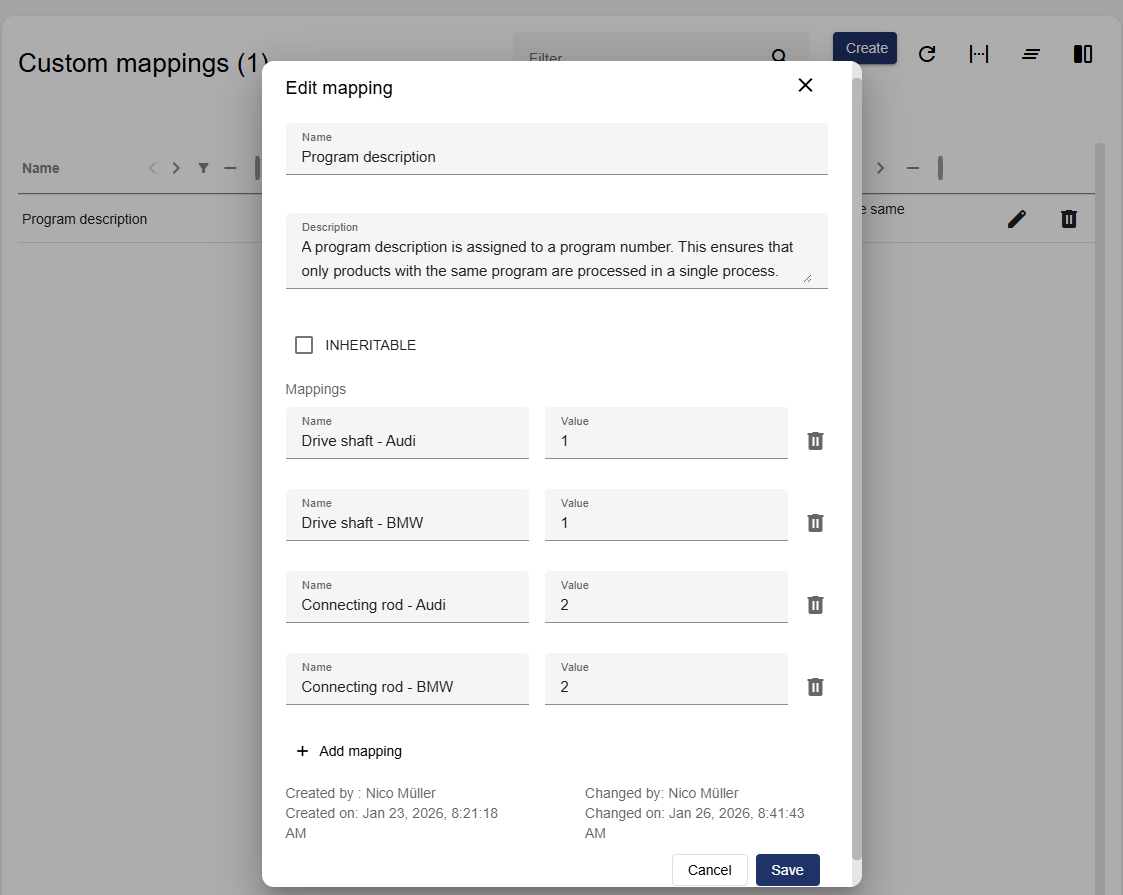
Example of implementation in Widget: Batch control:
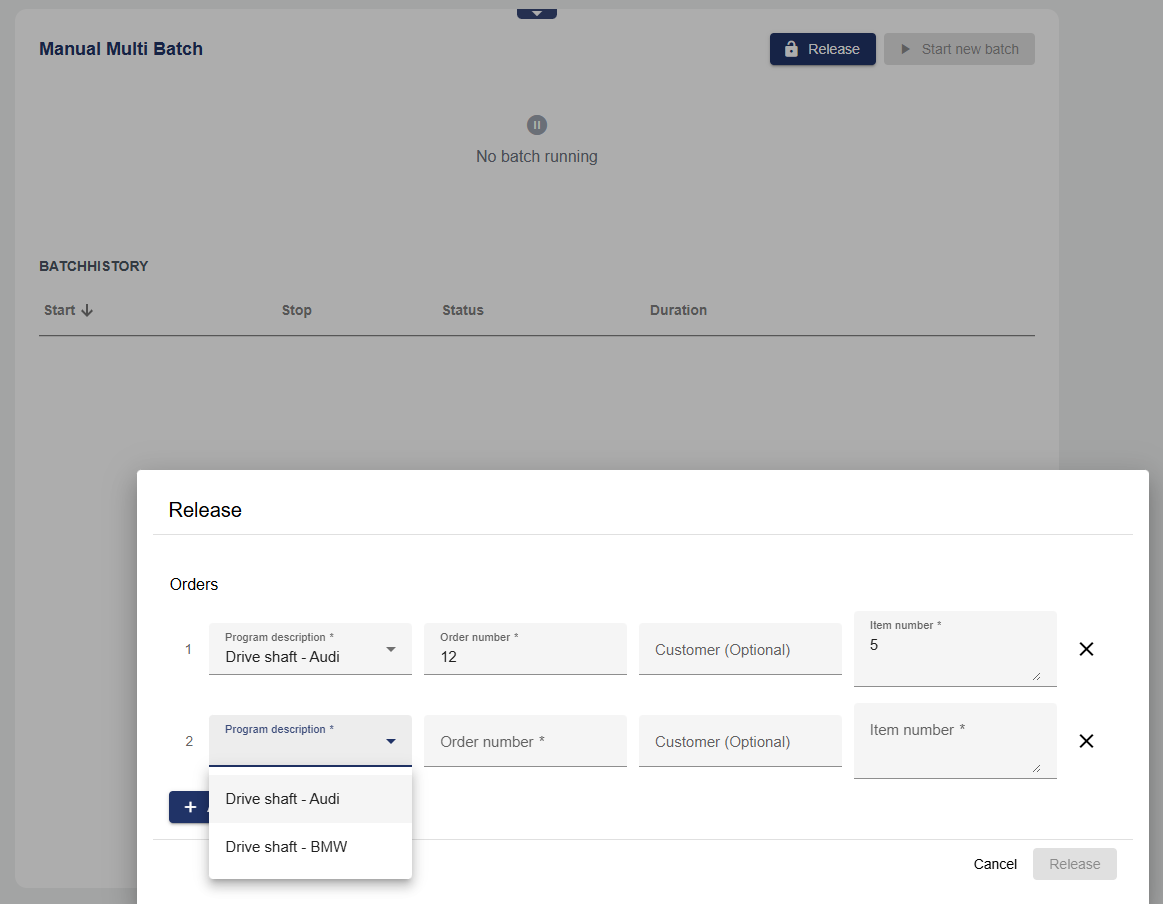
Example of implementation within the Batch definition: