
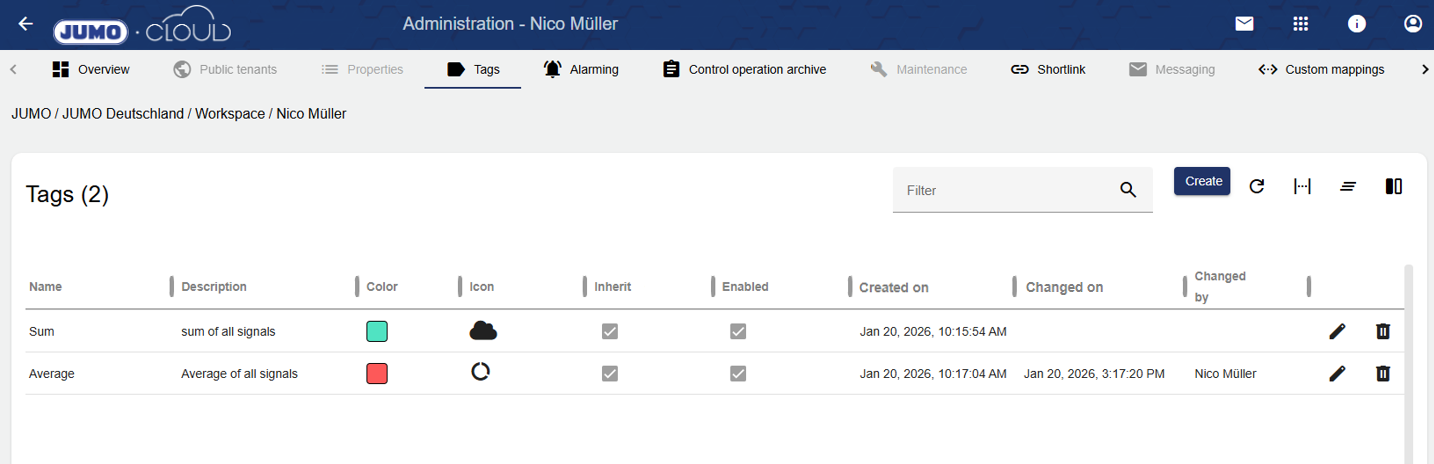
Tags can be used to group objects in the configuration with a word (tag).
In future versions, it will be possible to search and configure more efficiently. Tags can be managed globally for each tenant via the administration.
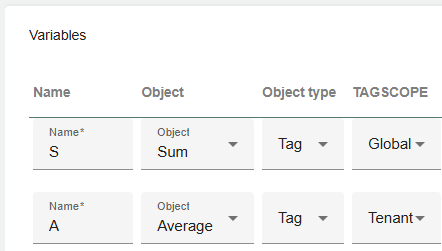
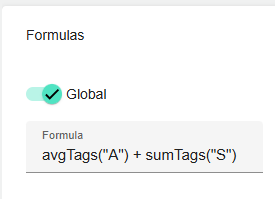
It is already possible to use tags in formulas. With this function, for example, mean or average values of all signals tagged with a specific tag can be created. Further use cases will follow.
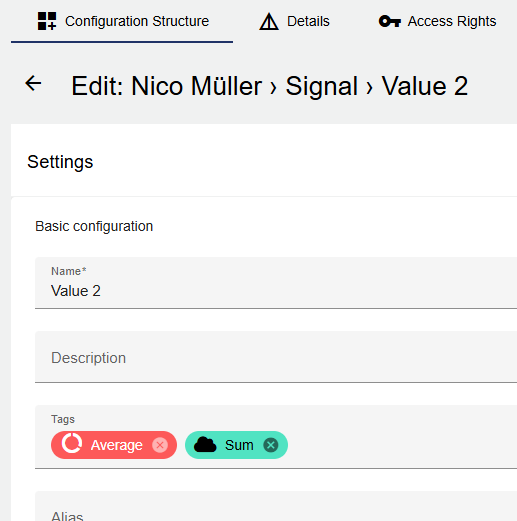
Tags can also be added in the configuration. Simply click on the "Tags" line with the mouse and define a tag. This will then also appear in the administration.
|
Signal Tag Example |
Formula Tag Calculation |
|---|---|
|
|