
With the backup described here, both the historical data and the configuration of the software are saved.
Automatic backup
-
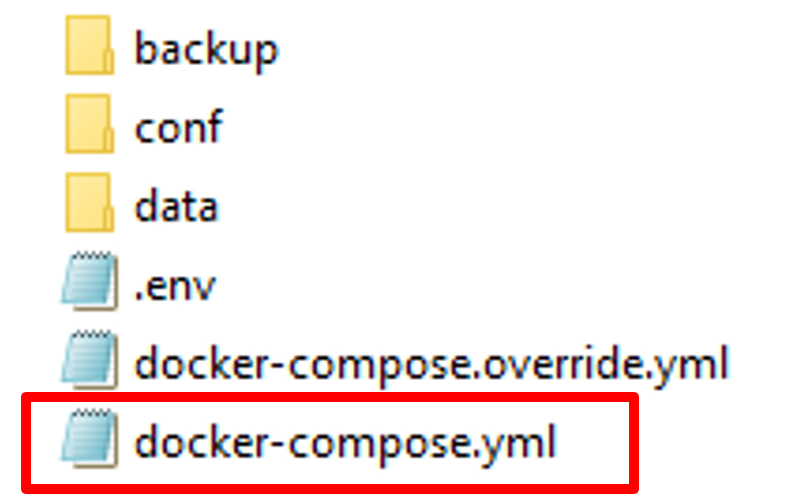
Change of file “docker-compose.yml”
-
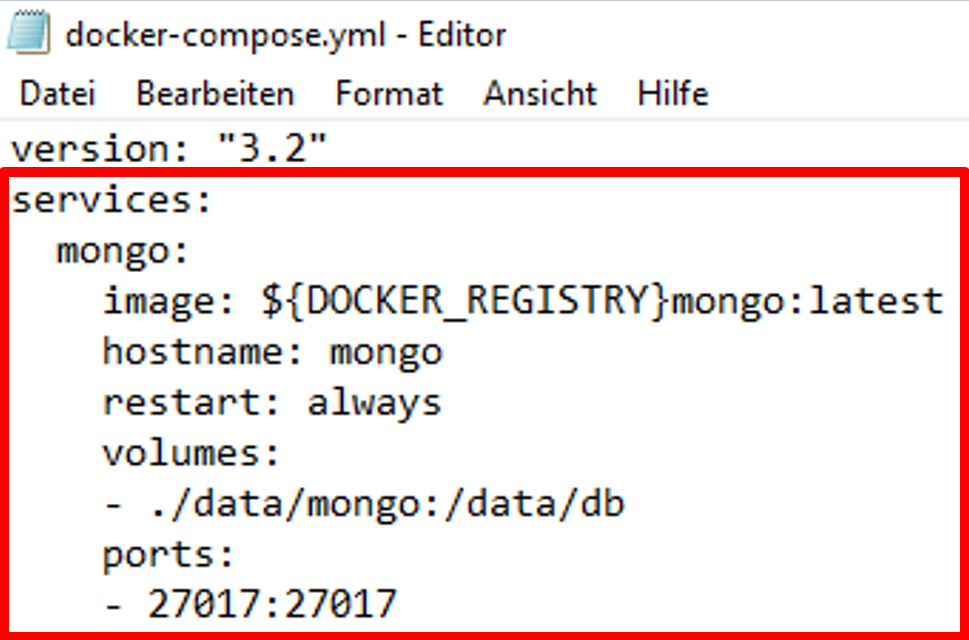
Search in section “services → mongo”
-
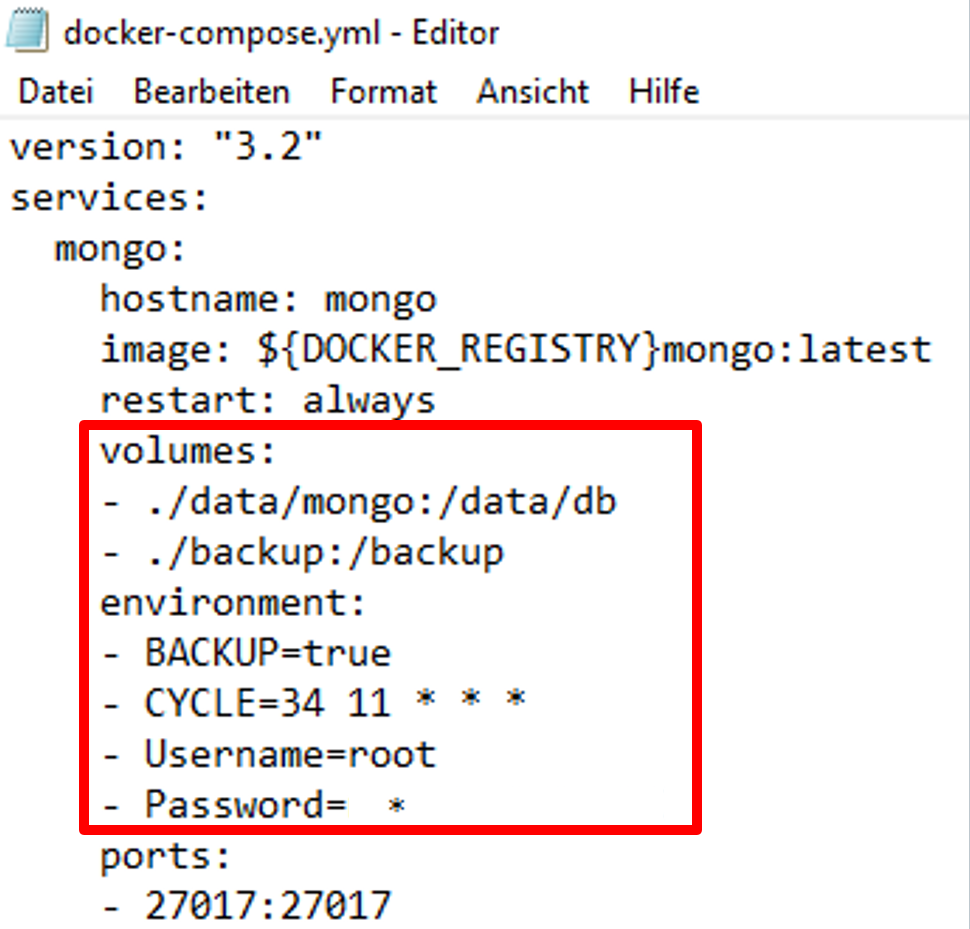
Adding safety index “volumes → - ./backup:/backup”
-
Adding safety settings “environment”
– BACKUP=true
– CYCLE=30 12 * * *
Syntax is based on crontab https://crontab.guru/#15_14_1_*_ and sets the cycle time of backup.
– User name = root
– Password=*******
Optional: Restart of Mongo service with PowerShell or Linux Terminal command “docker-compose restart mongo” to activate changes
docker-compose restart mongo
-
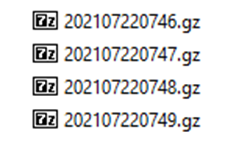
Automatic generation of the Mongo database, as *.gz-file
|
File path |
Docker-Compose |
Docker-Compose |
MongoDB Database backup |
|
|
|
|
Manual backup
Manual copy of SCADA file
Copying the SCADA folder NOT allowed when the SCADA application is running → risk of a corrupted Mongo database
Please adhere to the following procedure:
-
Stop SCADA application with the command:
docker-compose down
-
Copy SCADA file
-
Restart of SCADA application with the command
docker-compose up –d