
In the library JCmpVisuBasic, the following input objects are available for the creation of multiple selection lists:
MultiSelectElementDirect: Multiple selection option as a dropdown list.
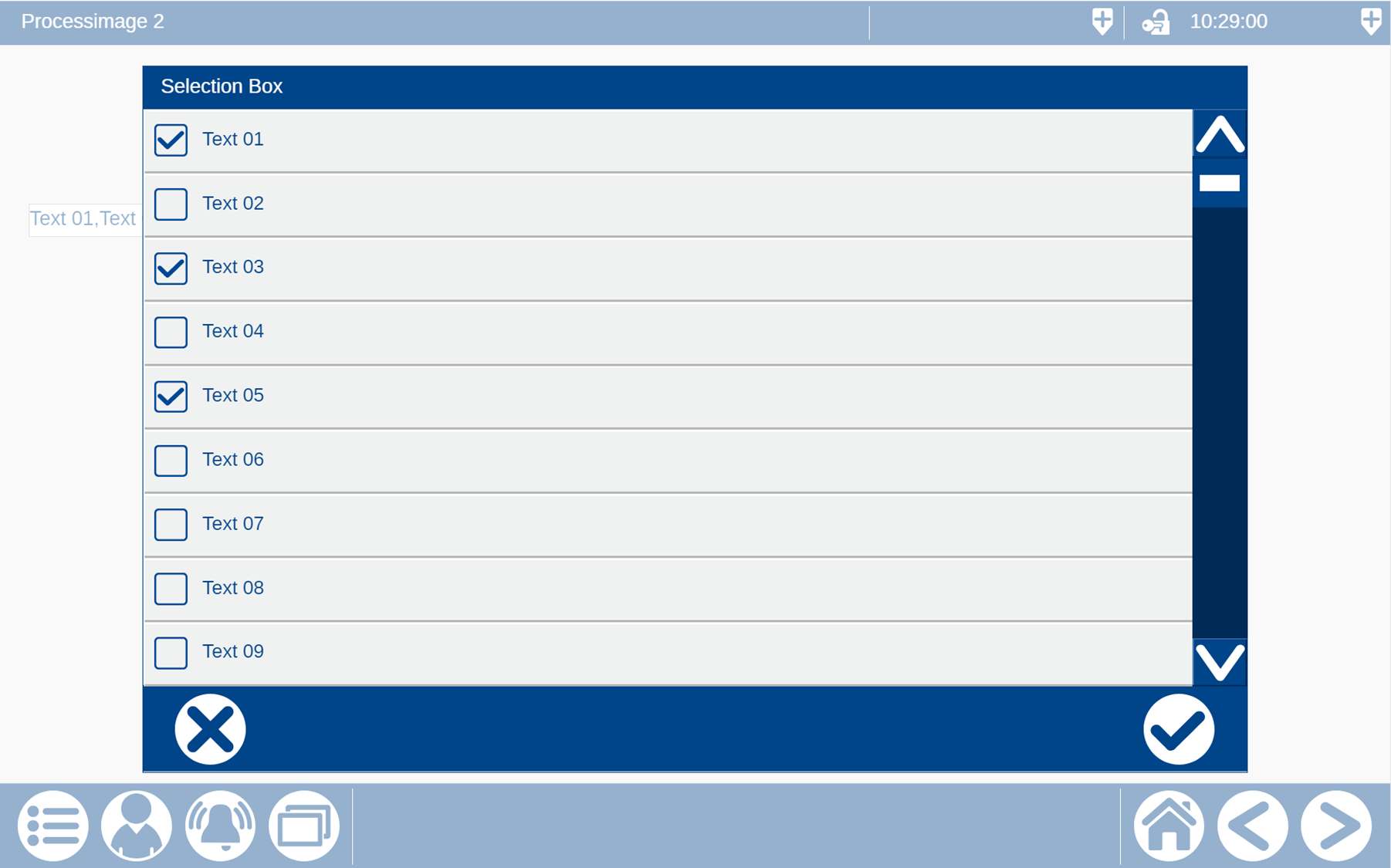
MultiSelectionElement: Multiple selection option in a separate window.
For all MultiSelectionElements, the same variable type stMultiSelectionBoxType is used.
VAR
// Example for multi selection element
stMultiSelection : JCmpVisuBasic.stMultiSelectionBoxType;
END_VAR
If you now drag the desired object from the Visualization Toolbox into the process screen, a parameter window opens. Here you can assign the variable to the parameter for the input window.
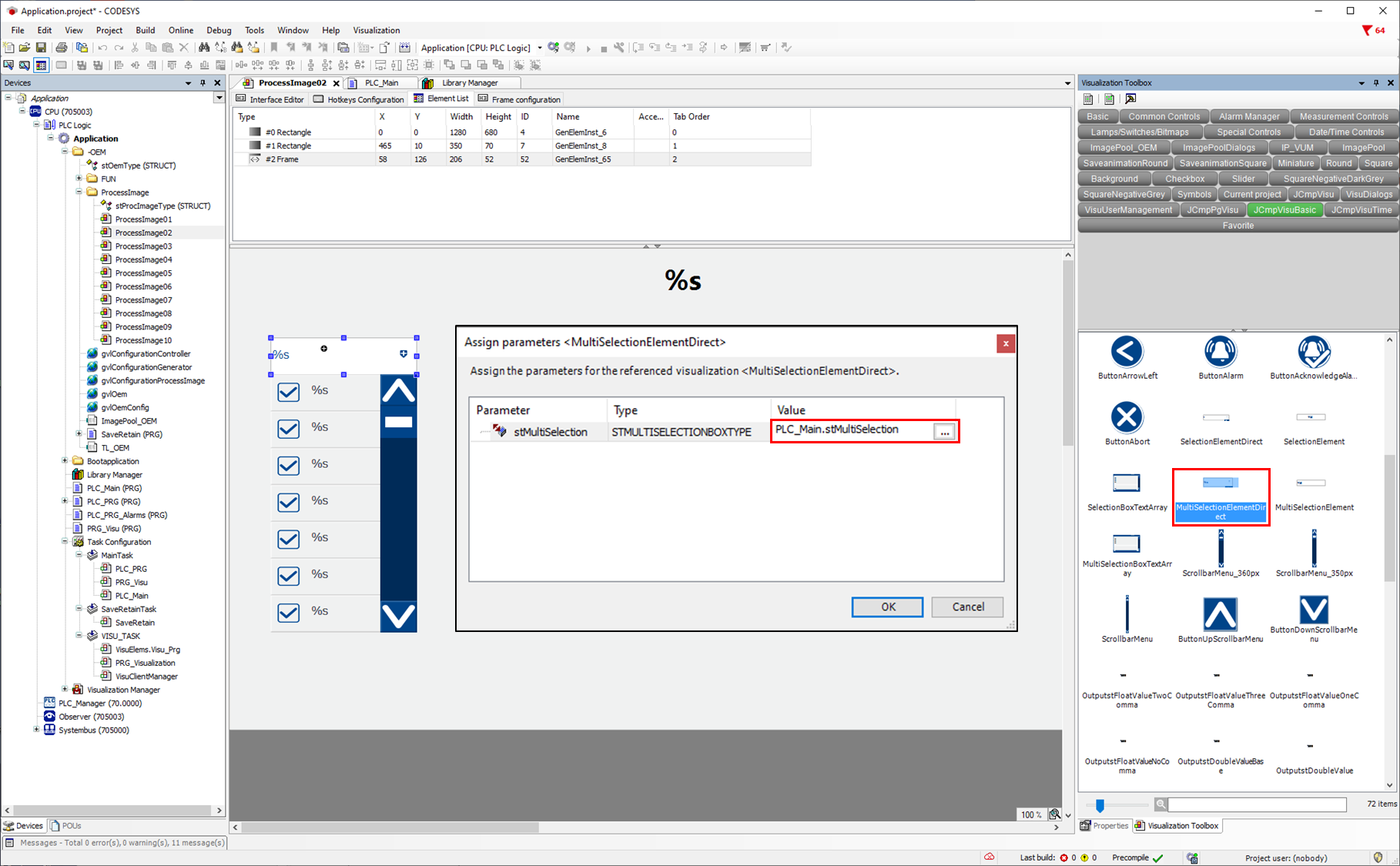
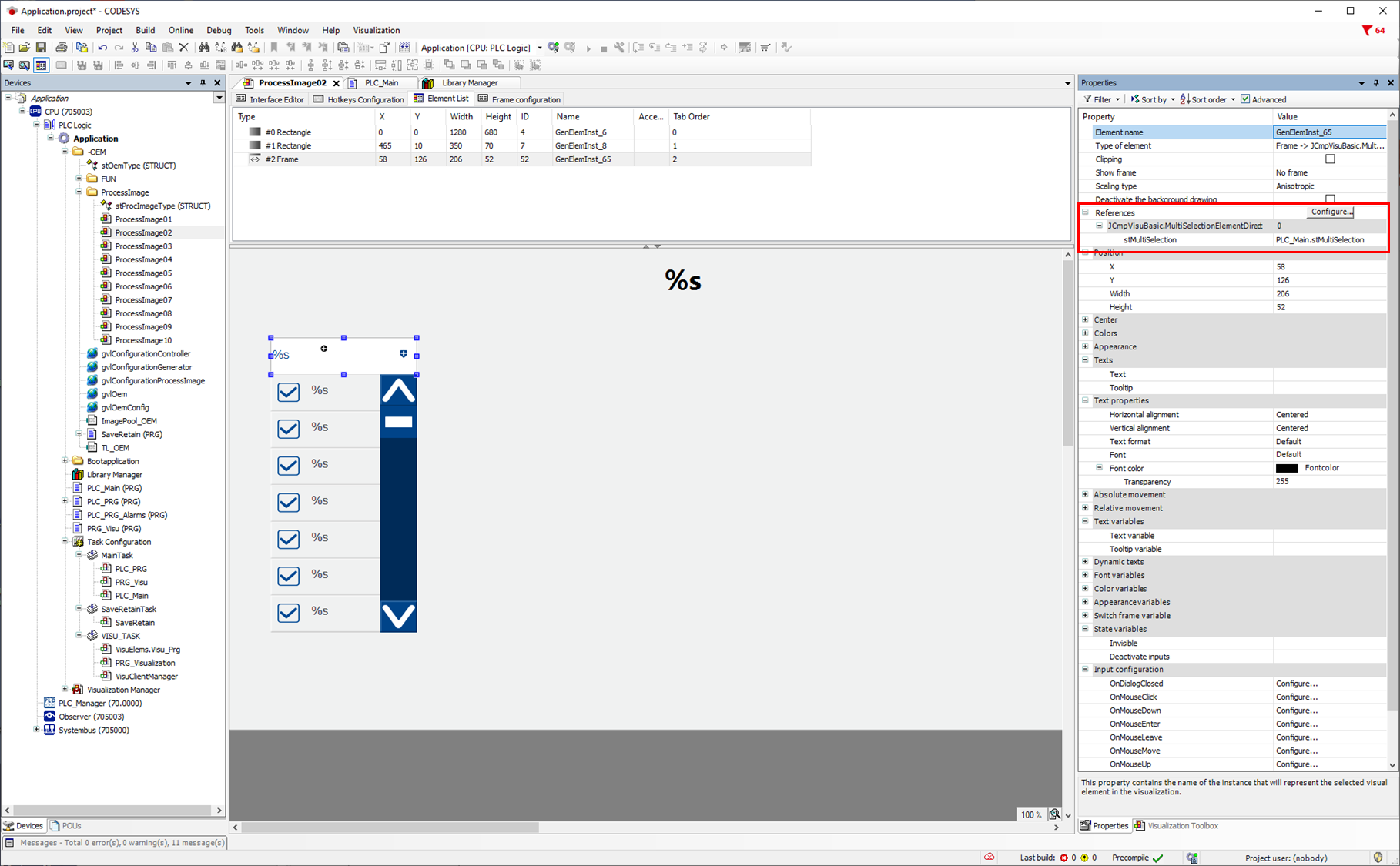
It is also possible to enter or change the parameters afterwards via the object property.
The structure variable JCmpVisuBasic.stMultiSelectionBoxType contains the following variables:
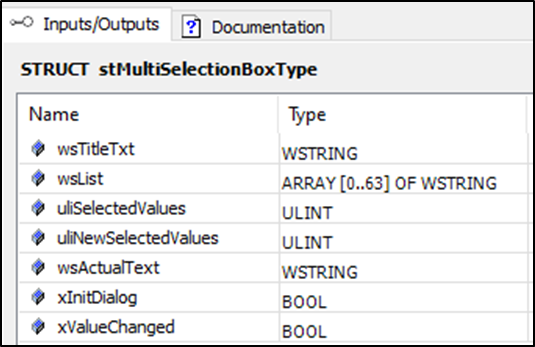
Only the following variables are required from the structure variable:
stMultiSelectionBoxTyp:
wsTitleText: Header for the selection window (only for MultiSelectionElement).
wsList: Transfer of the texts, which should be displayed in the selection list/window.
uiIndex: Indicates which text line has been selected.
In the first example, MultiSelectElementDirect is used. A selection list opens when clicking on the input field.
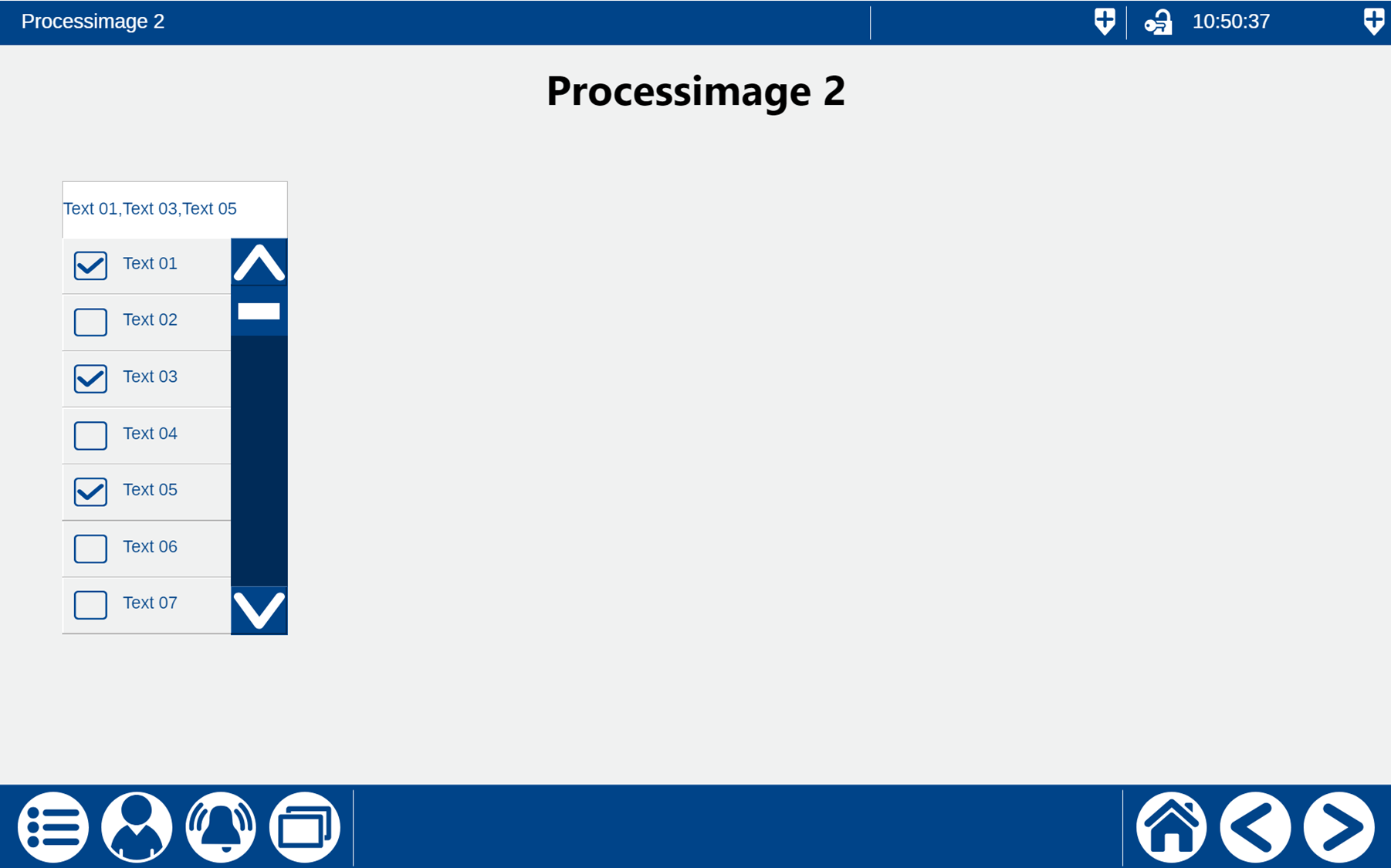
In the second example, MultiSelectElement is used. A selection window opens when clicking on the input field.
The code for both examples could look like this:
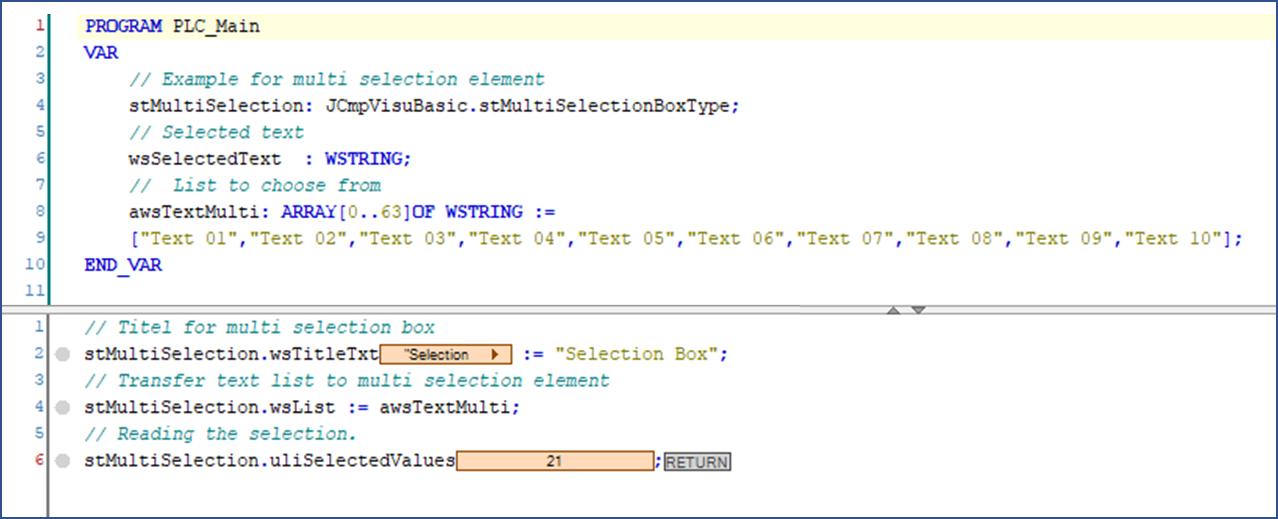
The inputs Text 01, Text 03 and Text 05 selected in the example result in the value 21 in the BCD code. A BCD conversion must be carried out in order to be able to read the selections.