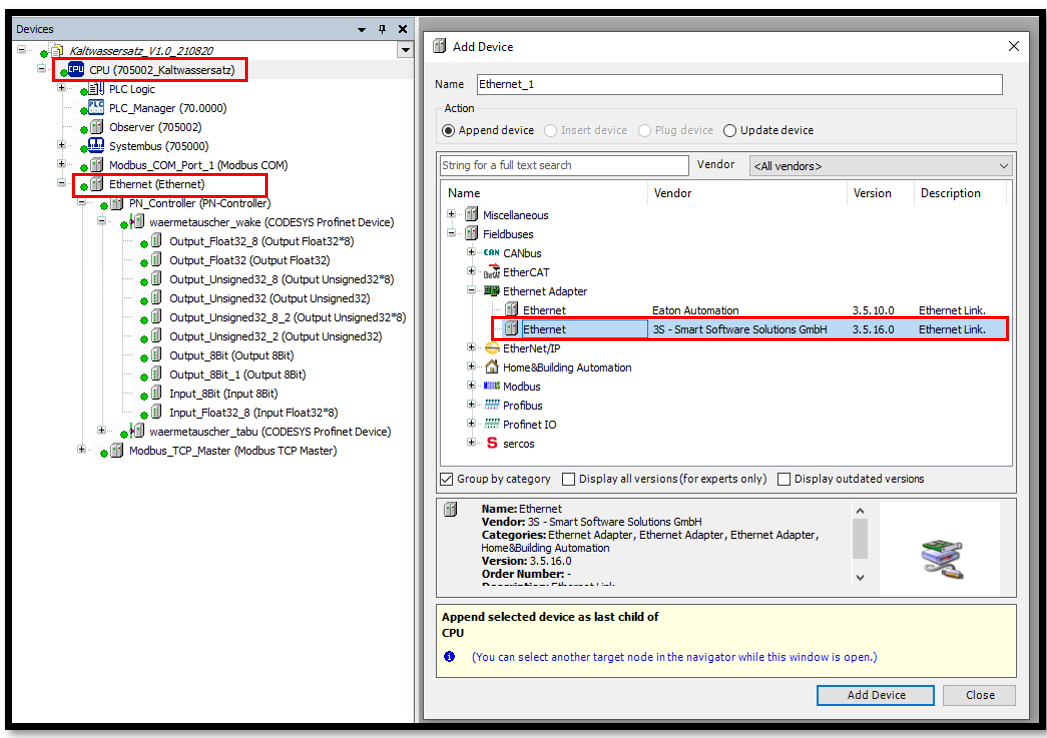
The Ethernet interface must be added to the variTRON that is to be used as a Profinet controller via the context menu of the CPU and the Add Device... menu item.
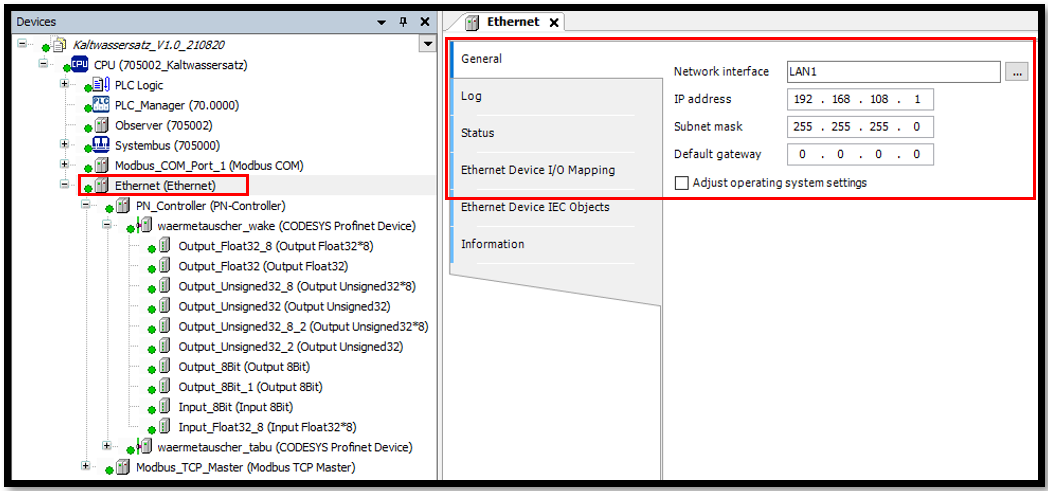
The network interface (LAN port) to be used for communication must be selected on the Ethernet device under General.
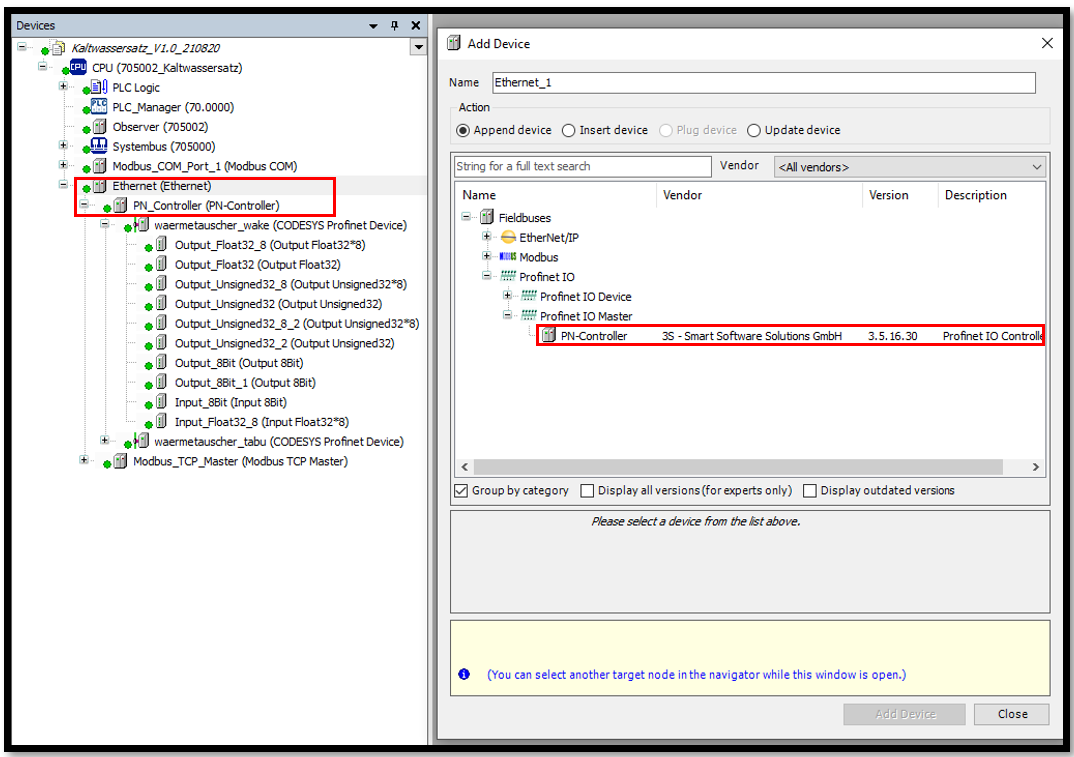
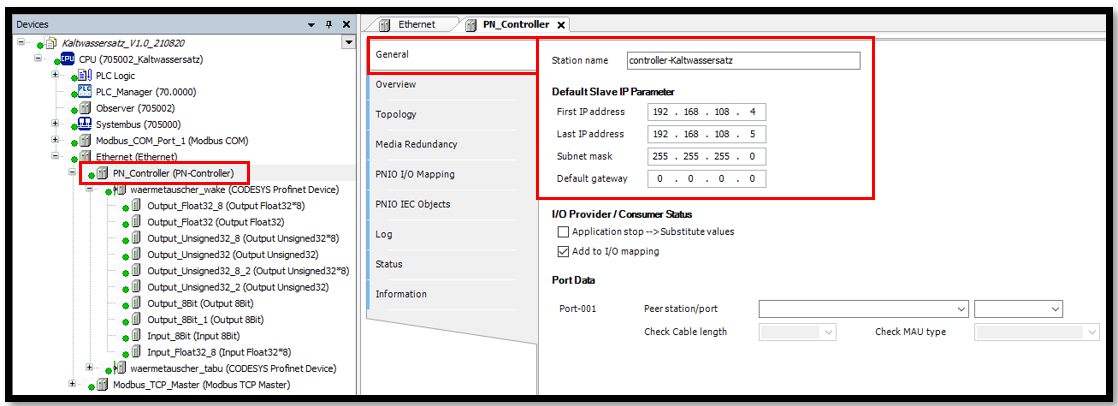
The PN controller is then added via the Add Device... menu item in the context menu of the Ethernet device.
The station name and the IP parameters of the slave must be configured on the PN controller under General.
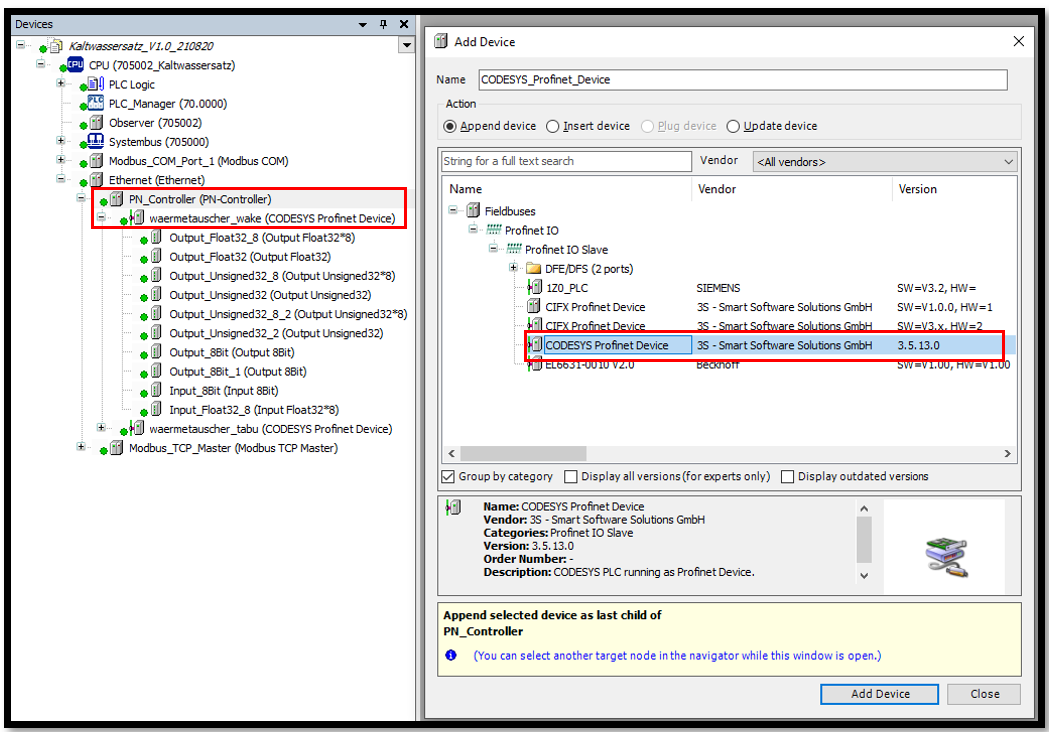
The CODESYS Profinet Device is then added via the Add Device... menu item in the context menu of the PN controller.
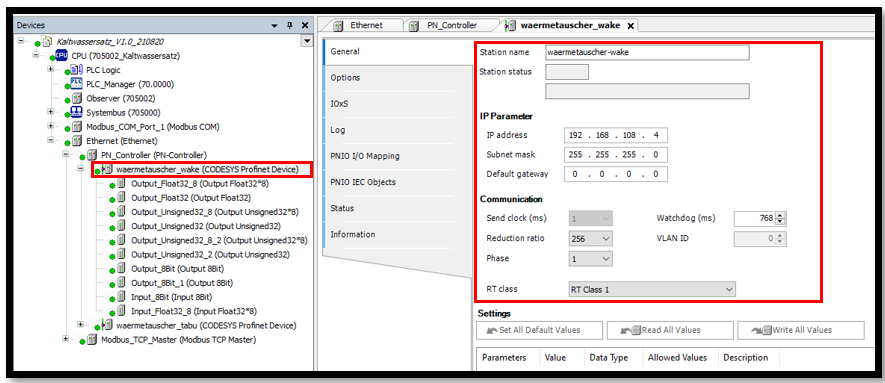
Configure the PN-Device with station name and IP address. The set communication parameters (reduction ratio) are learned values.
Create an I/O mapping with Add Device from the Profinet Device.
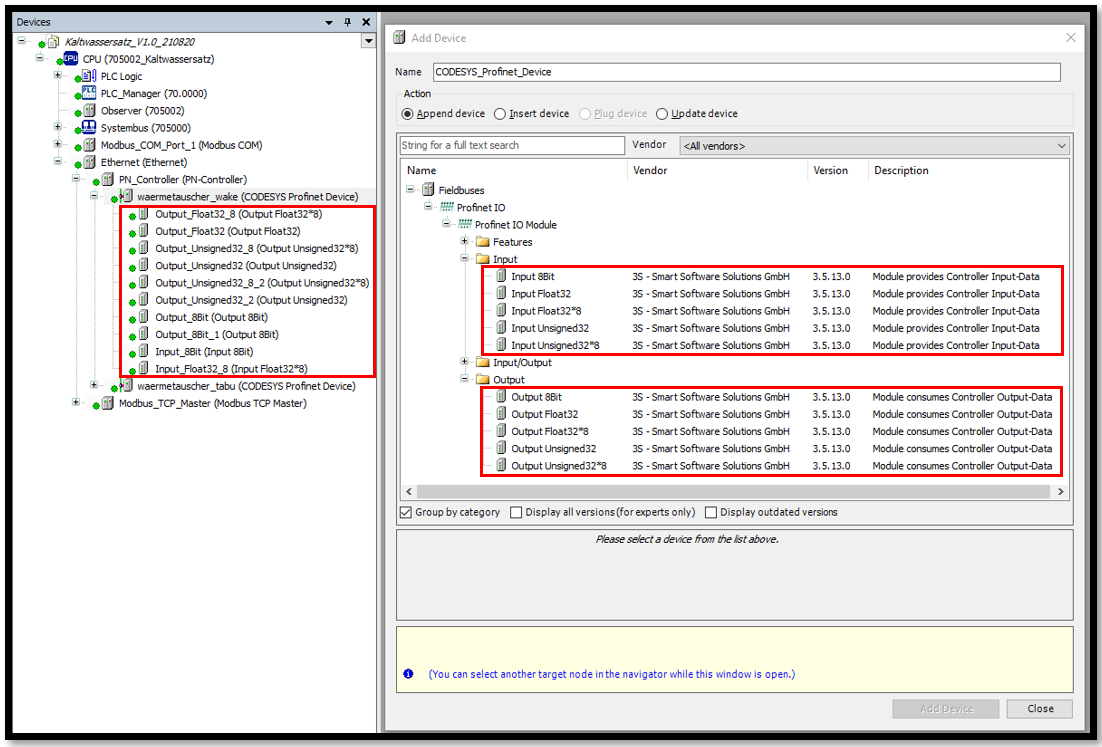
Map an I/O mapping with variables (send 8 floats to device)
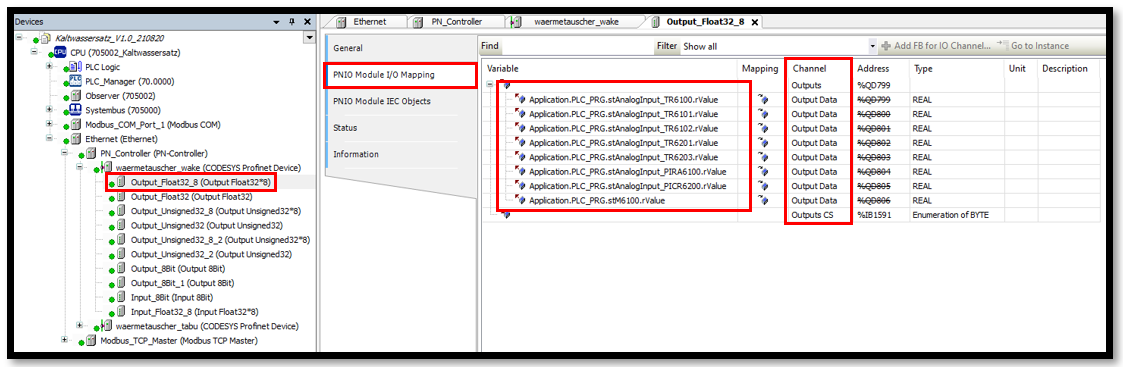
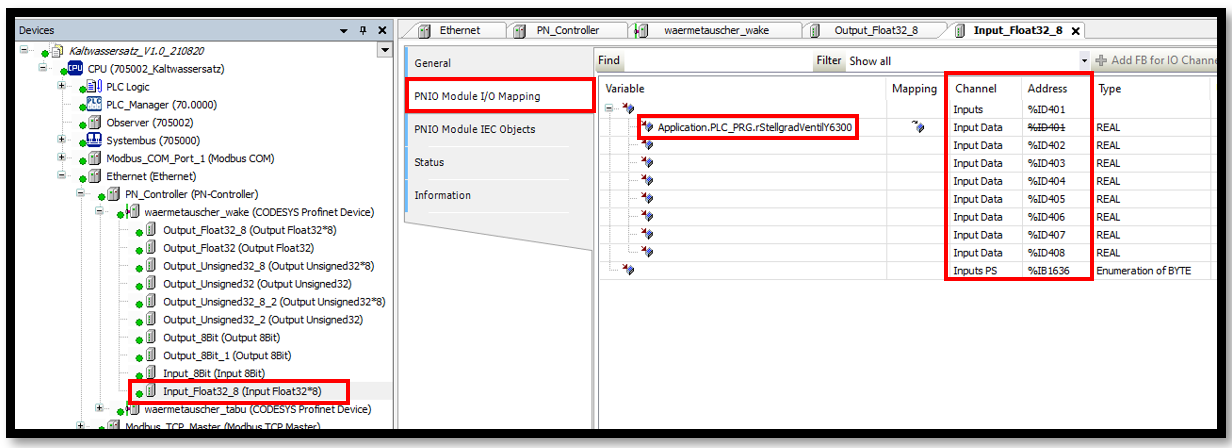
Map an I/O mapping with variables (request 8 floats from device)