
To be able to use the button from the JCmpVisuBasic library, a certain structure variable stVisuButtonType is required. This variable type can be used for all buttons in this library.
VAR
// Definition for Button
stStartButton : JCmpVisuBasic.stVisuButtonType;
END_VAR
If you now drag the desired object from the Visualization Toolbox into the process screen, a parameter window opens. Here you can enter the structure variable e.g. stStartButton, which was previously defined.
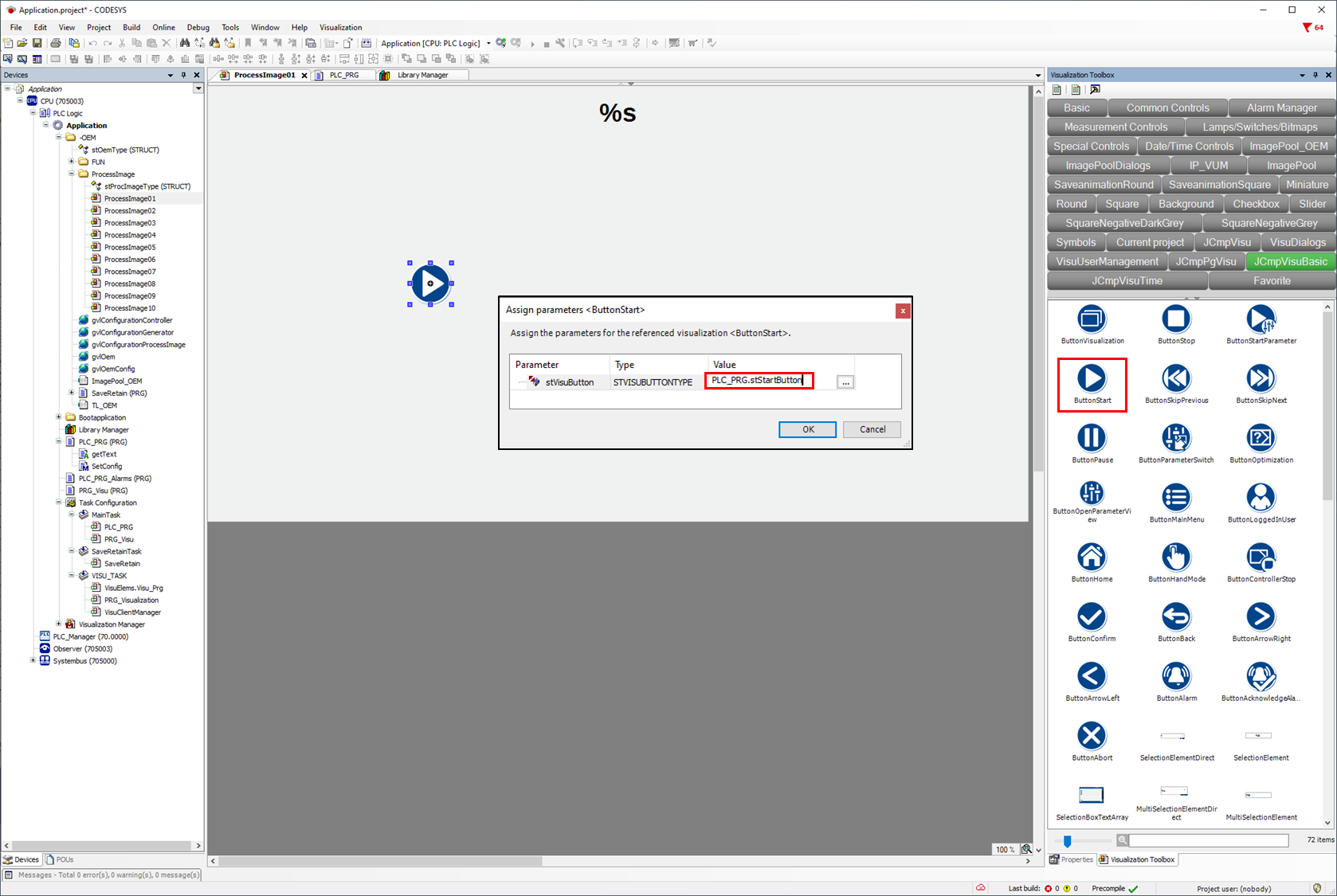
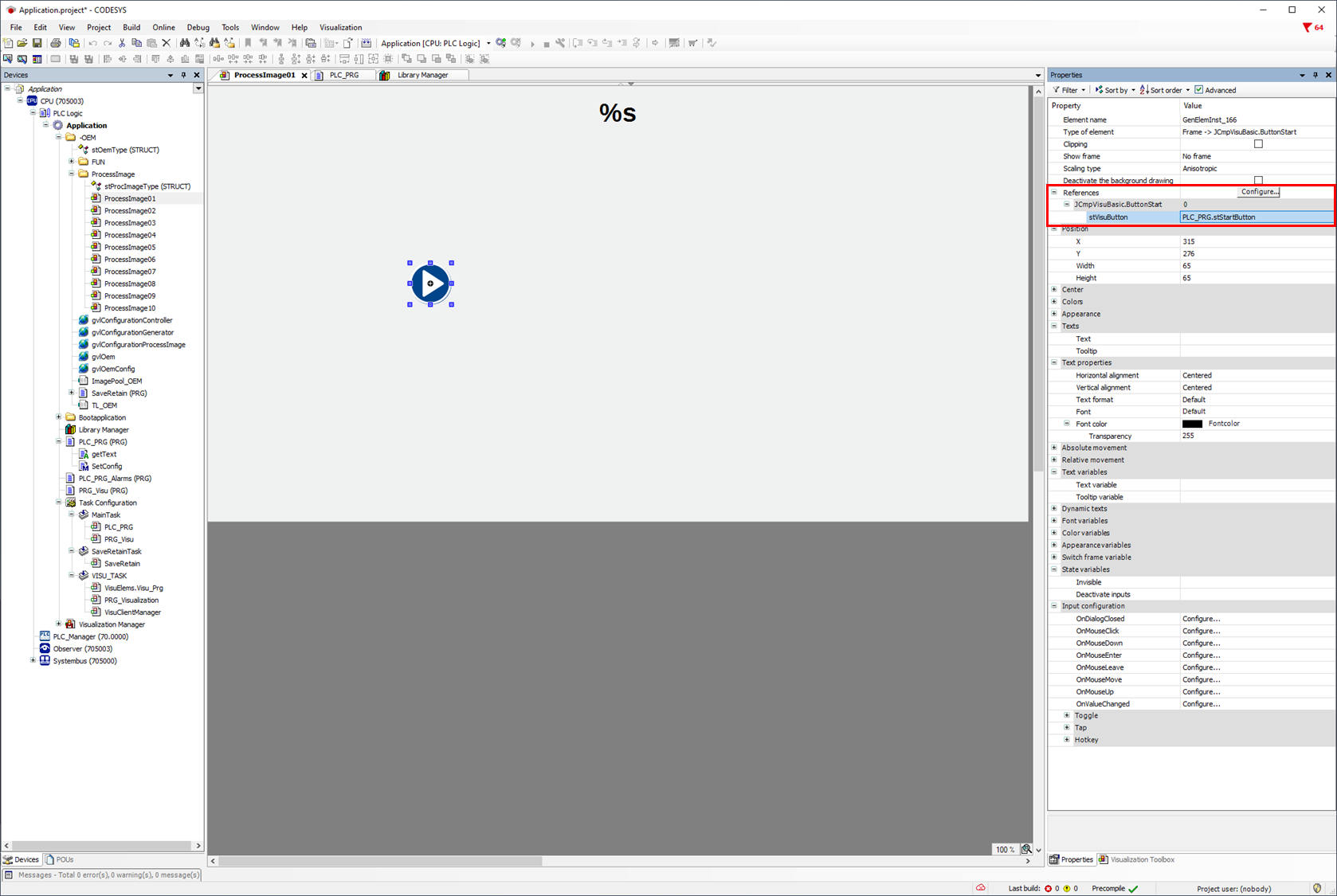
It is also possible to enter or change the variables afterwards via the object property.
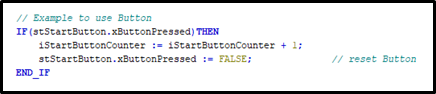
With the structure variable stStartButton.xButtonPressed, confirmation of the button can be requested and an action executed. The structure variable must then be reset again.
The variable type stVisuButtonType contains xButtonVisible and xButtonFeedback in addition to xButtonPressed.
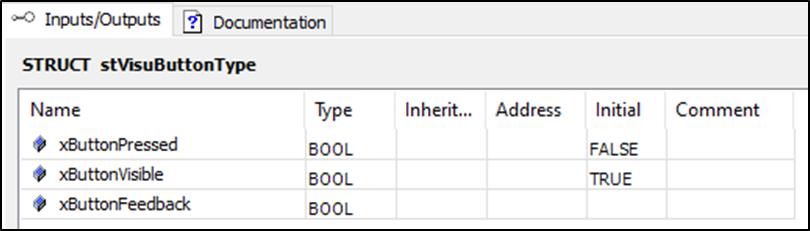
xButtonPressed can be used to query the activation of the button, which must then be reset.
With xButtonVisible the button object can be displayed/hidden.
xButtonFeedback can be used to query the operation of the button without having to reset it.