Problem description
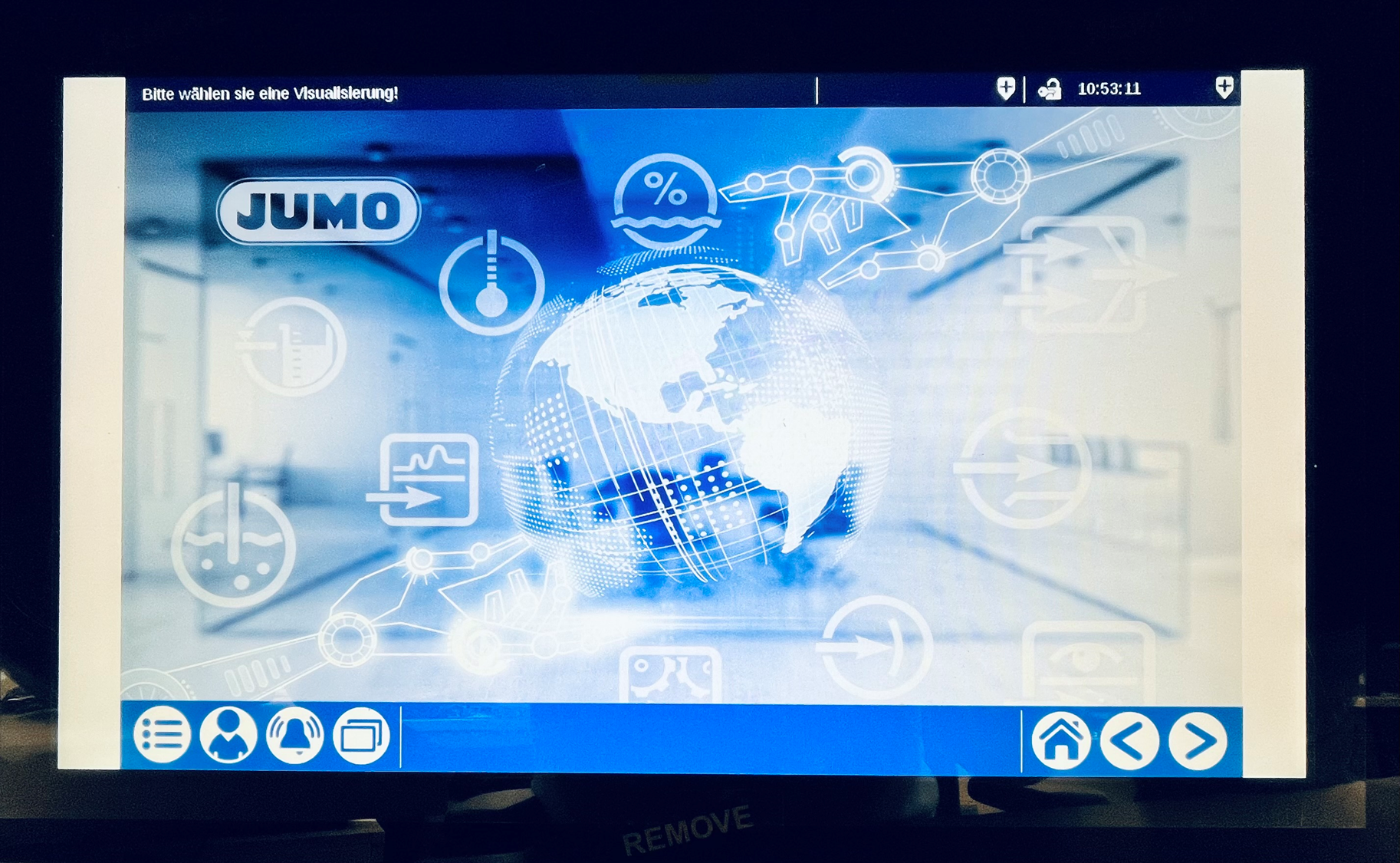
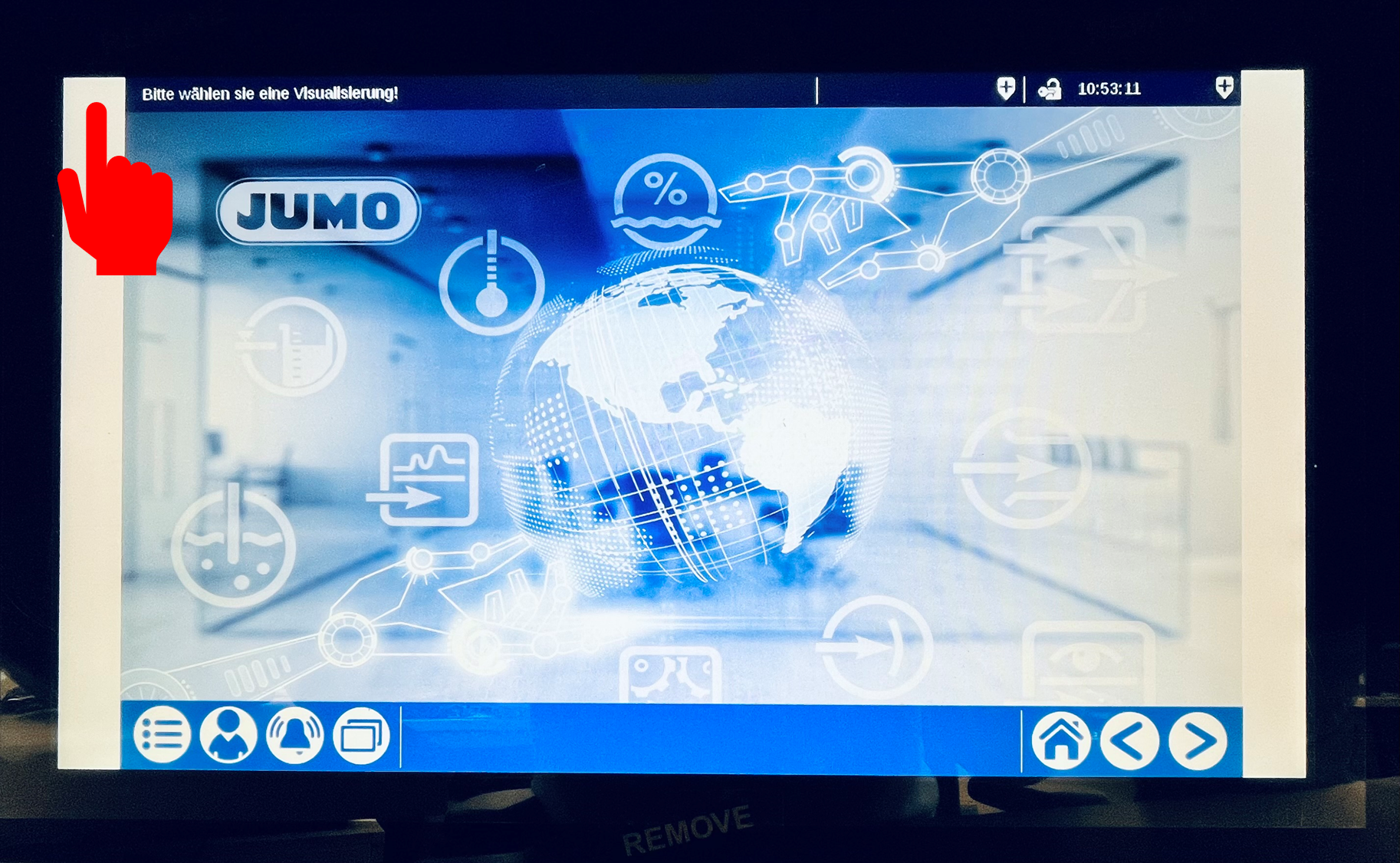
The Visu-Template has been created with a resolution of 1280 x 800. With web panels that have a different resolution ratio between width and height, display problems may occur. White stripes may appear on the left and right of the webpanel.
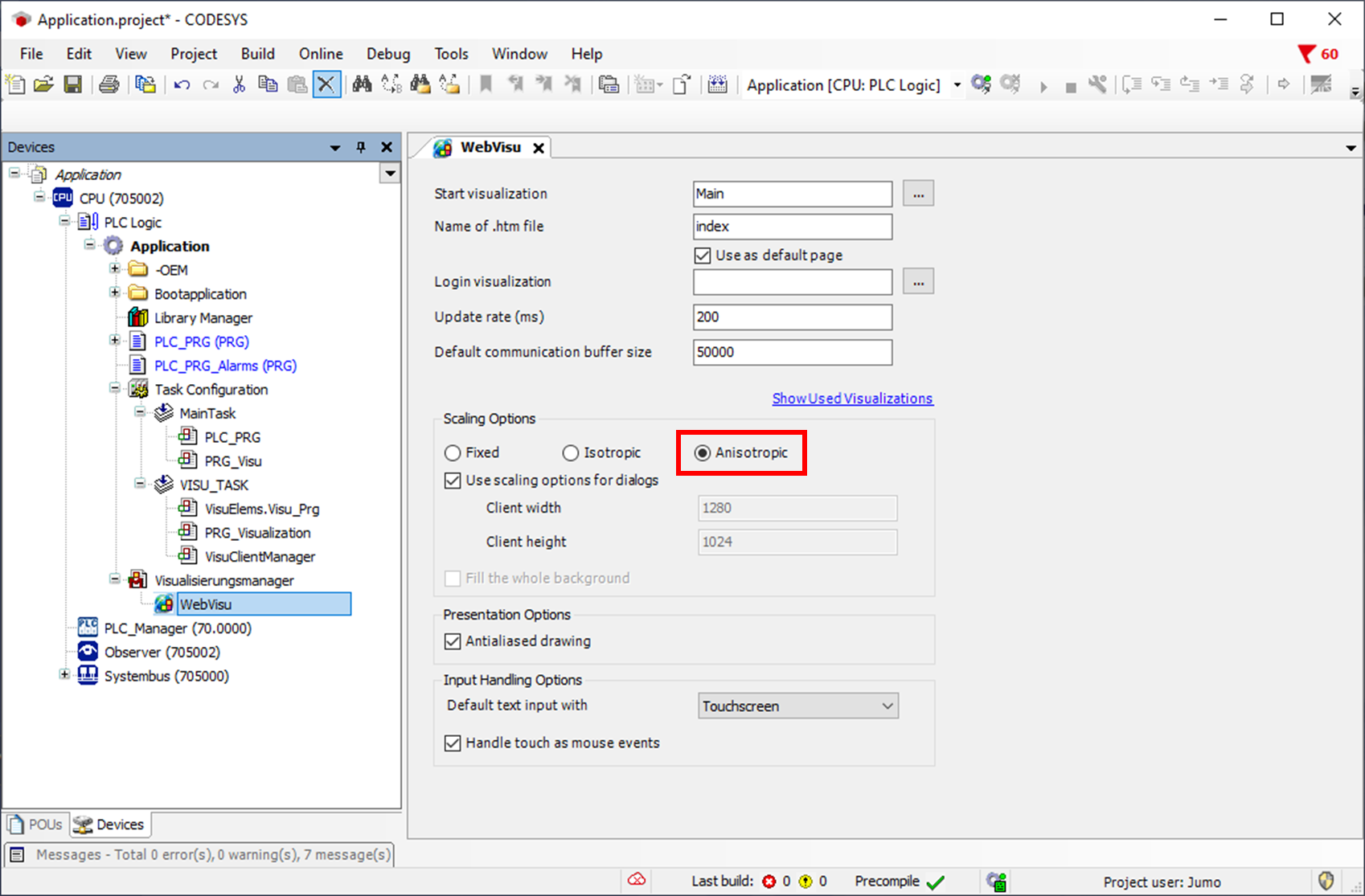
To solve the problem, the scaling option in the CODESYS project in the WebVisu must be changed from Isotropic to Anisotropic and the project must be re-transferred to the device.
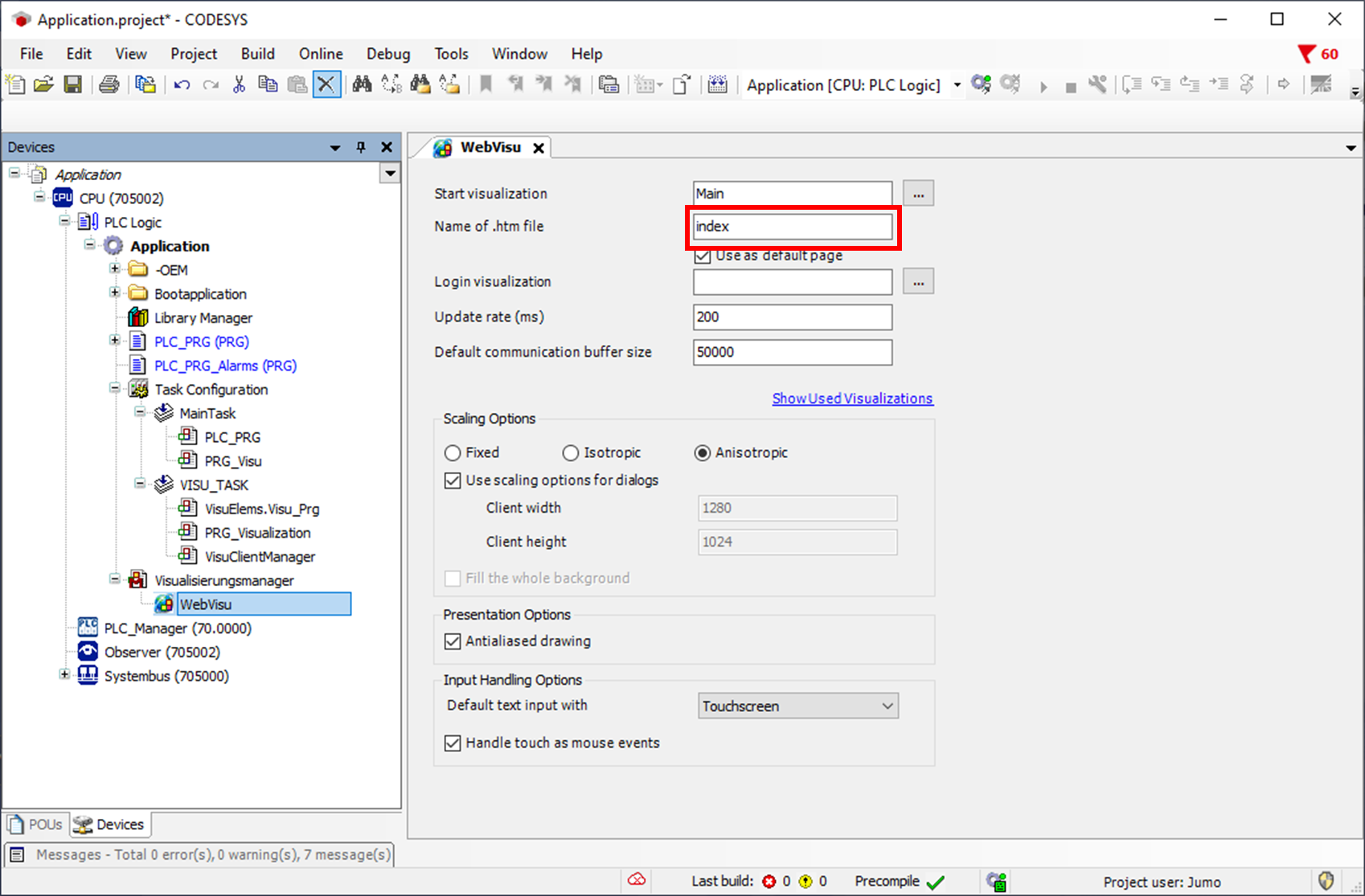
The Url in the webpanel should look like this: http://<device-ip>:8080/index.htm. The correct ending can be taken from the CODESYS project. An incorrect ending such as webvisu.htm can lead to exactly this problem.
Deleting the cache
If changing the scaling option has not improved the situation, you should delete the web panel cache.
For this, hold down the left top corner of the webpanel for longer than 5 seconds.
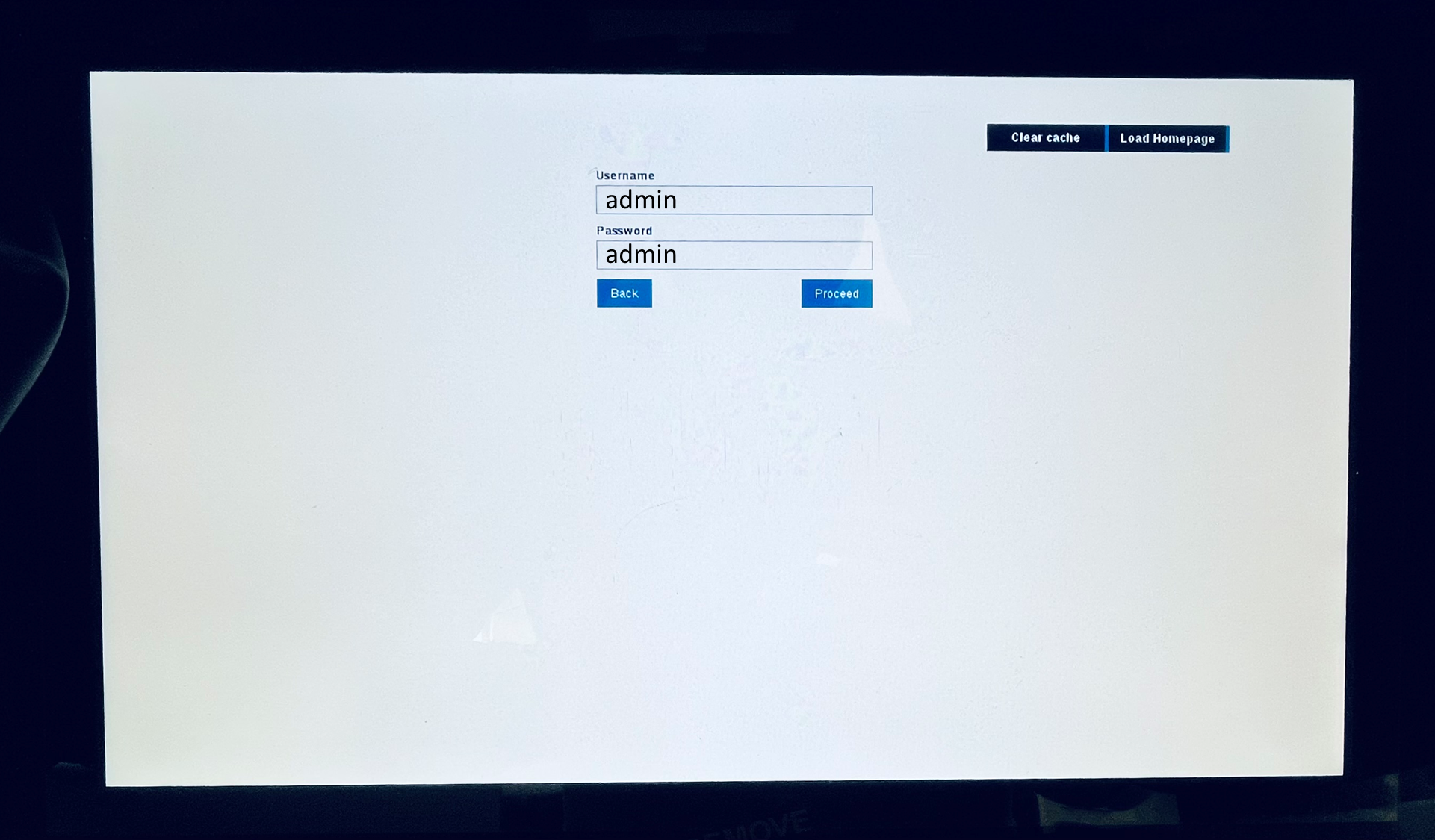
The login window is now displayed. Here it is possible to delete the cache by pressing the Clear cache button.

Enabling the toolbar
If clearing the cache has not brought any improvement, call Login window up again and log in with Admin and Admin.
Activate the tool bar and exit the window.
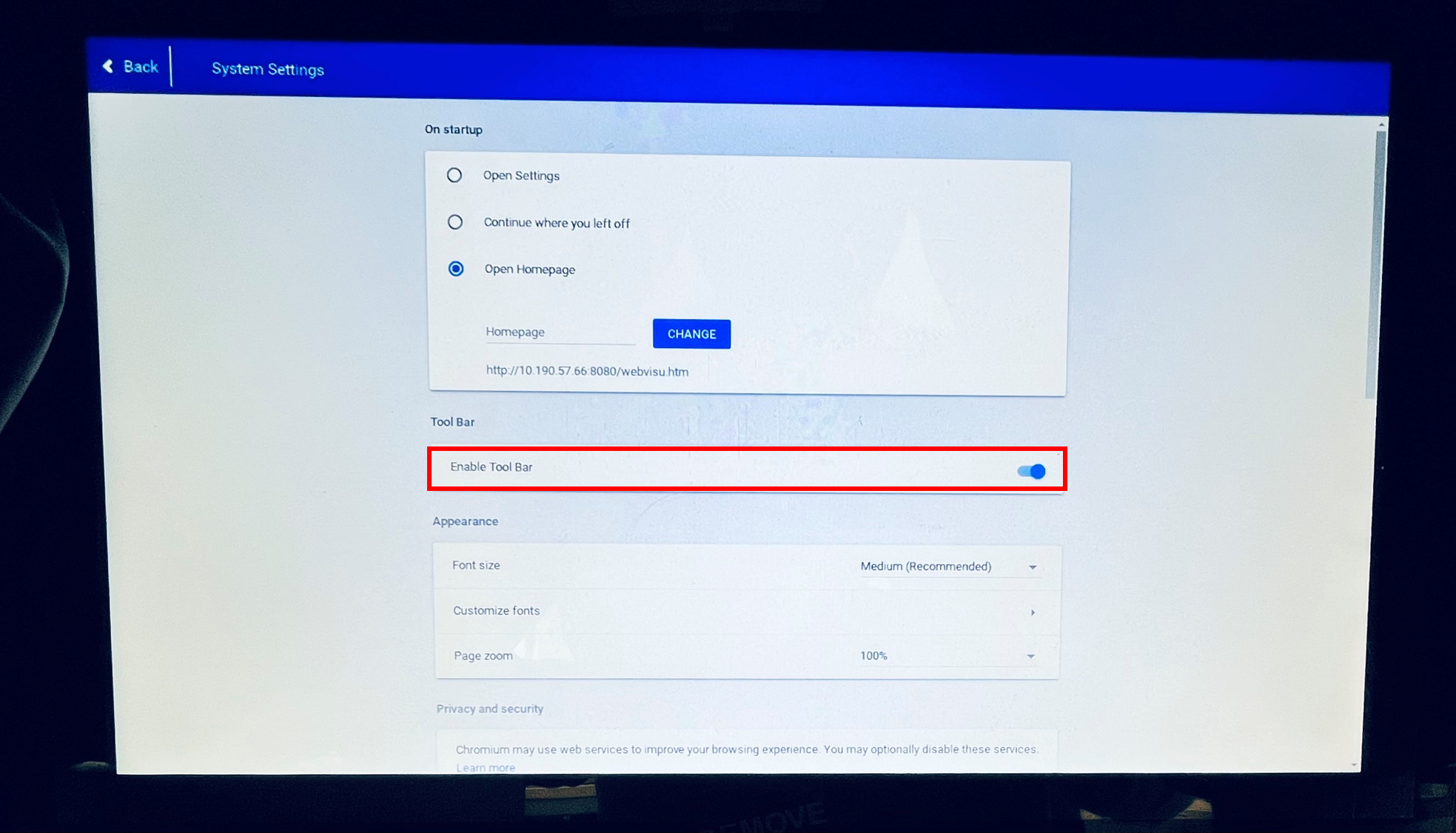
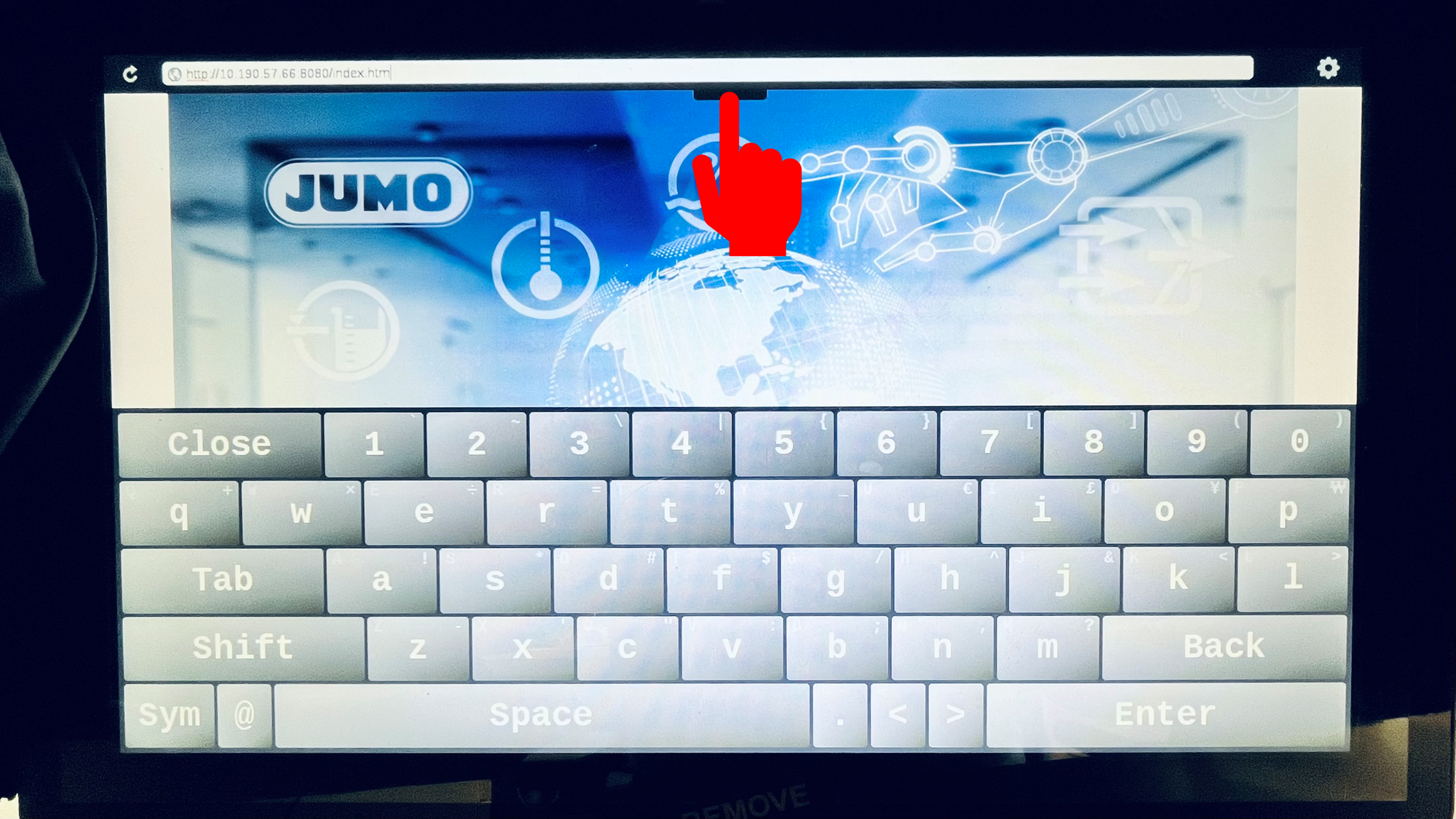
There is a tab in the centre of the top edge of the screen that can be pulled down. The URL can now be changed here from http://<device-ip>:8080 to http://<device-ip>:8090 so that a different page can be called up. Now the original address can be entered again and the problem should be solved.