In the library JCmpVisuBasic the following input objects are available for inputting floating points type REAL and LREAL:
InputRealValue: Input of real value for number for decimal place.
InputLRealValue: Input of long real value with number for decimal place.
InputRealValueTwoComma: Input of real value with two decimal places.
If you now drag the desired object from the Visualization Toolbox into the process screen, a parameter window opens. Here you can either specify fixed values as parameters for the input window or assign variables.
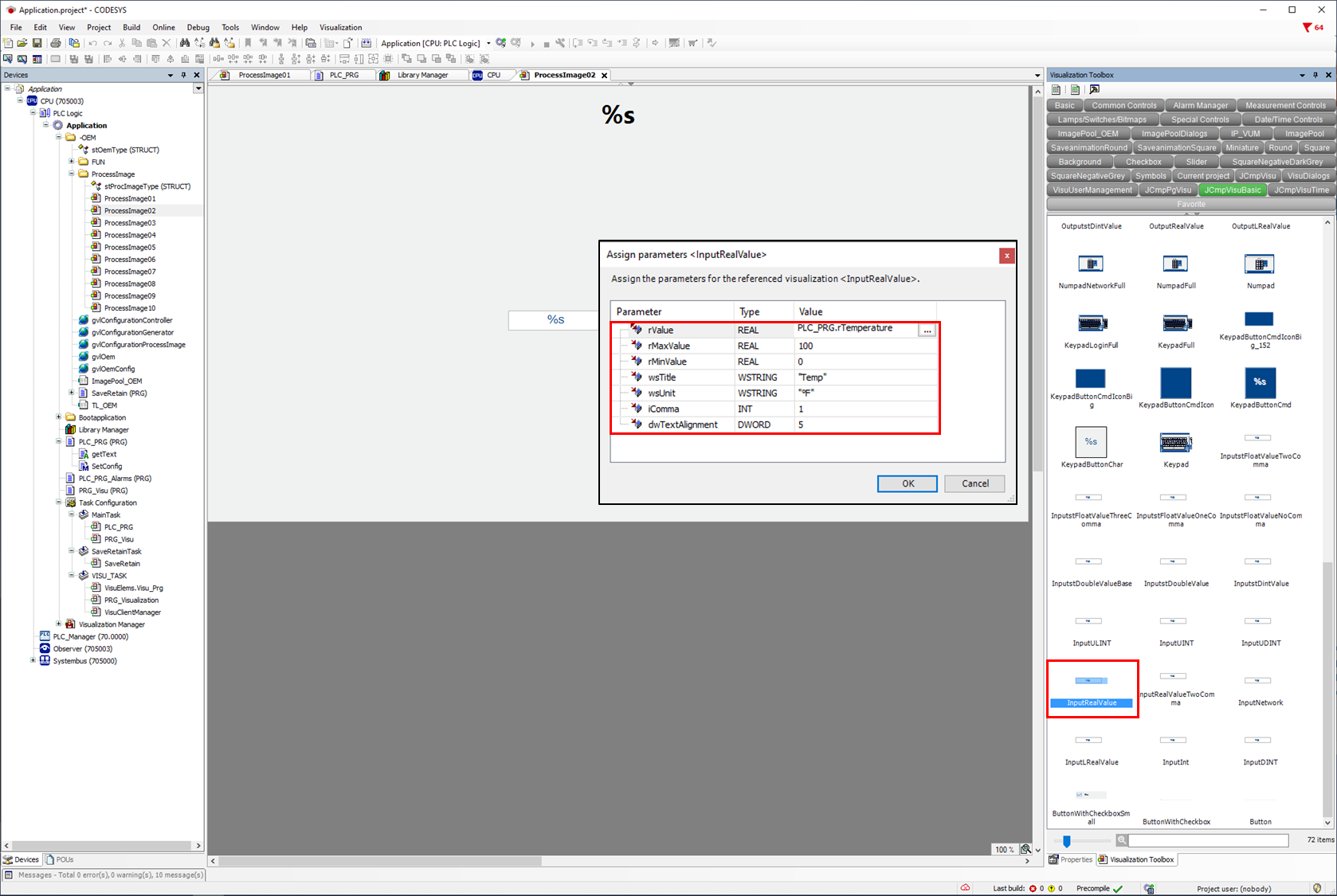
It is also possible to enter or change the parameters afterwards via the object property.
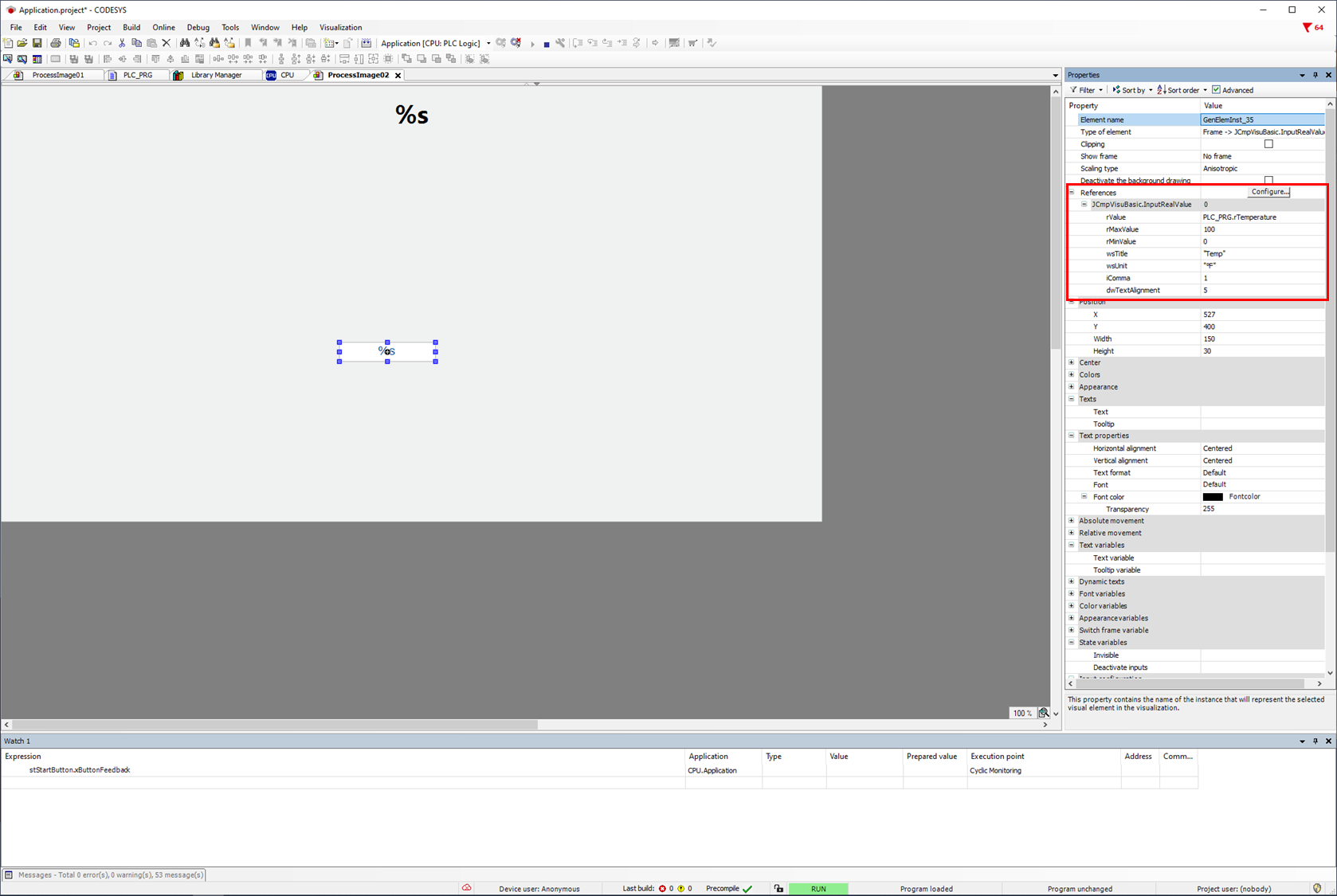
The same variables are used for all real value inputs.
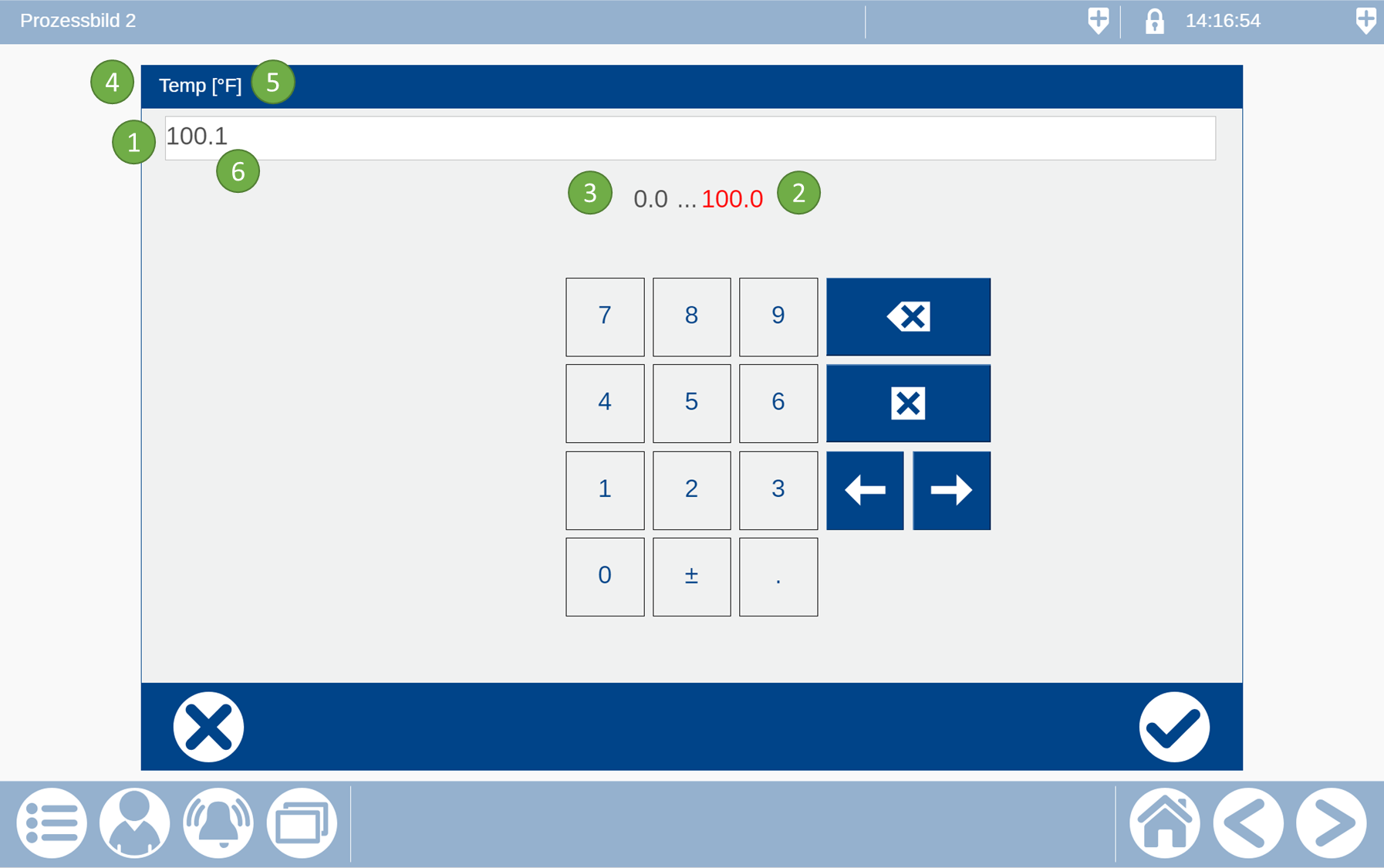
:No1: rValue/lrValue: Entered real value
:No2: rMaxValue: Max. input limit as real value or real variable.
:No3: rMinValue: Min. input limit as real value or real variable.
:No4: wsTitle: Title for the input window as wString or wStringvariable.
:No5: wsUnit: Unit as wString or wStringvariable is displayed behind the title.
:No6: iComma: number of decimal points (not for InputRealValueTwoComma)
0 no decimal place
1 one decimal place
2 one decimal place
3 one decimal place
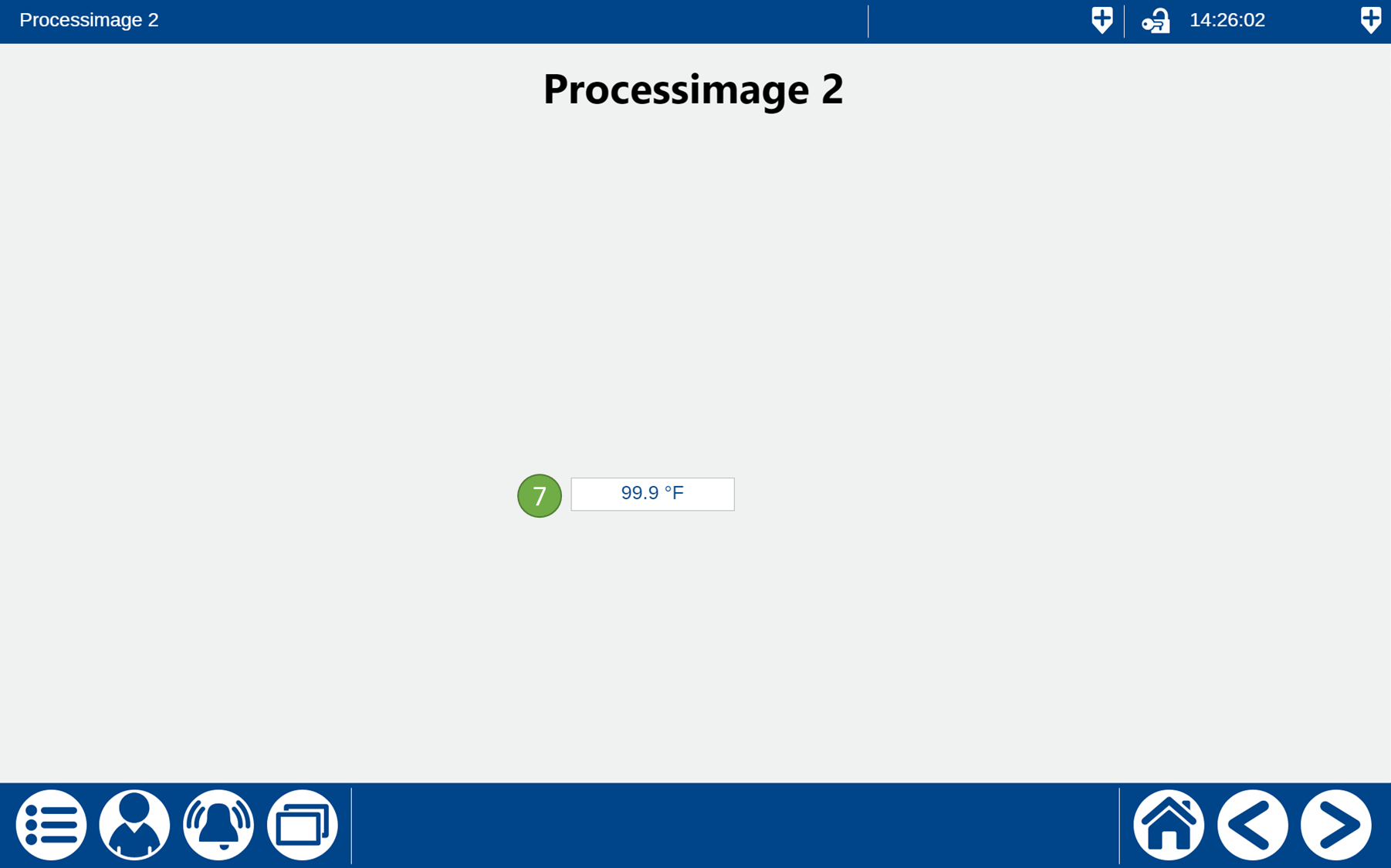
:No7: dwTextAlignment: The following values determine the position of the value in the input object:
0 Top left
1 Top center
2 Top right
4 Center left
5 Center Center
6 Center right
8 Bottom left
9 Bottom center
10 Bottom right