
4.23 Update from
1. FDA 21 CFR Part 11
Starting with this version, JUMO Cloud and JUMO smartWARE SCADA support the requirements of FDA 21 CFR Part 11. This allows them to be used in FDA-regulated applications in accordance with the recommendations in the attached White paper. The current version of the document is available on the JUMO website.
Improved compliance and enhanced safety for FDA-regulated applications
EN-70181000T87Z001K000-0200.pdf
2. Improvement of Widget: Event Pathway Map
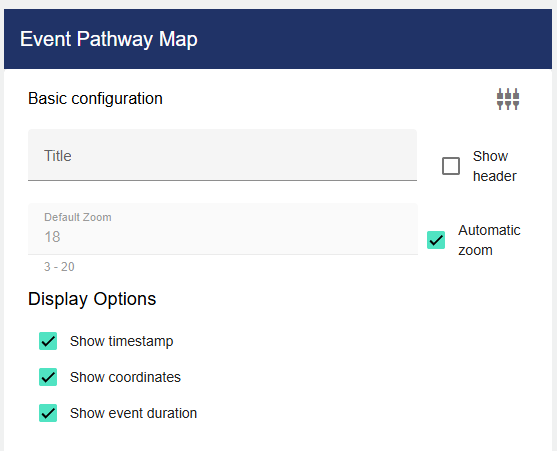
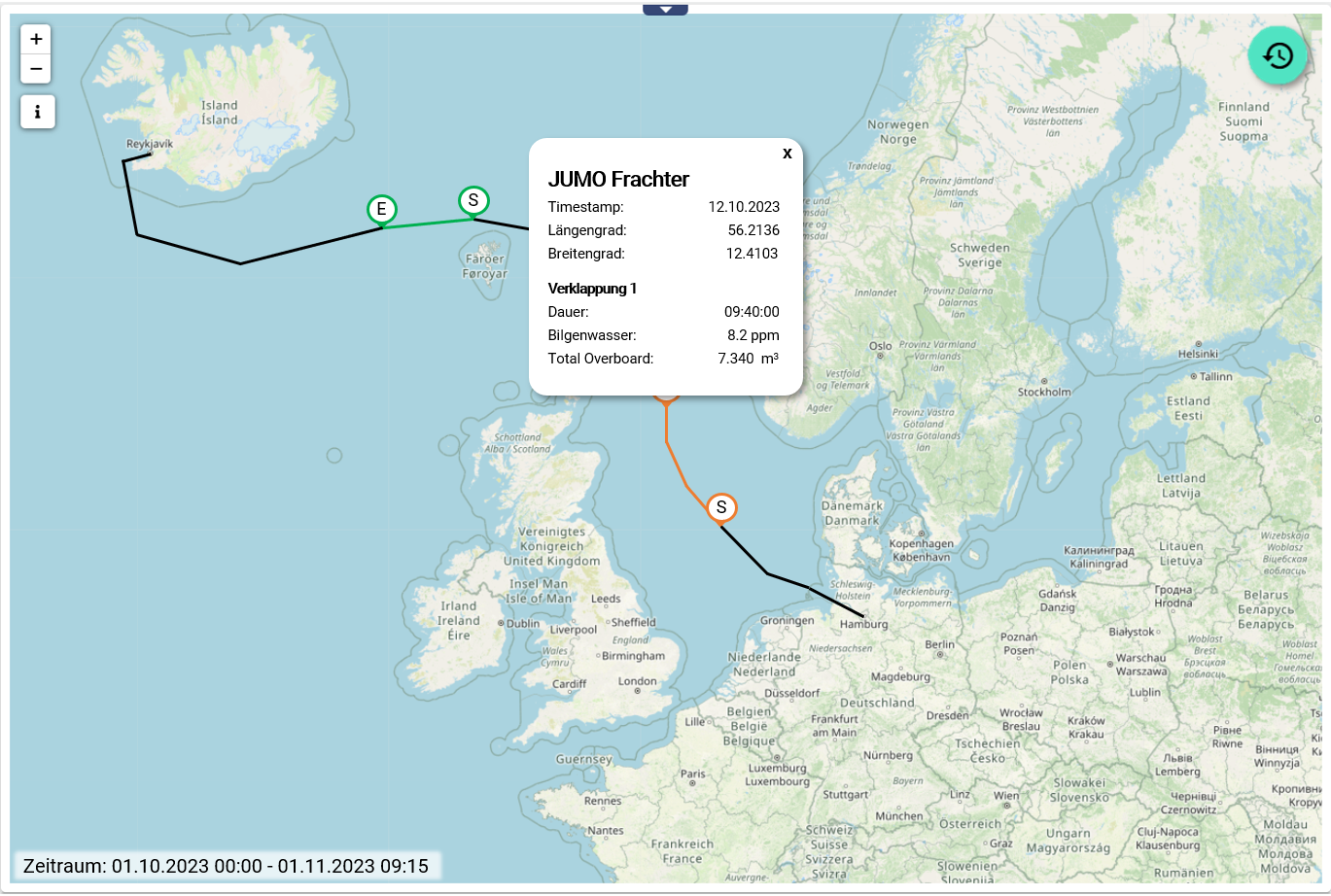
The configuration options for the Widget: Event Pathway Map have been expanded. Starting with this version, automatic zooming can be enabled. In addition, you can show or hide additional information in the pop-up for event Start and event End.
Greater transparency and flexibility in the analysis of route events
|
Widget Configuration |
Example Widget Display |
|---|---|
|
|
3. Advanced Options for working with Counters and Meters
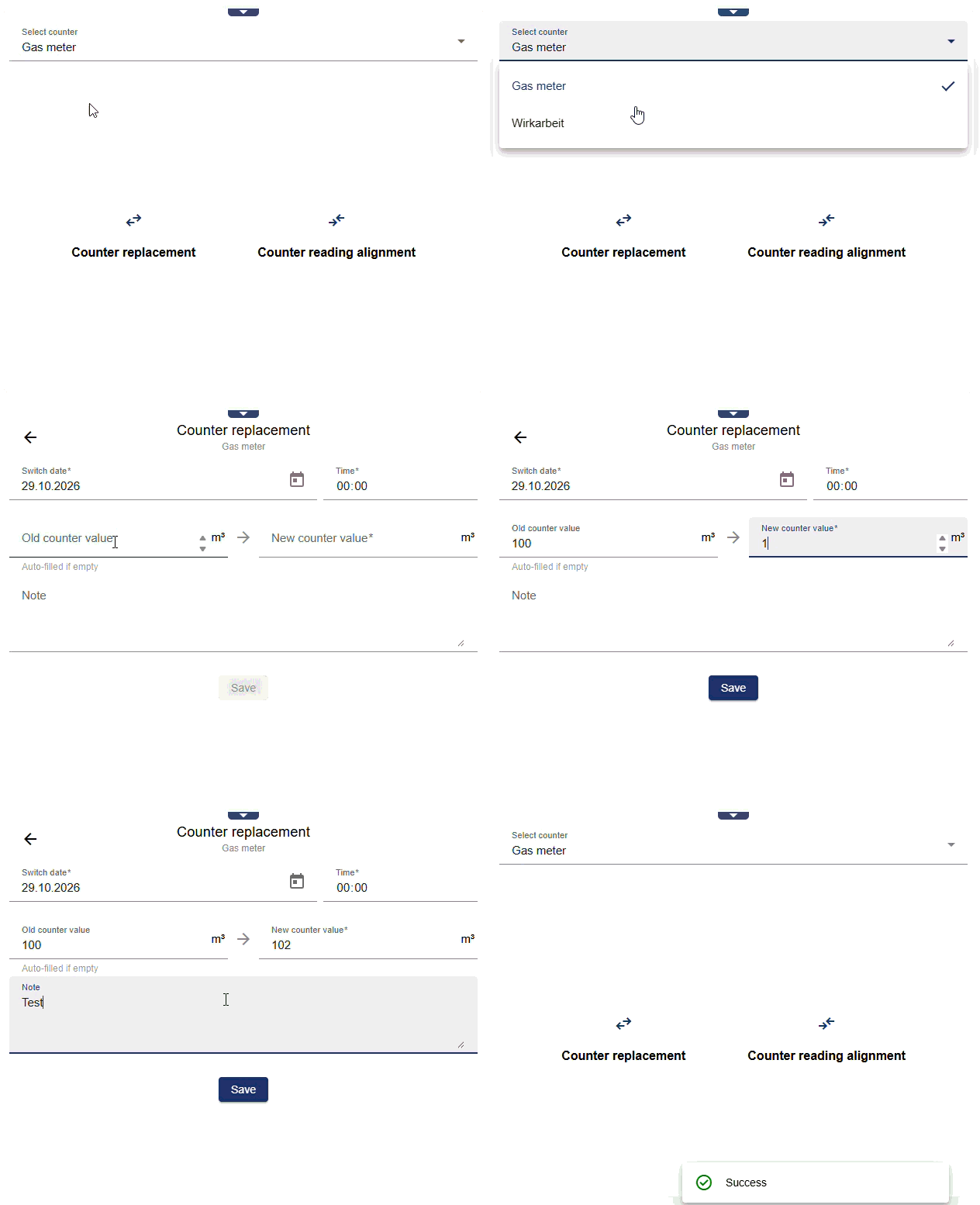
With the new Widget: Meter Management, Meter Replacements and Meter Reading Alignments can be performed directly in the dashboard. During a meter replacement, the meter reading from an existing meter can be transferred to a new meter. Meter reading alignments allows you to correct discrepancies between the actual meter reading and the value recorded in the system. Such discrepancies can arise, among other things, during pulse counting due to technical factors.
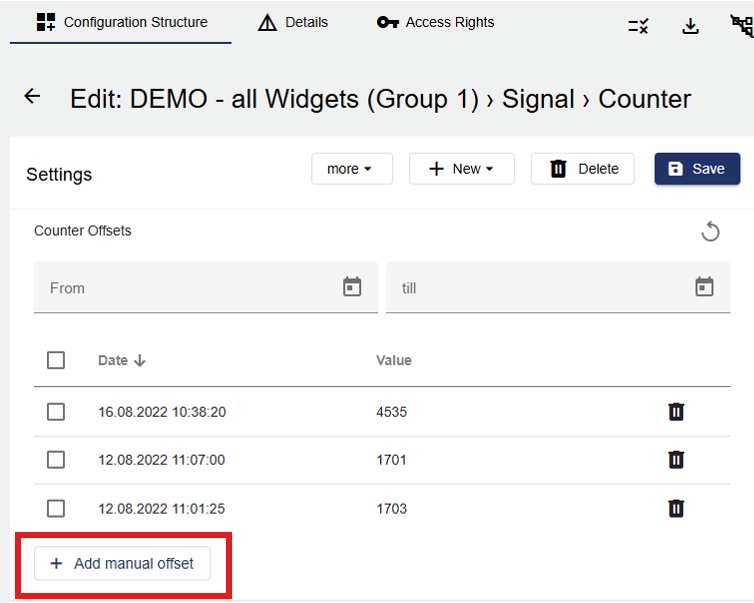
In addition, the formula configuration has been expanded: Counter offsets can now be configured manually to make the calculation of Counter values even more flexible.
Advanced Options for Working with Counters and Meters
|
Dashboard: New Widget: Meter Management |
Configuration: Add Manual Counter Offsets |
|---|---|
|
|
4. JUMO smartWARE SCADA - Update Guide
To make updating to new versions of JUMO smartWARE SCADA easier and more secure, an Update Guide is now available. It contains important information about version-specific changes, as well as instructions on whether and what steps are required before, during, or after an update.
Greater security and increased transparency when performing SCADA updates
5. Extending Formula Compression to Include Min. and Max.
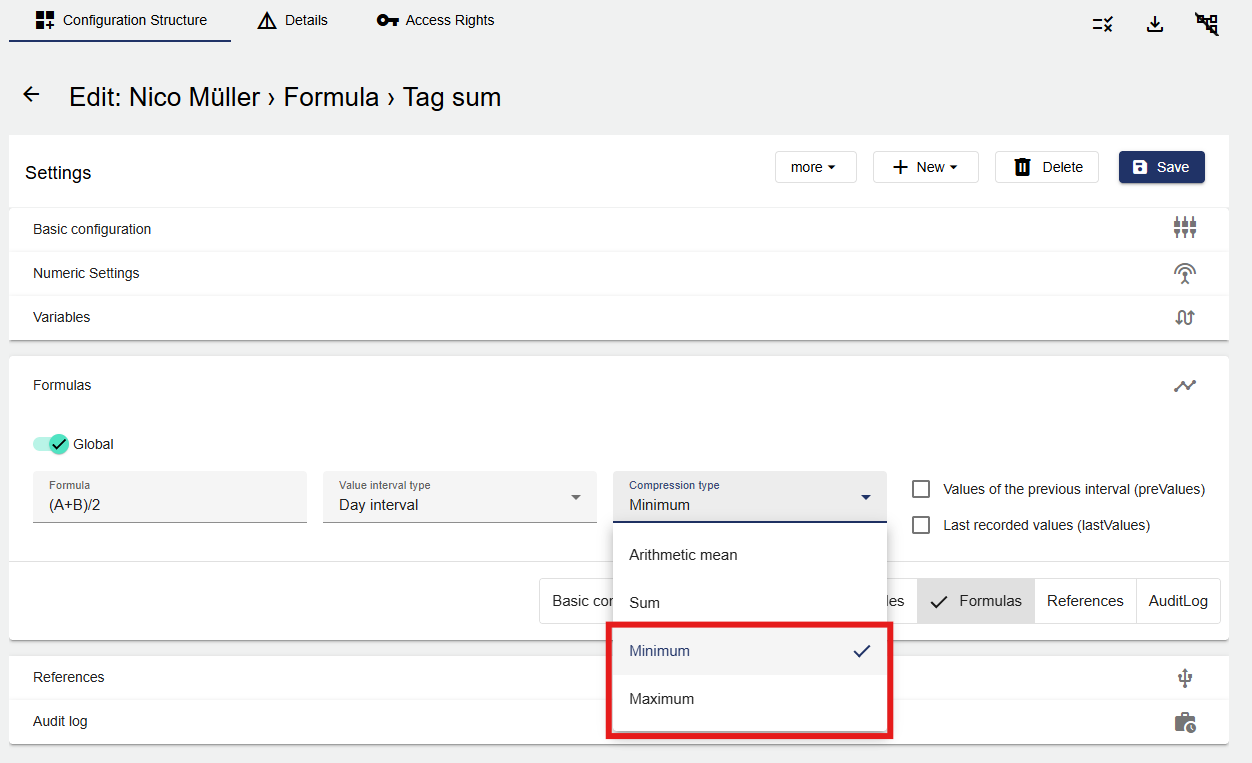
Starting with this version, the "Minimum" and "Maximum" compression types are also available for Formulas. Previously, only "Arithmetic mean" and "Sum" could be used. For example, when daily values are displayed, the respective minimum or maximum value for the daily interval is automatically used.
This enables an even more flexible analysis of data. For example, in water supply systems, the minimum or maximum fill level of an elevated tank over the course of a day can be easily analyzed.
Advanced analysis options when using formulas
6. Expansion of Signal Monitoring (only good-quality values)
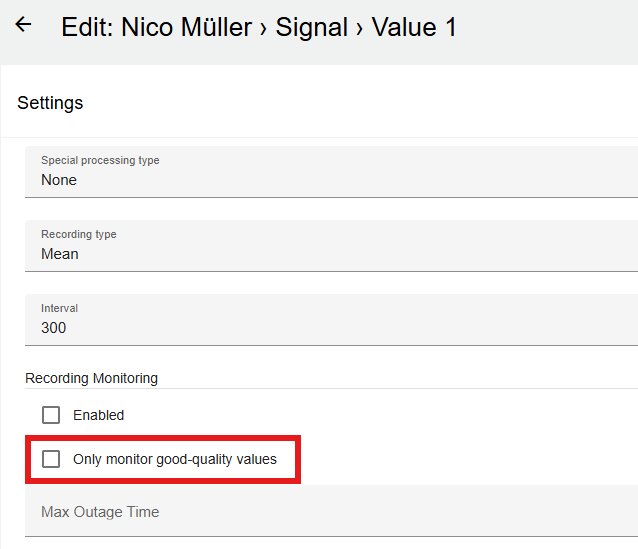
Recording monitoring has been enhanced to include the option of using only good-quality signal values for monitoring. This feature is typically used to trigger alarms when no new signal values are being received, for example, due to network or communication issues.
If the “Use only good-quality values” option is disabled, signal values of poor quality will still be included in monitoring- for example, values marked with a red warning icon and a timestamp. If, on the other hand, the checkbox is selected, poor-quality values will not trigger an alarm (JUMO recommendation).
Greater flexibility and insight in signal monitoring
7. Other Important Features
-
Simplified Button Animation
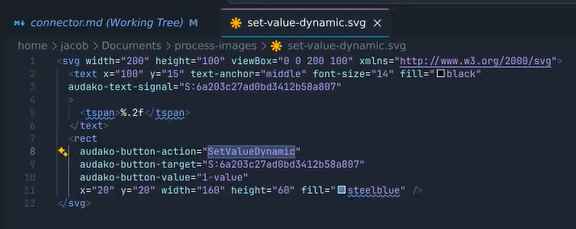
The signal value assigned to a button can now be set dynamically. This allows different states to be represented directly with a single button. Previously, this required creating multiple buttons and showing or hiding them depending on the state.Typical use cases include buttons for changing values or buttons that perform different functions depending on their current state - for example, increasing or decreasing a value using “+” and “−.”
-
Bug fixes and system maintenance