
The time navigator allows the user to adjust the selected time range within the evaluation. Not only Warm Data can be accessed, but data that is only available as Cold Data can also be selected. Clicking "Apply time range" converts this data to Warm Data and displays it in the evaluation.
Depending on the amount of data, this process may take some time. Clicking "Cancel" cancels the process.
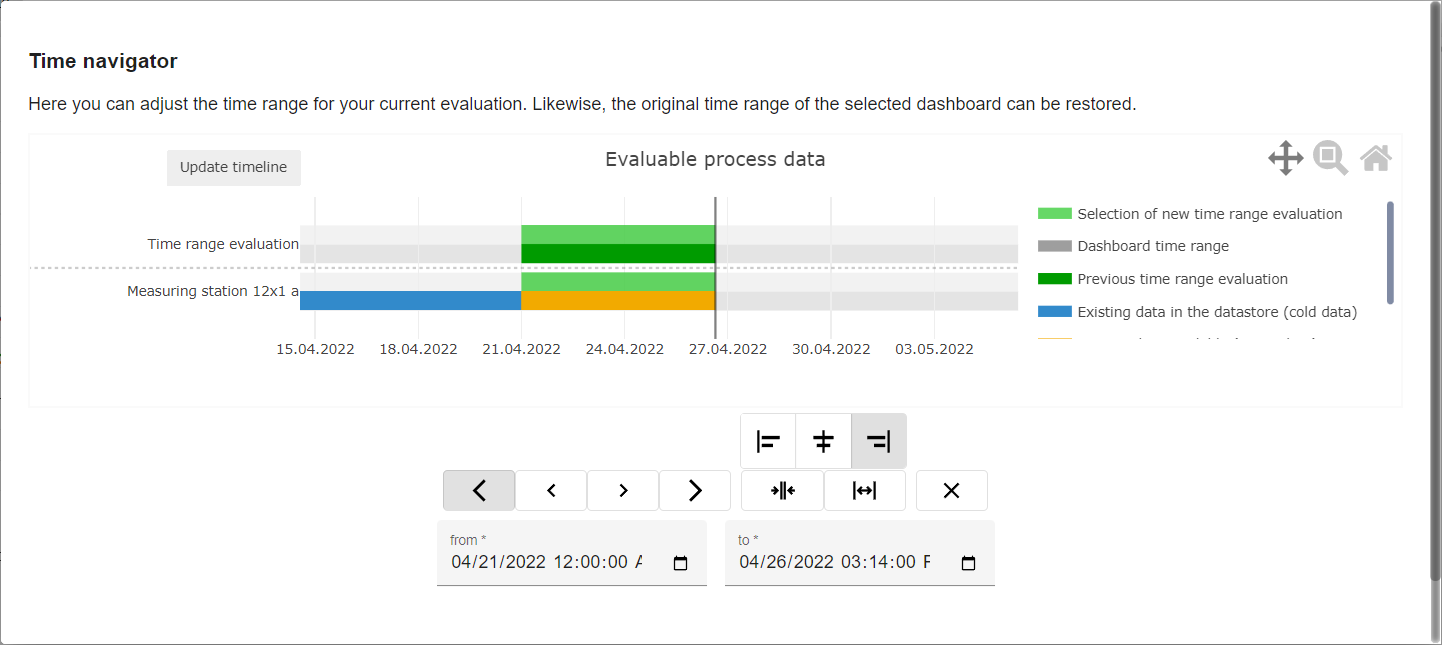
|
Schaltfläche |
Funktion |
|---|---|


|
New time range is moved to the left or right in large steps |


|
New time range is moved to the left or right in small steps |


|
Alignment left or right when enlarging/reducing the time range |

|
Alignment centered when enlarging/reducing the time range |

|
Decrease the time range |

|
Enlarge the time range |

|
Reset the time range to original setting |
If the time range is set in the range after the current time, the time range is always set to the current time.
The time range can also be defined with the help of the two date fields!