
With the help of the "Going to" function, it is possible to jump to a user defined value within the process value table.
The "Going to" function was configured to search only in "visible" channels. This means that hidden channels are not considered.
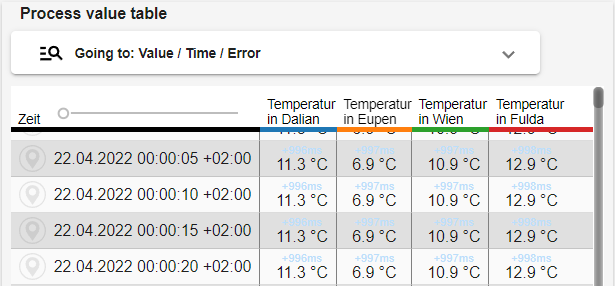
Clicking the panel Going to: Value / Time / Error opens the "Go to" function.
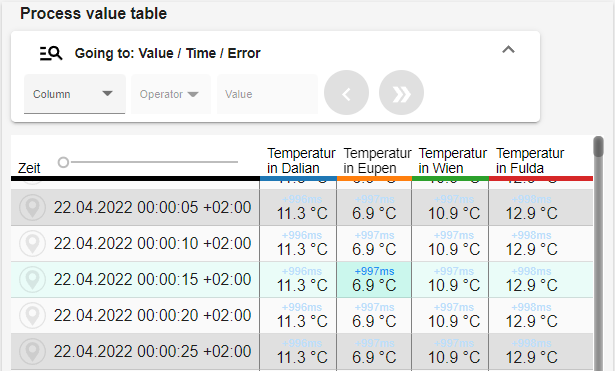
Initially, only the "Column" field is active. The following columns can be selected there:
-
Time
-
All visible columns
-
Analog channels
-
Digital channels
The title of the "Going to" function adjusts to the selected column.
If the "Going to" panel is closed, the function remembers the set values and these can be used again when reopening.
Channels that are hidden via the paint box icon are neither visible in the process value table nor in the "Go to" function!
Column: Time
|
Operator |
Definition |
|
Equal to |
Hit only if there is a matching date |
|
Approximate to |
Hit if there is a matching date; if there is no matching date, the next following date is selected |
|
Cycle change |
Hit if period/cycle changes → e.g.: initially timestamps every second, then only every 30 seconds |
Column: All visible columns
|
Operator |
|
|
Error search |
Error codes are displayed |
Column: Analog channels
|
Operator |
Definition |
|
Equal to |
Hit only if there is a matching value |
|
Over/underrun |
Hit if the value exceeds/falls below |
|
Value overrun |
Hit if the value is exceeded |
|
Value underrun |
Hit if the value falls below |
Column: Digital channels
|
Operator |
Definition |
|
Equal to |
Hit only if there is a matching value |
|
Value overrun |
Hit if the value is exceeded |
|
Value underrun |
Hit if the value falls below |
Number display key
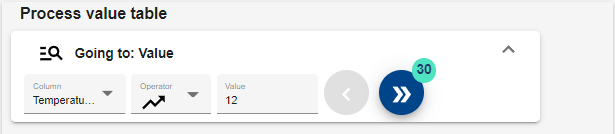
|
|
Number display |
|
up to 999 |
1
|
|
1,000 to
|
1k
|
|
1,000,000 to
|
1M
|
|
from 10,000,000 |
10M+ |