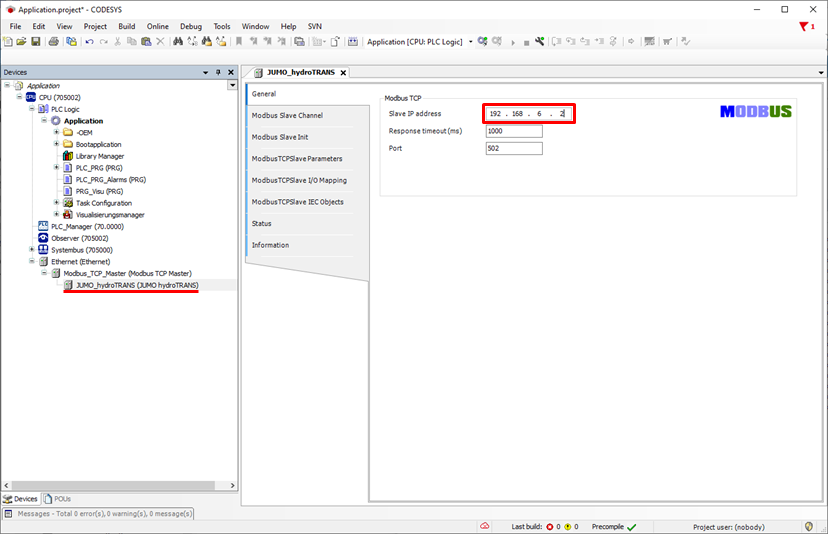
To be able to connect JUMO Modbus devices to the variTRON system via TCP/IP, a free LAN port must be available.
In the following example, the network settings for the LAN2 connection of the variTRON system are configured via the Web Cockpit / JUMO smartWARE Setup. The Method must be set to Manual. The desired addresses for the IP address and the Subnet screen must then be input.
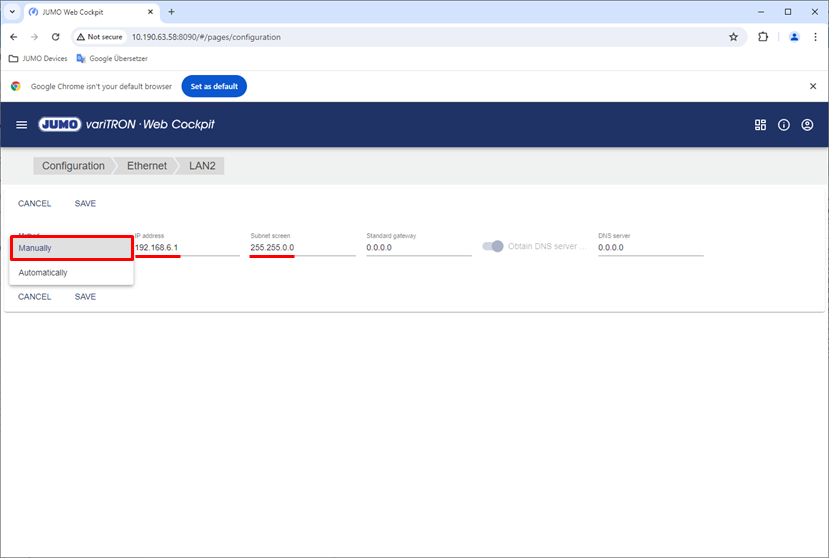
Open a new/existing project with smartWARE Setup. The project may be empty or be a Visu template. Select the CODESYS instance which contains the JUMO Modbus devices (package) for the programming system.
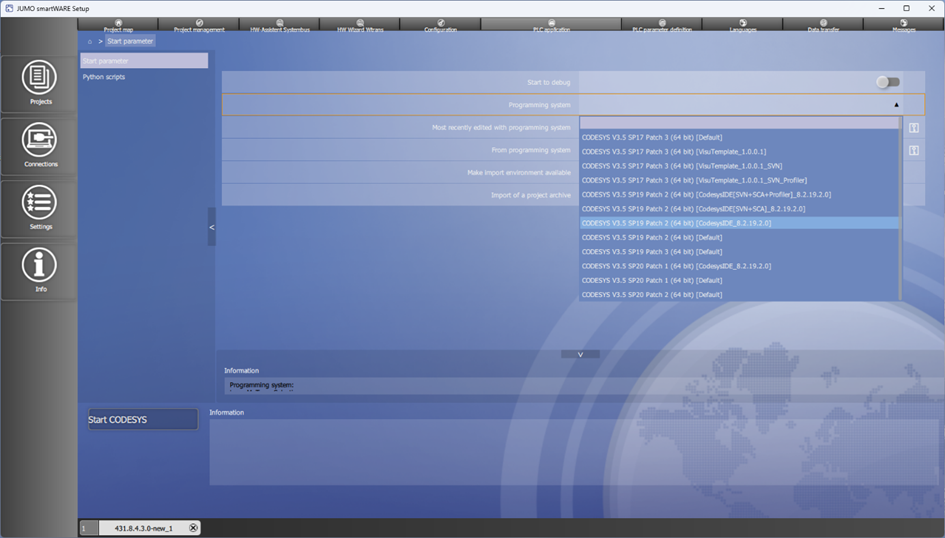
The CPU settings in the PLC application now have to be opened and the IP address of the variTRON system has to be input.
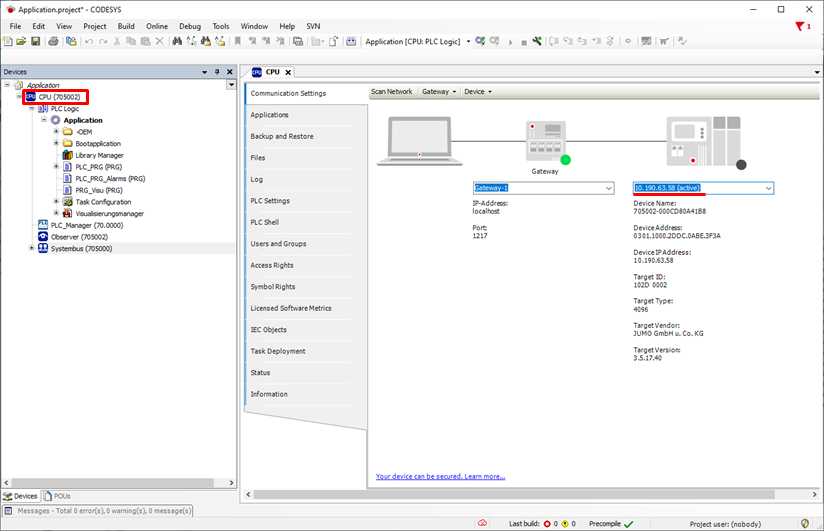
In order to connect the Modbus TCP/IP interface to the CPU, right-click Add Device…
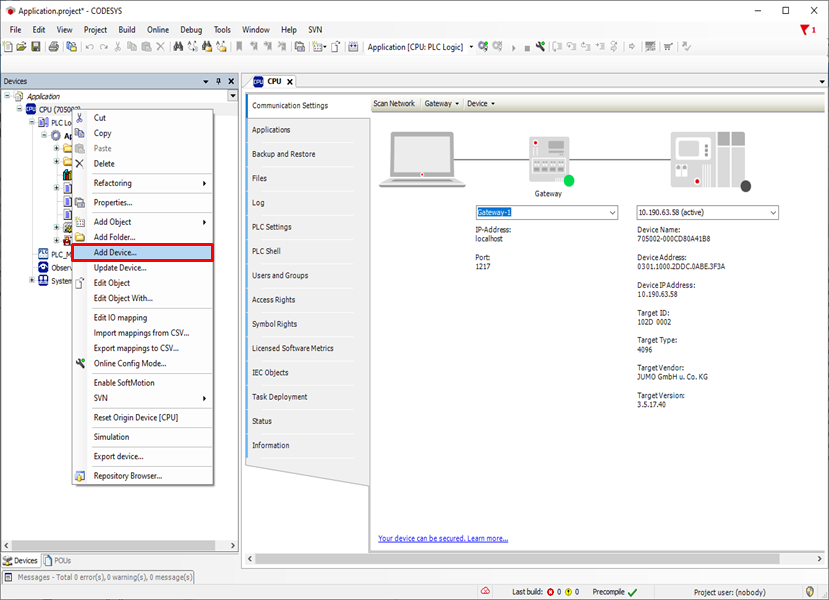
The Ethernet interface has to be added under Ethernet Adapter.
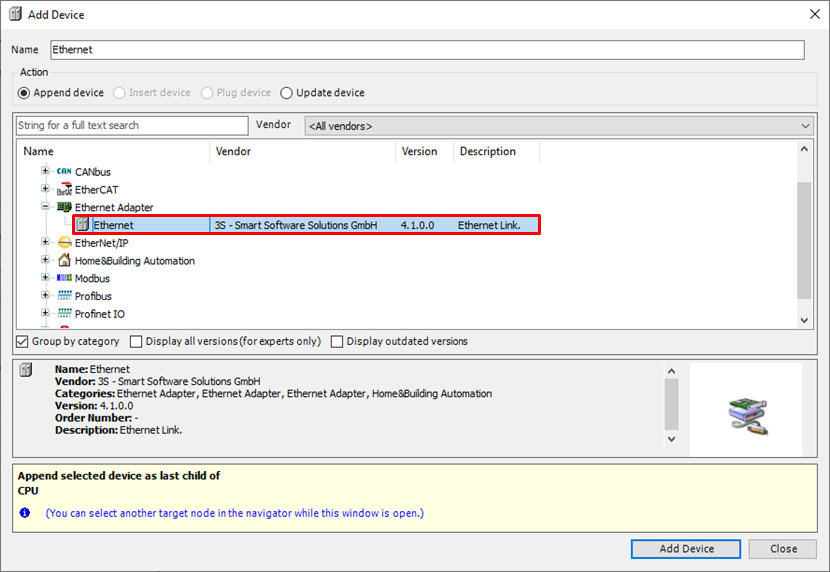
The Modbus TCP Master then has to be added under Fieldbuses/Modbus TCP Master.
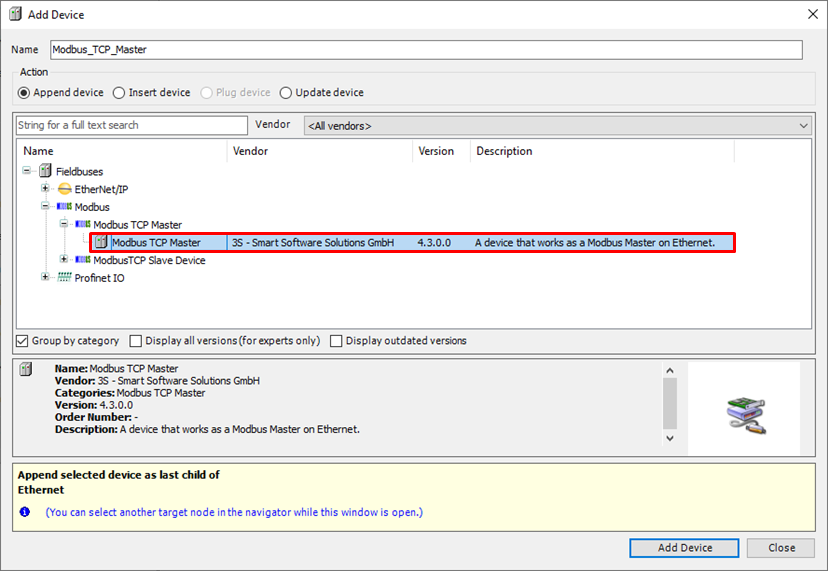
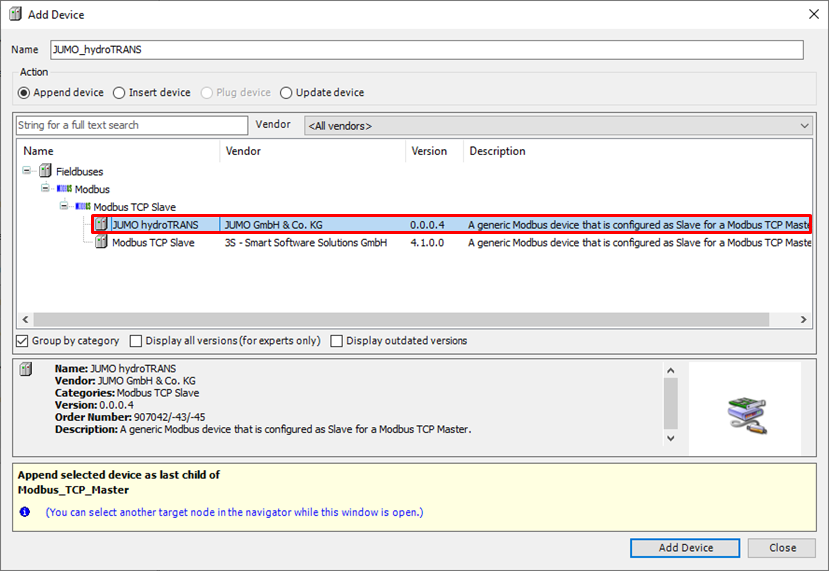
The desired JUMO Modbus device, for example JUMO hydroTRANS, can now be selected under Fieldbuses/Modbus/Modbus TCP Slave. A unique name for the device can be input in the name field at the top.
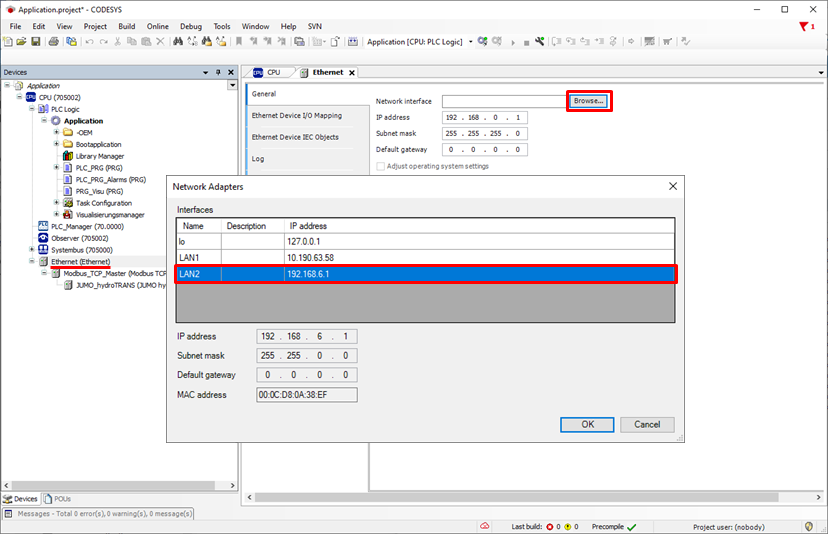
The Ethernet interface now also has to be assigned to the configured LAN port.
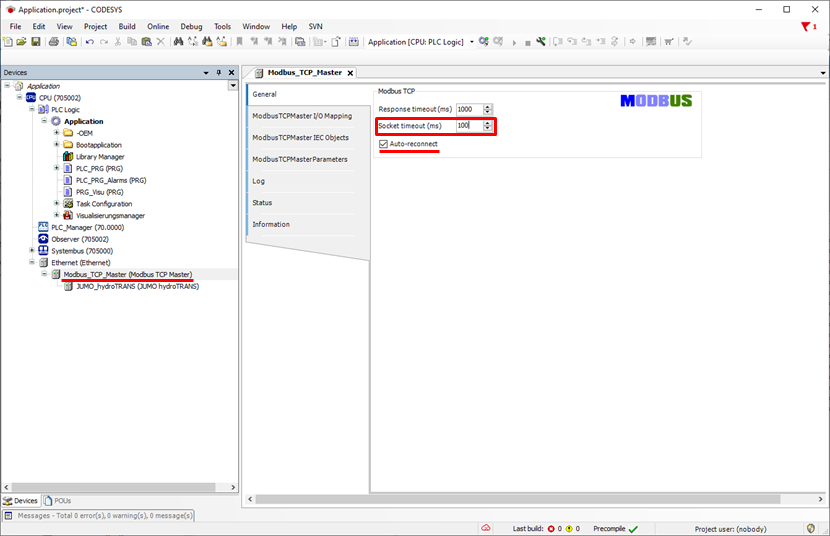
The value for Socket timeout should be set to 100 via Modbus TCP Master and Auto-reconnect activated.
The IP address of the device must be input in the "Slave IP address" field for the JUMO Modbus device.