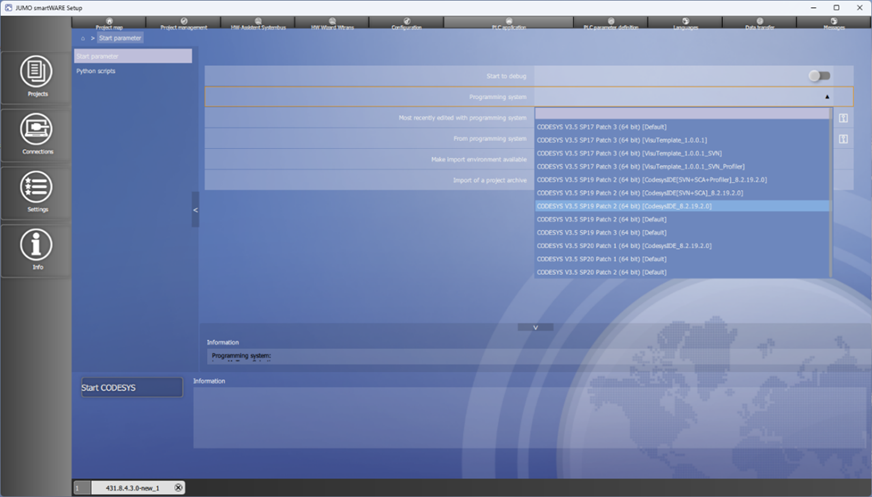
Open a new/existing project with smartWARE Setup. The project may be empty or be a Visu template. Select the CODESYS instance which contains the JUMO Modbus devices (package) for the programming system.
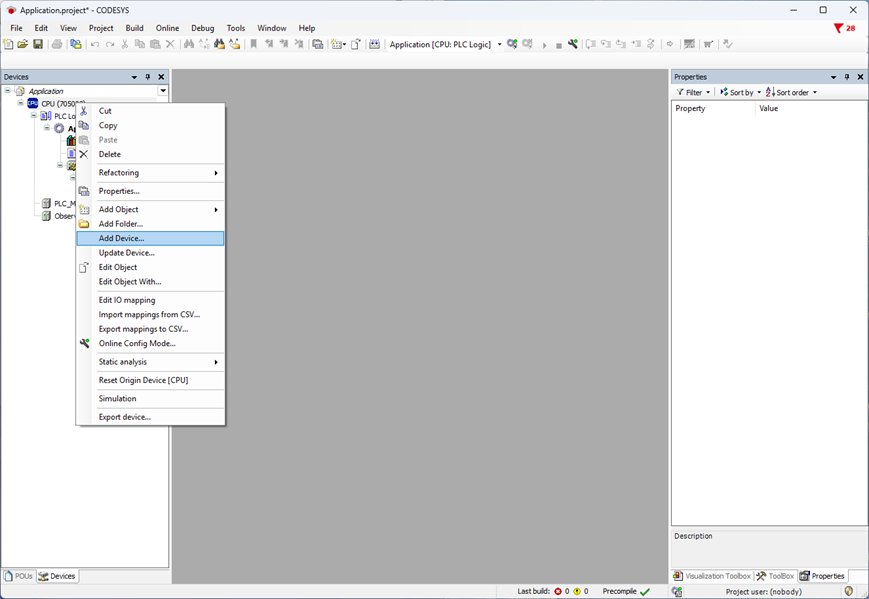
Right-click Add Device…
Select the Modbus Serial Port interface here.
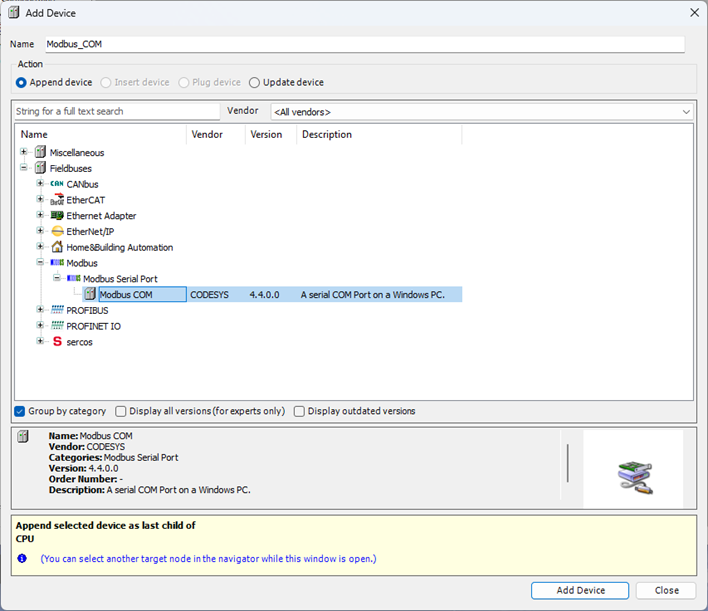
Then select Modbus Serial Master.
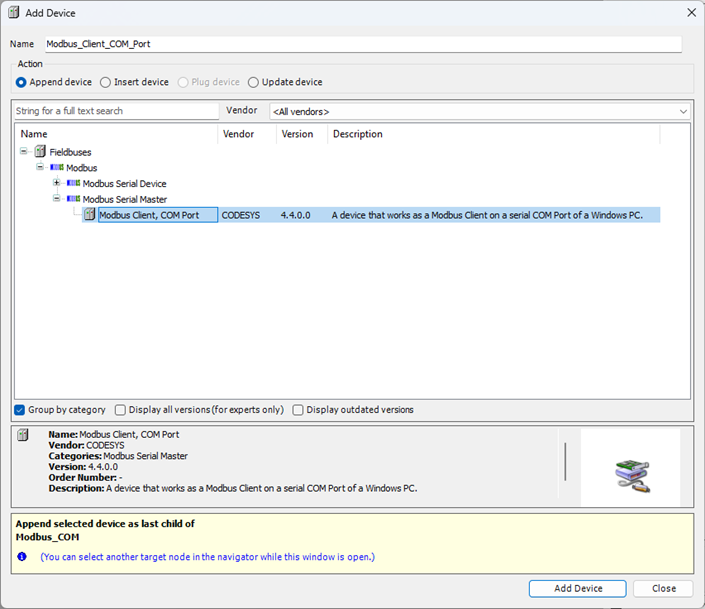
If Modbus Serial Slave is now selected, all installed Modbus drivers will appear.
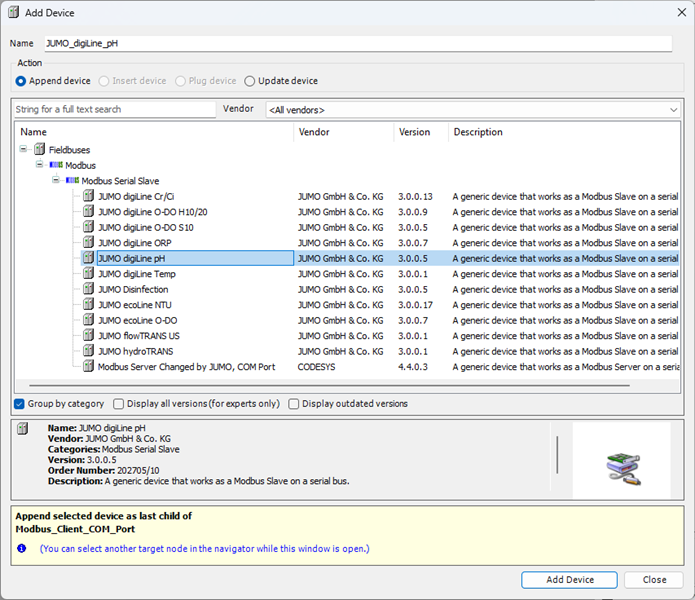
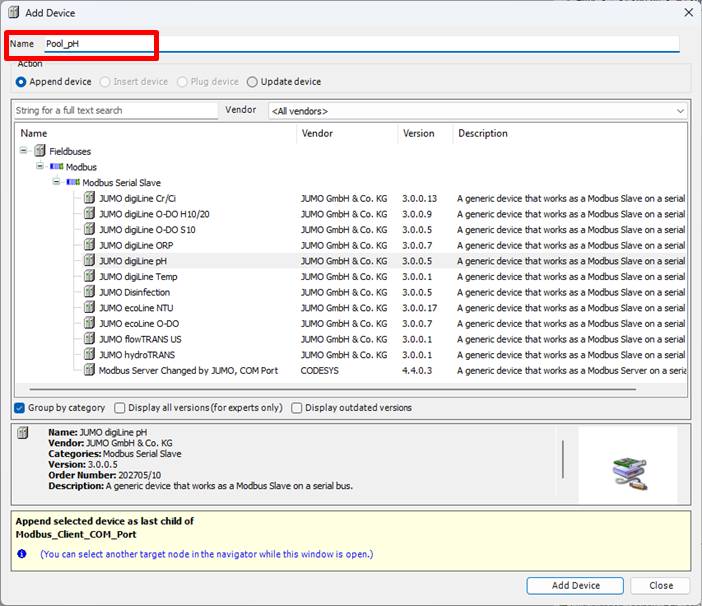
Click the desired sensor and input a unique name at the top in the header.
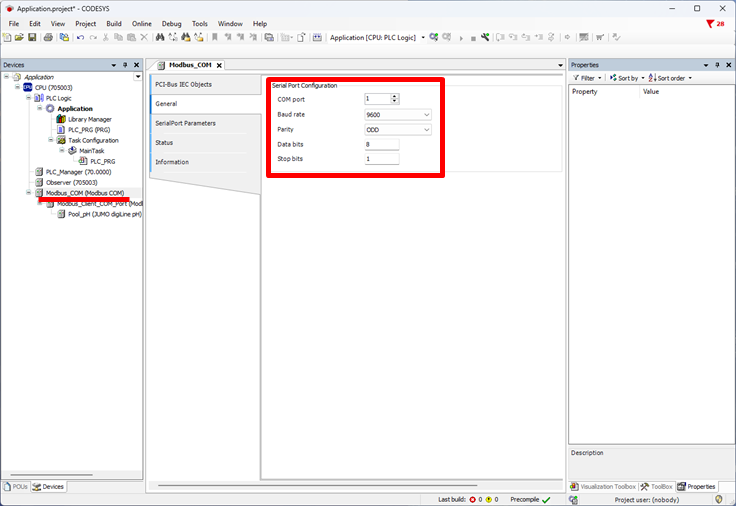
Set the baud rate and parity for the serial interface.
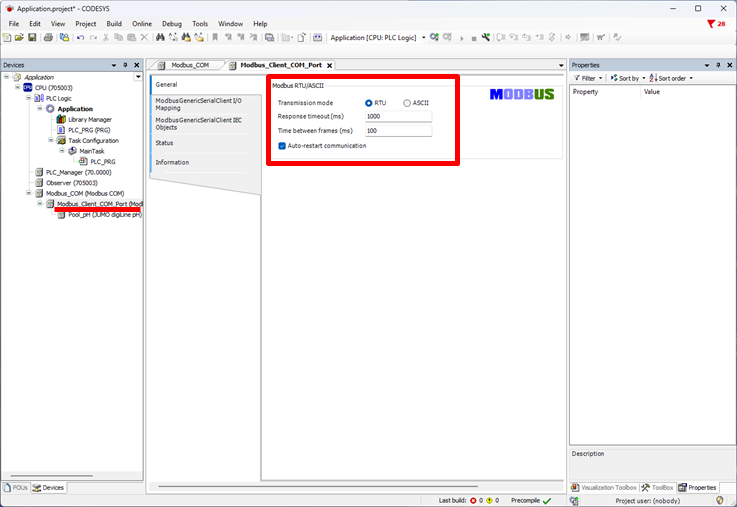
Set the Time between frames to 100 ms for Modbus master and activate Auto-restart communication.
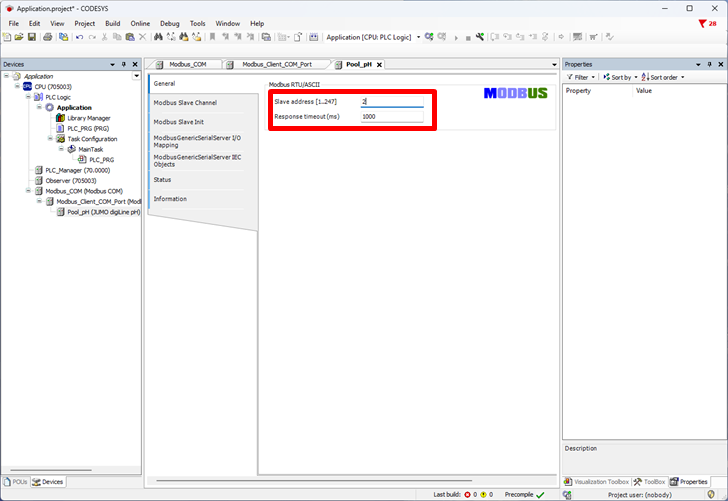
Enter the device address for the sensor.