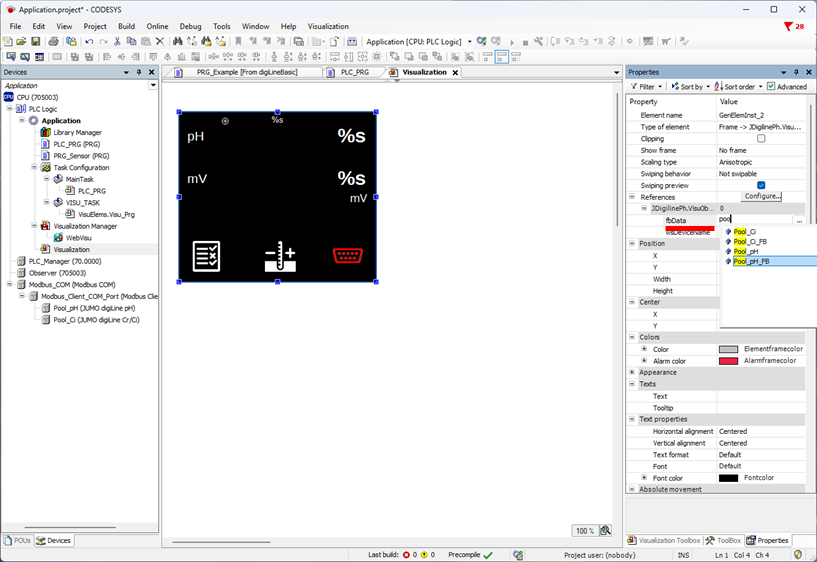
There is a separate visualization object for each JUMO Modbus device.
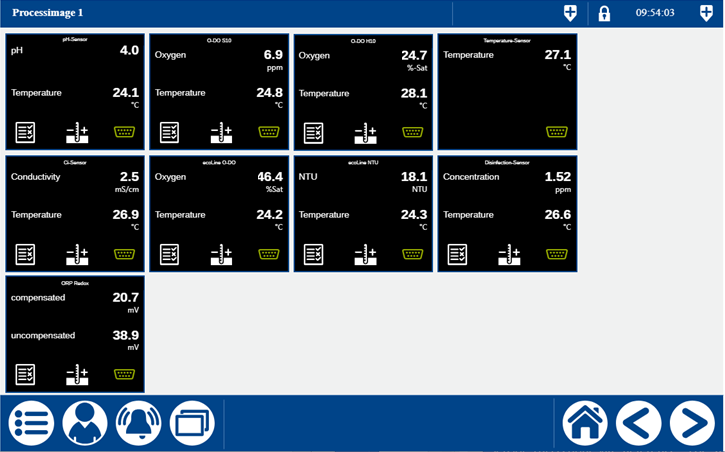
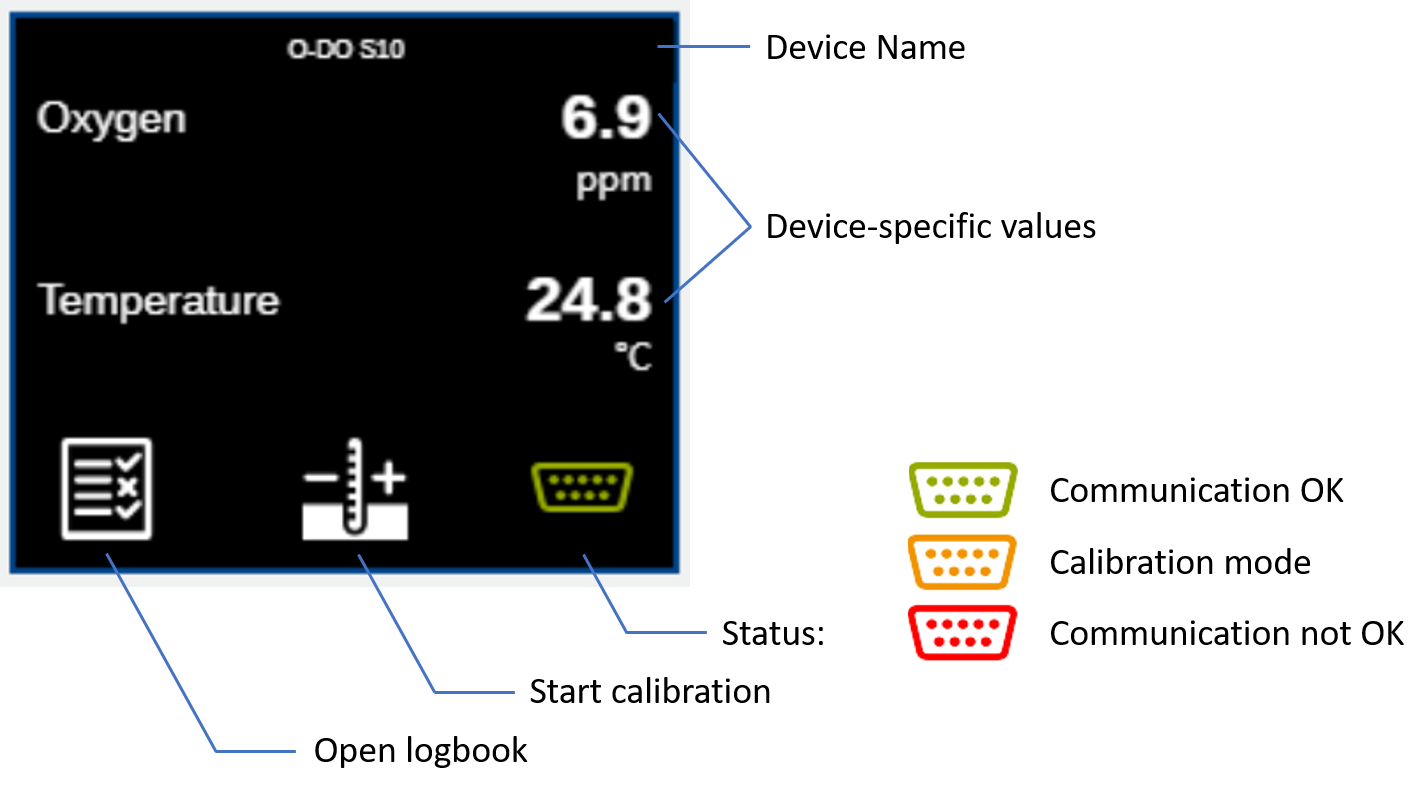
All objects are structured as follows.
If you want to use a new/empty project, you should take the following steps into account. If the Visu template is used as the project, on the other hand, these steps can be skipped.
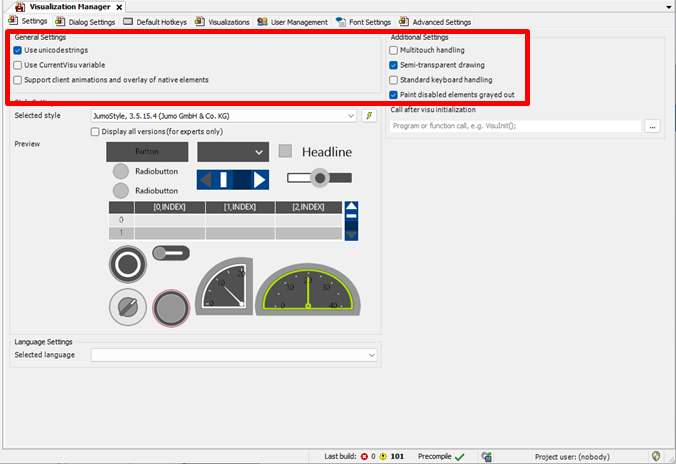
Before you create a visualization, you should check whether a visualization profile has been selected.
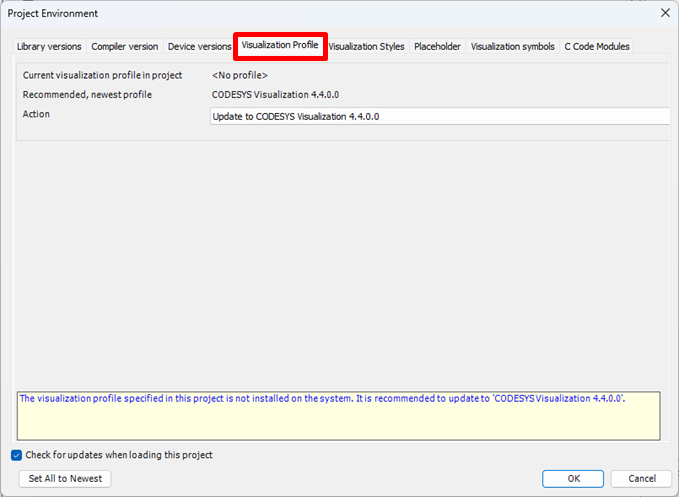
To be able to ensure seamless visualization, the following settings should be made.
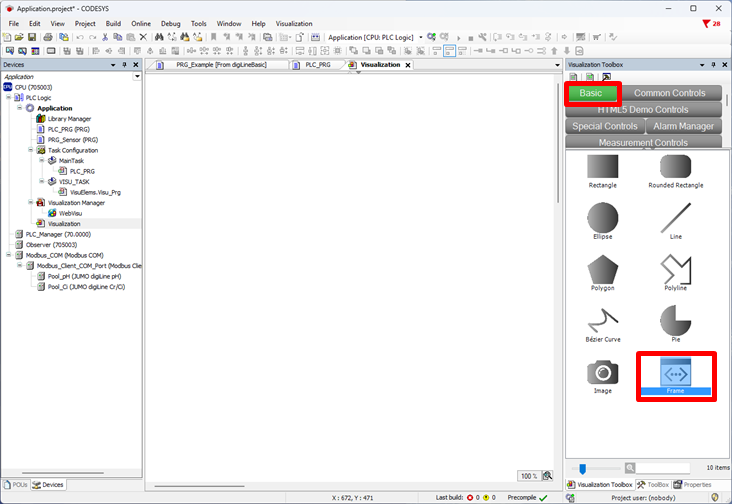
A frame can be pulled into your own visualization using Basic.
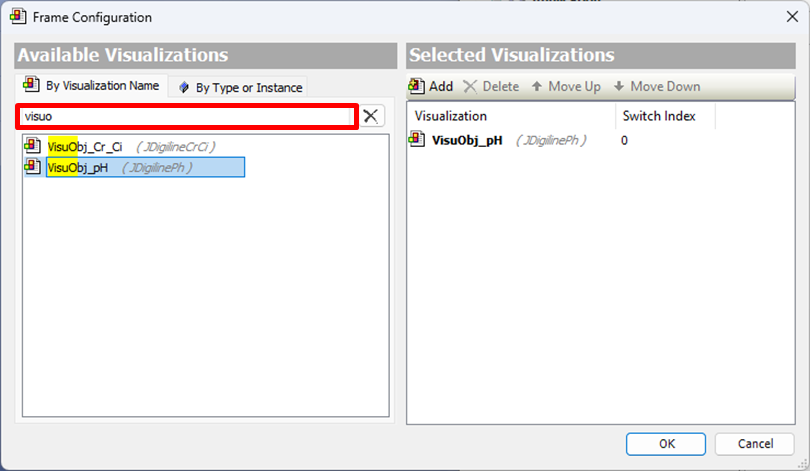
Type "visuobj" into the search window for Frame Configuration so it can be used for filtering. The visualization can now be selected for the desired sensor by double-clicking.
The Visu object now also has to be connected to the sensor. This is carried out using Reference. Enter the sensor name + suffix "_FB" for fbData.
A name can be input using wsDeviceName.