In the library JCmpVisuBasic the following output objects are available for the floating points type stFloatValueType:
OutputstFloatValueNoComma: output of float value without decimal place.
OutputstFloatValueOneComma: output of float value with one decimal place.
OutputstFloatValueTwoComma: Output of float value with two decimal places.
OutputstFloatValueThreeComma: output of float value with three decimal places.
For all float value outputs, the same variable type stFloatValueType is used.
VAR
// Example for Float-Output
stFloatOutput : JCmpVisuBasic.JCmpUtilItf.stFloatValueType;
END_VAR
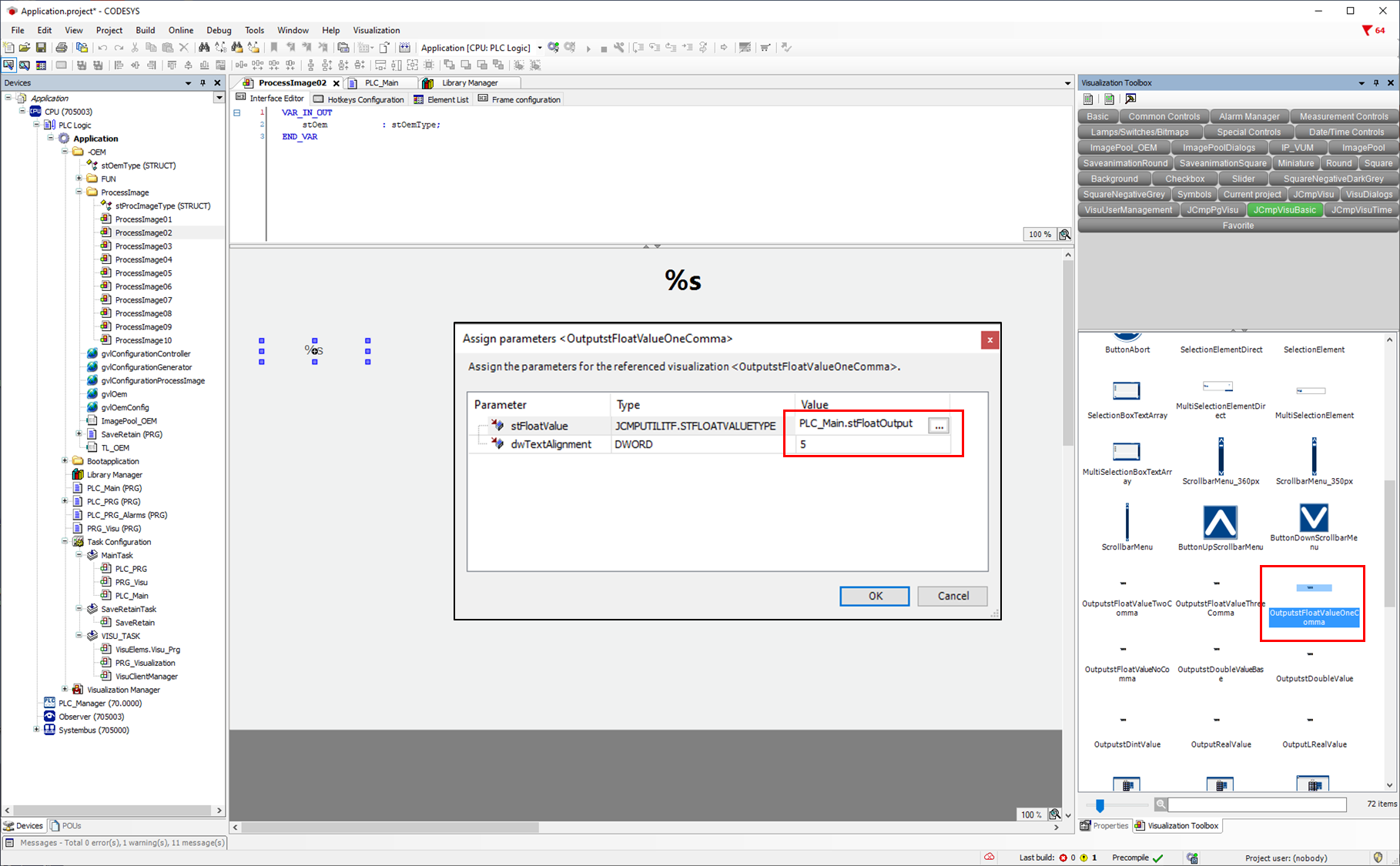
If you now drag the desired object from the Visualization Toolbox into the process screen, a parameter window opens. Here you can enter the structure variable e.g. stFloatOutput, which was previously defined.
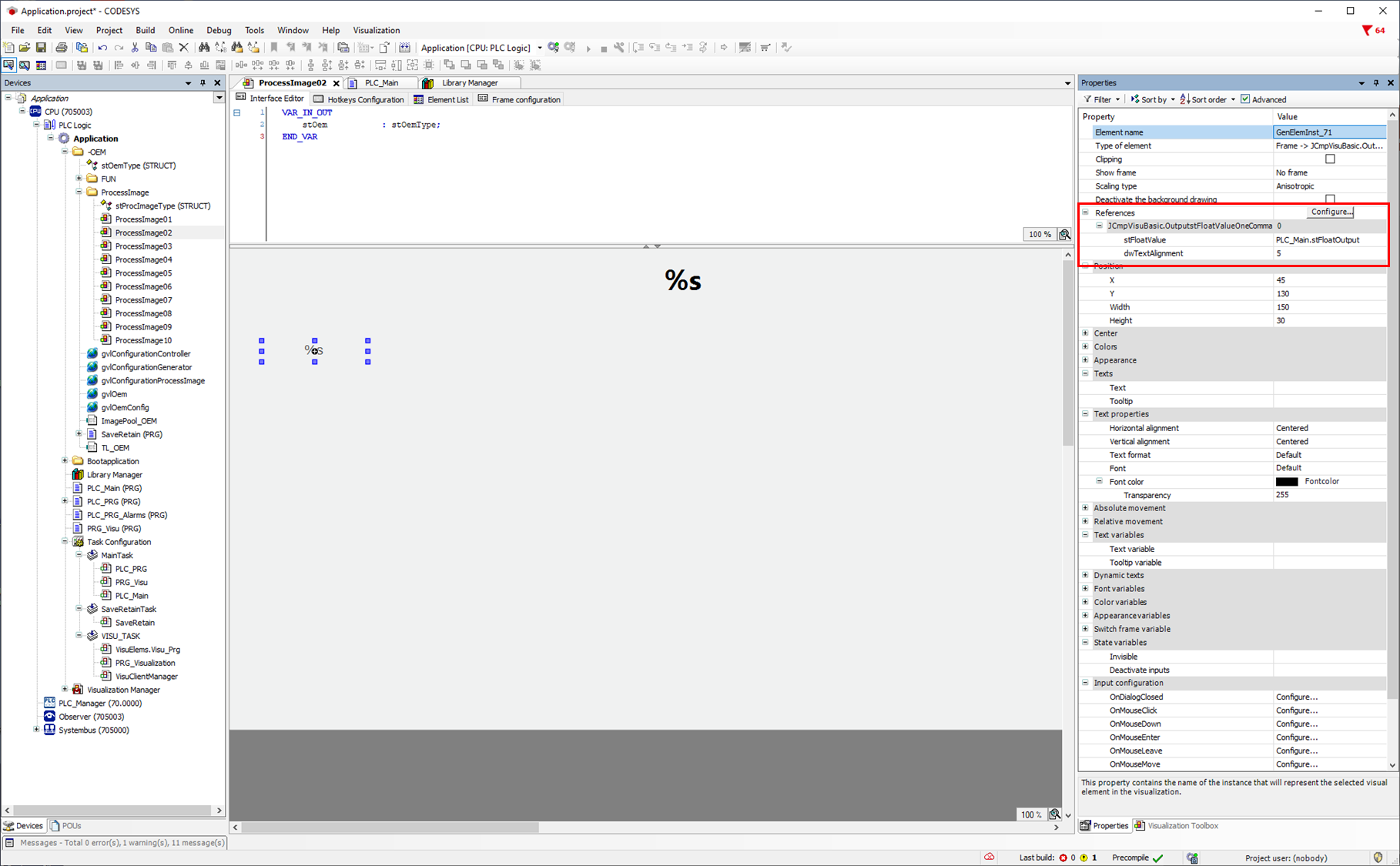
It is also possible to enter or change the parameters afterwards via the object property.
The structure variable JCmpVisuBasic.JCmpUtilItf.stFloatValueType contains the following variables:
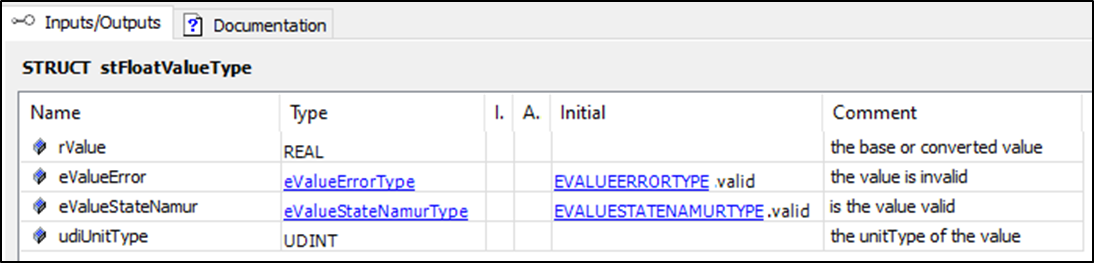
rValue: real value
eValueError: enum for error.
eValueStateNamur: enum for the name status.
udiUnitType: value for the unit.
Example 1:
You only want to display a real value - then use of the structure variable rValue is sufficient.
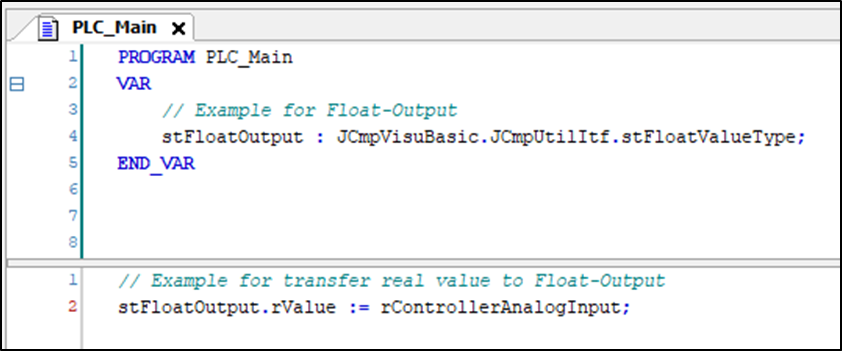
Example 2:
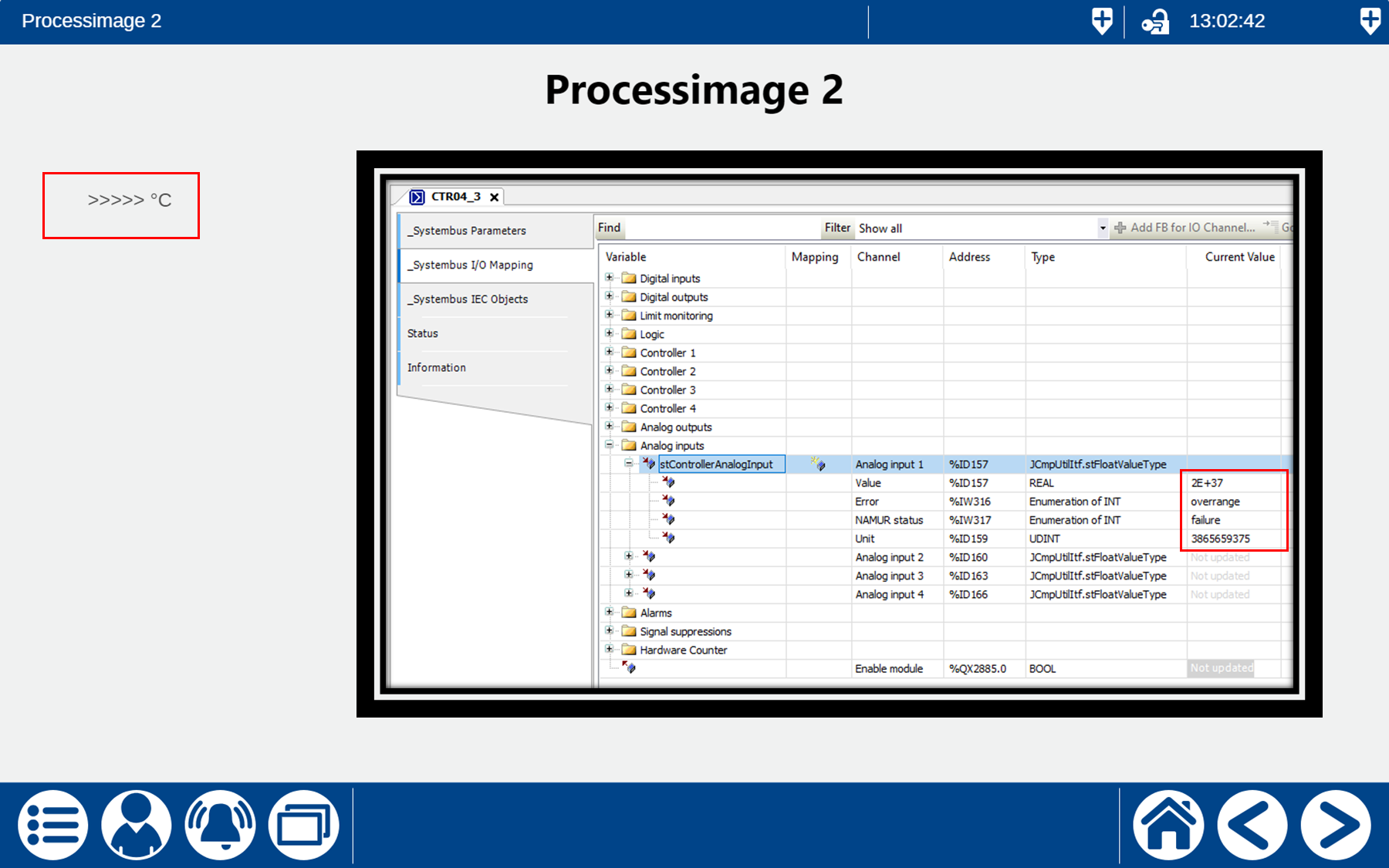
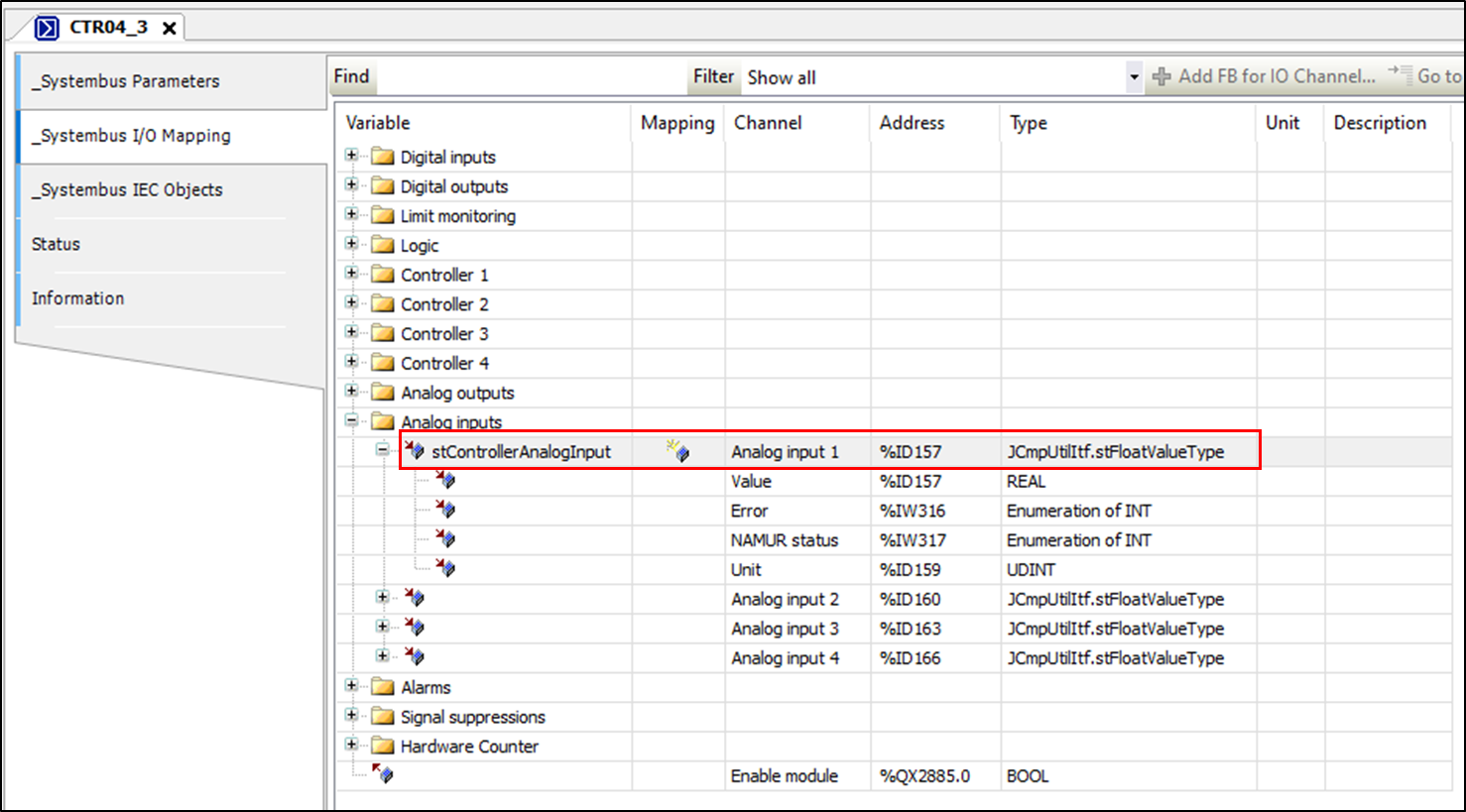
If, for example, you want to display the analogue input of the controller with the states (eValueError and eValueStateNemur), the analogue input of the controller must first be mapped.
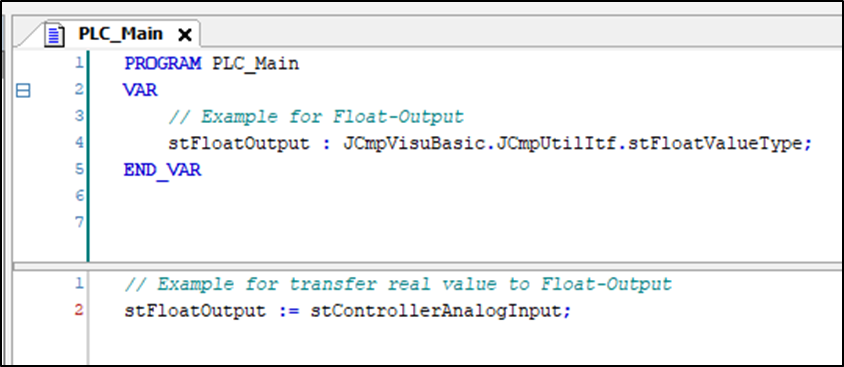
As both structure variables are of the same variable type stFloatValueType, the structure variable of the controller can be transferred directly to the output object.
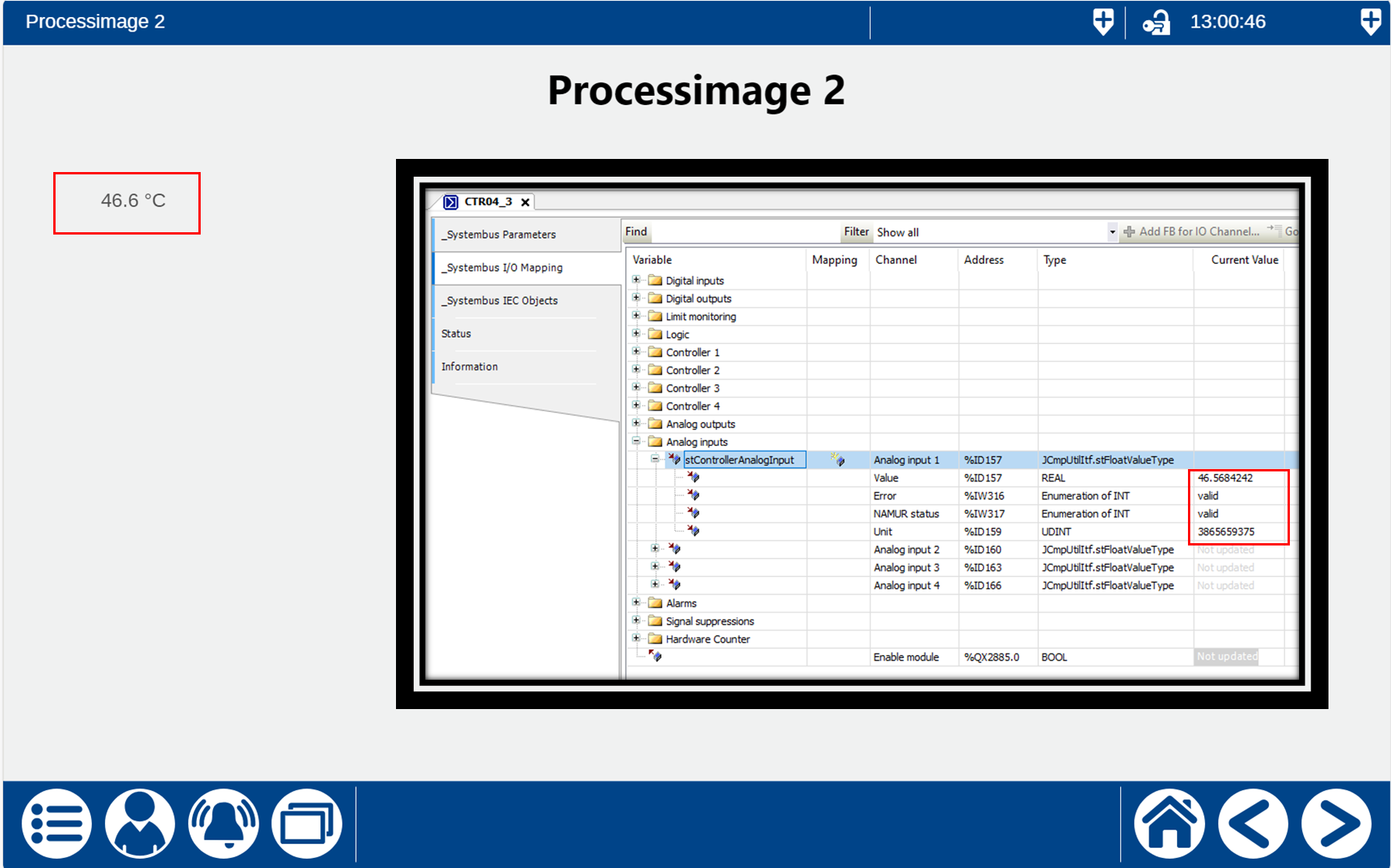
If the signal on the controller input is valid:
If the signal on the controller input is invalid (sensor not plugged in):