
4.20.20251103

4.20 Update from
1. Digital signature and batch review
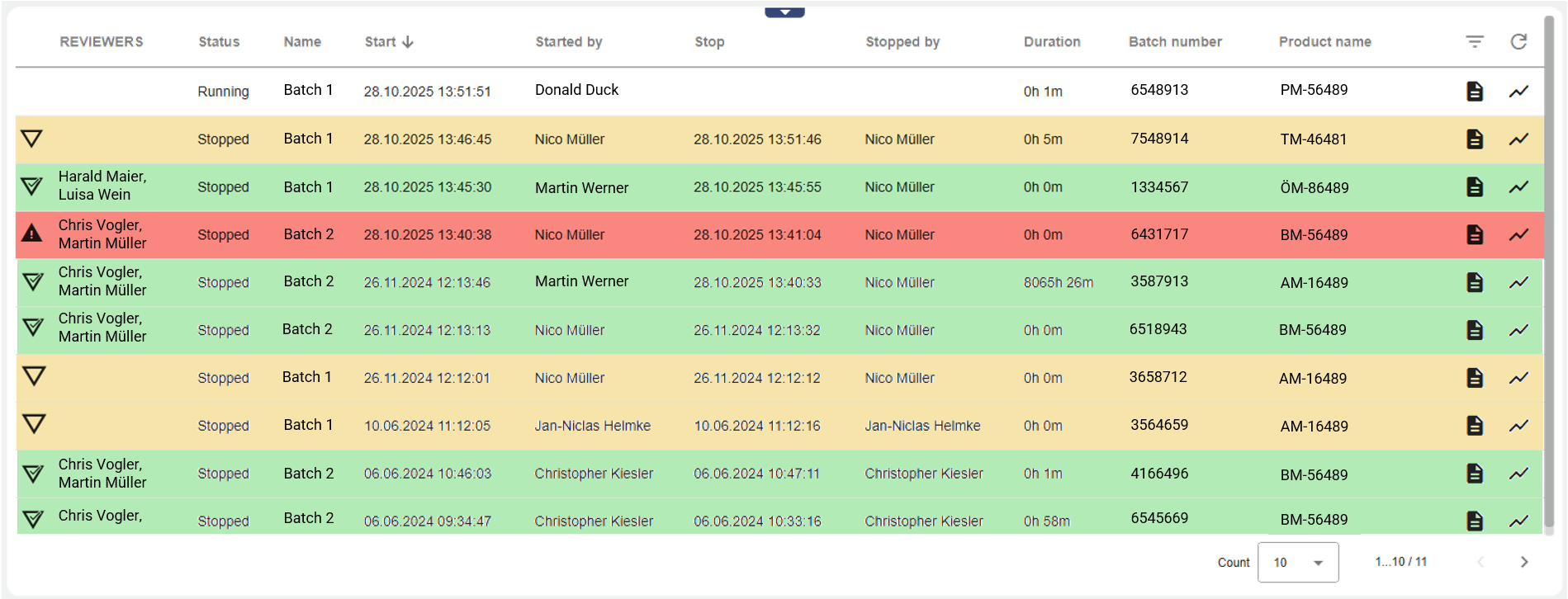
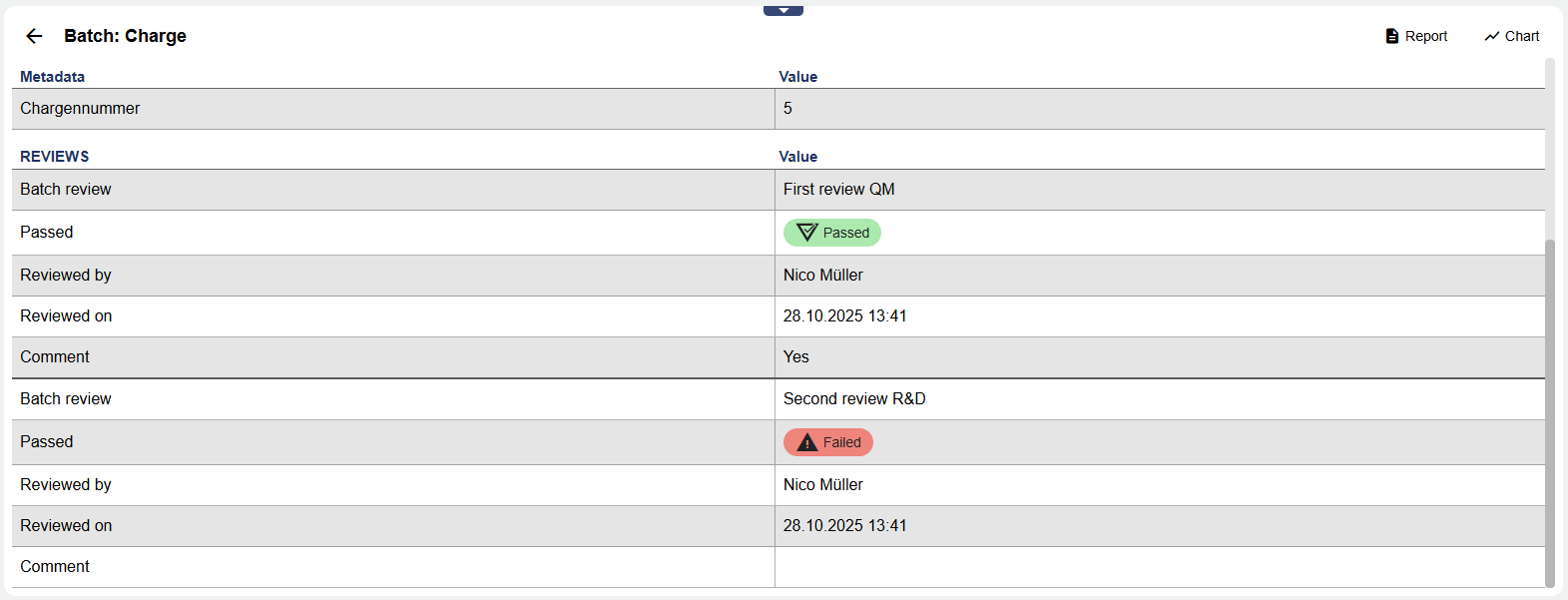
It is now possible to review completed batches and sign them digitally in the Widget: Batch archive. This allows you to quickly, easily, and transparently track which batches have been approved and which still need to be reviewed.

Digital signatures increase the security of your batch reviews
2. Improvements to several signal widgets
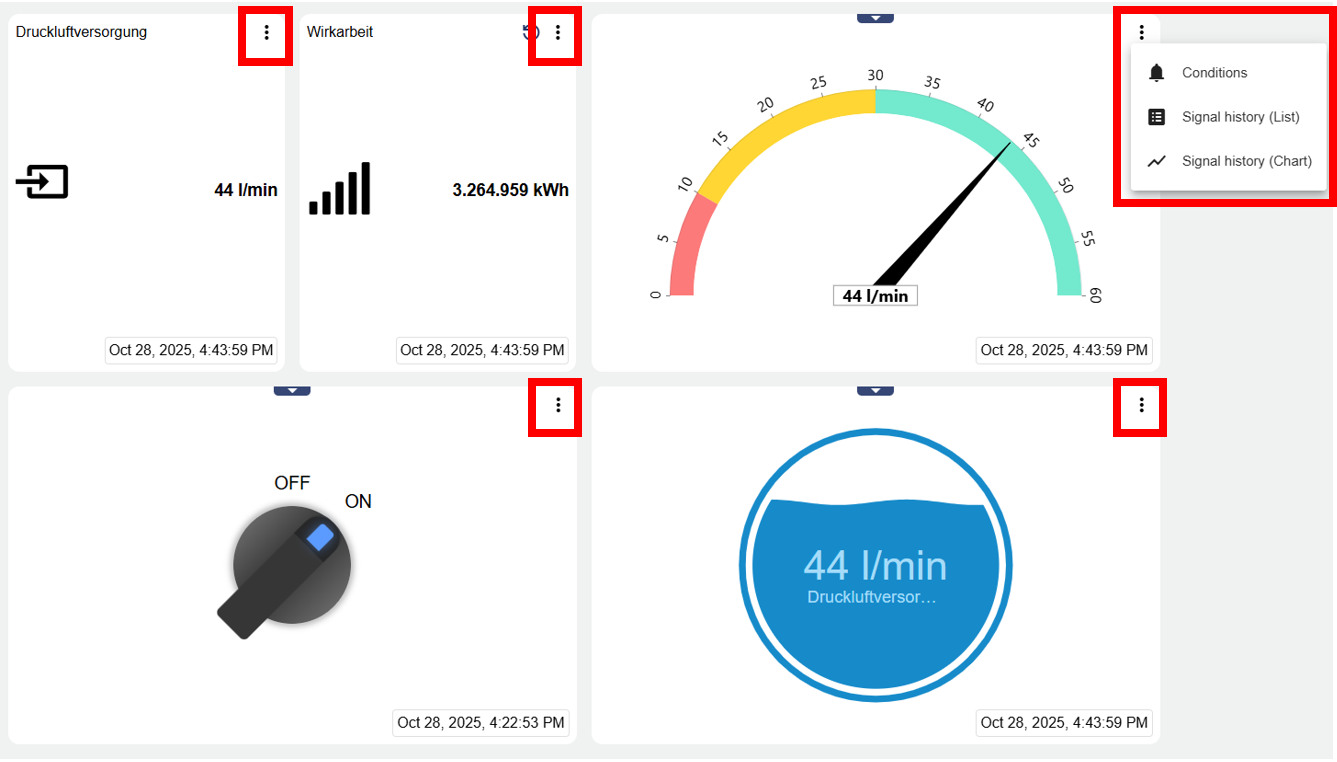
With the new version, it is now possible to quickly and easily retrieve historical data (List or Chart) using the widgets listed below. In addition, a uniform timestamp has been added. Both functions were previously only available in the "Widget: Single Signal."
Quick and easy access to historical data
3. More information in the widget: Document archives
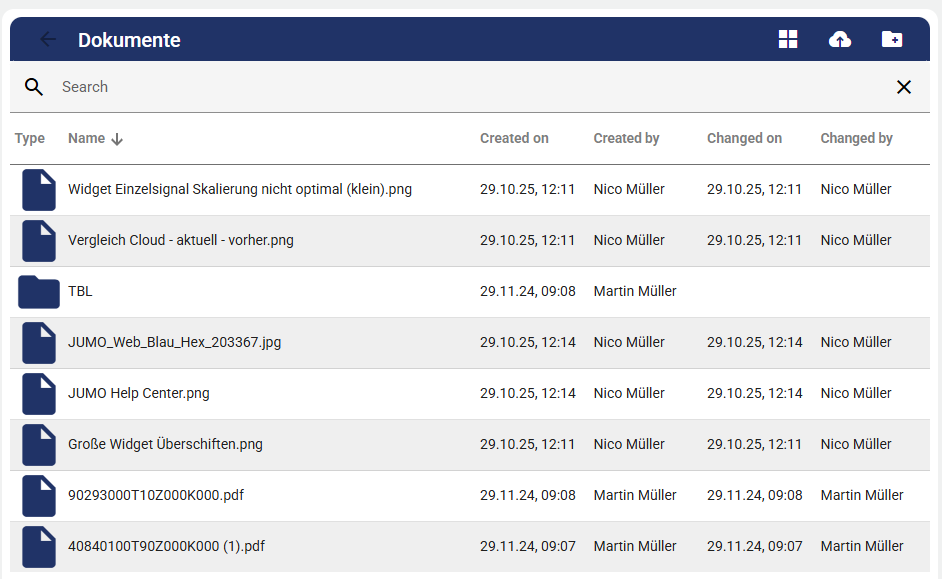
In the Widget: Document archive documents can now be moved to folders using drag and drop. The following information has also been added:
Created on
Created by
Changed on
Changed by
More traceability in your documentation
4. More functionality in tables
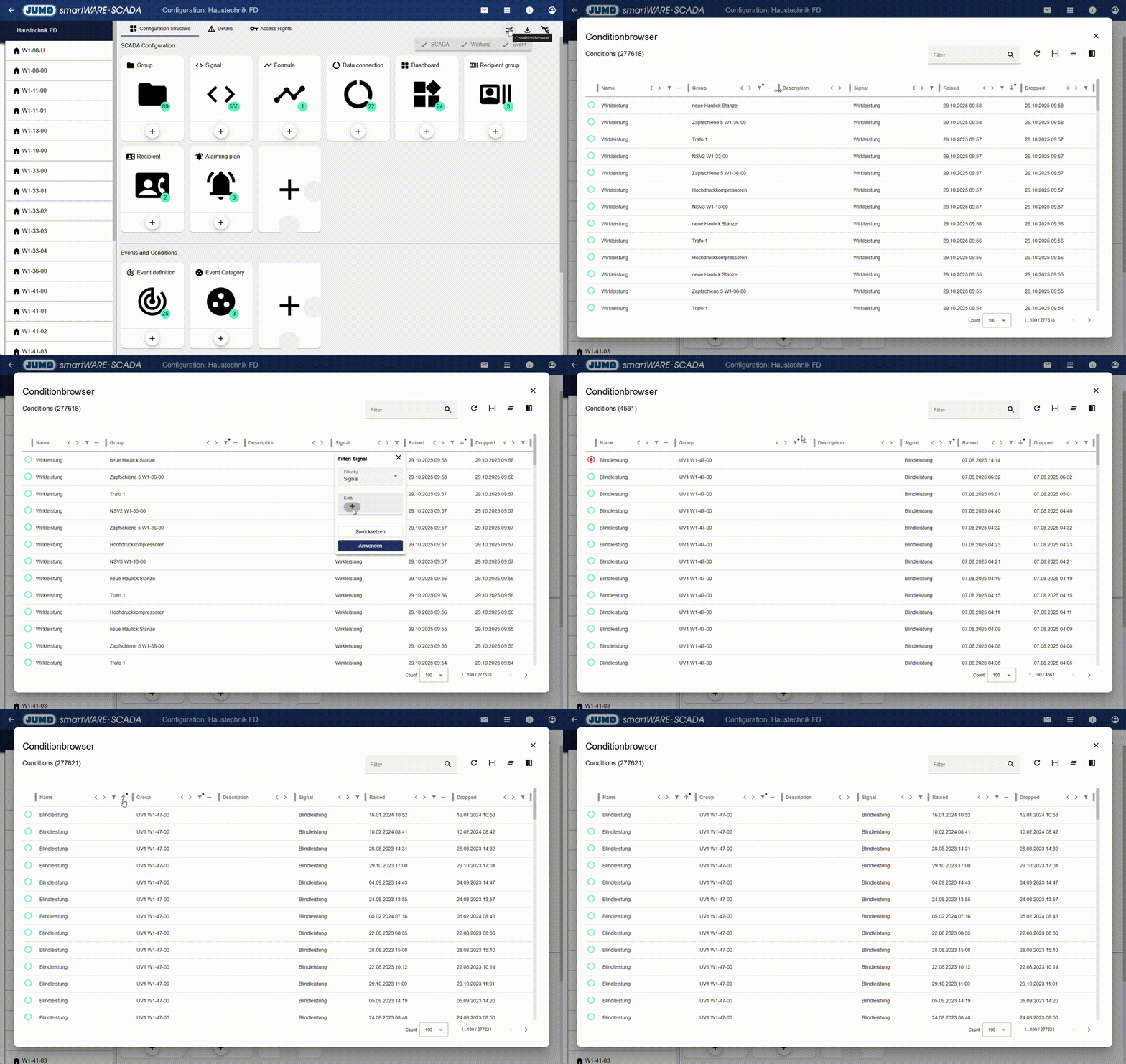
Our goal is to improve all tables in the system. Therefore, a new table has been added on a trial basis in individual areas such as the condition browser. It has the following functions:
Change column width and position
Set sort order
Set column filters
Define column visibility
Cross-table free text filter
More functionality and easier table operation
5. Display optimization within "Administration"
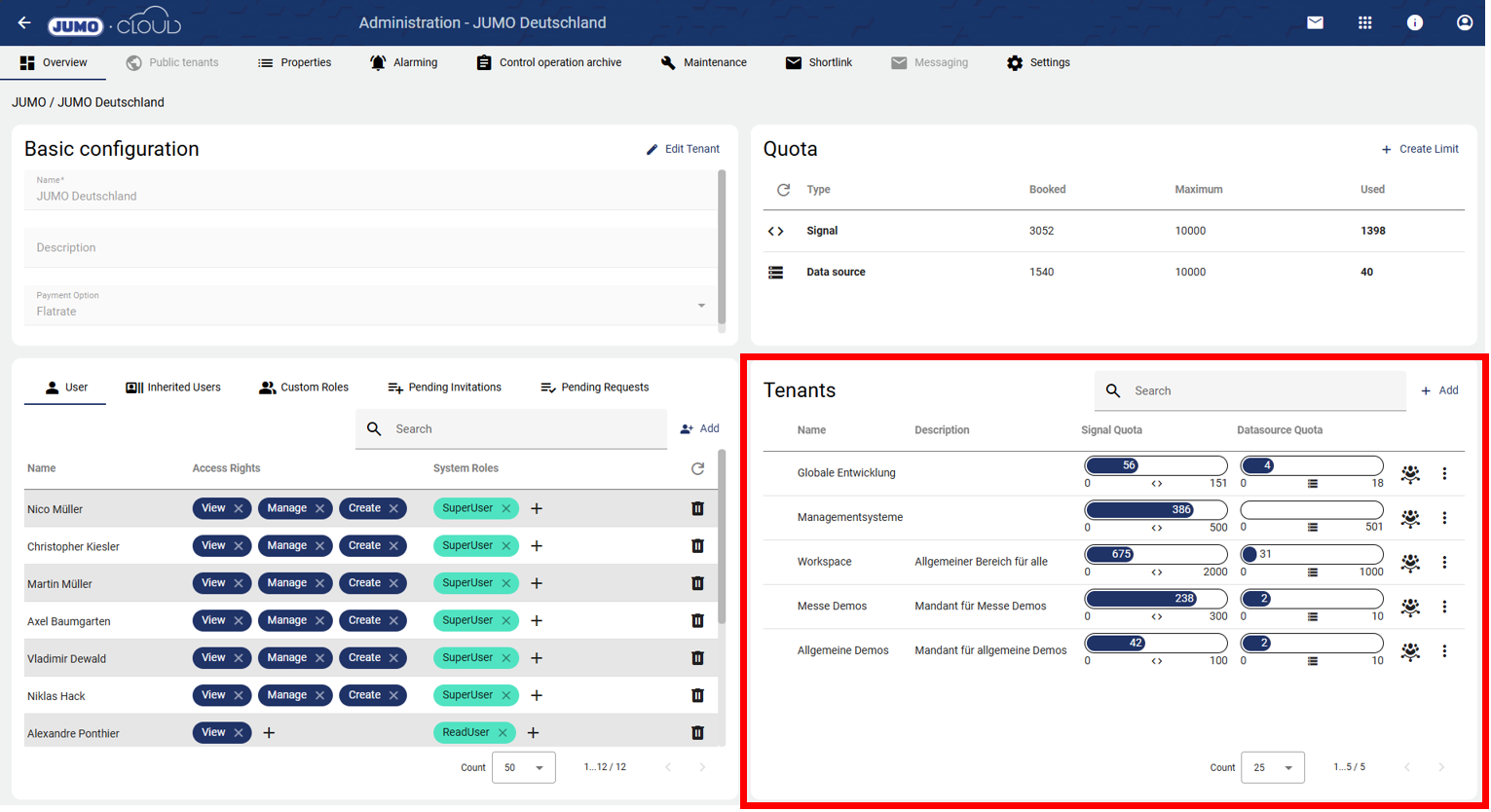
The display within Administration has been significantly improved with this update. The upper area has been reduced to one-third of the screen, giving the more important lower area more space. In addition, the red-colored area has been optimized so that even small quota values are now easy to read. In addition, the entire view has been made more responsive, meaning that it can now also be used on mobile devices.
Improved, more responsive display of information
6. Design optimization in the “Dashboard”
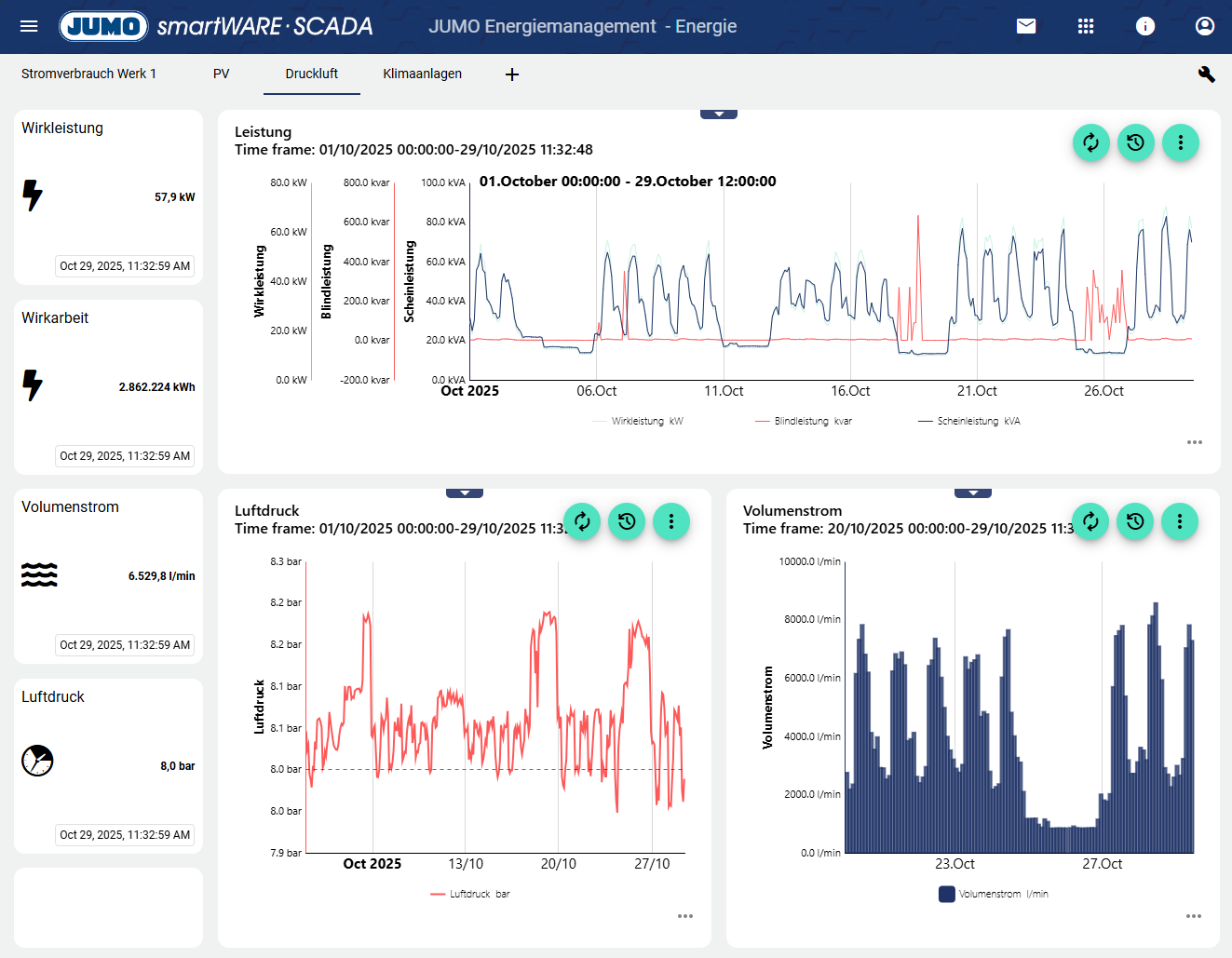
Starting with this version, the blue bar for tab navigation below the header has been removed. This area now has the same color as the dashboard, making it much easier to see which tab you are currently in. In addition, the Material 3 design standard has been applied.
Improvement of dashboard navigation
7. More alarm functionality with events
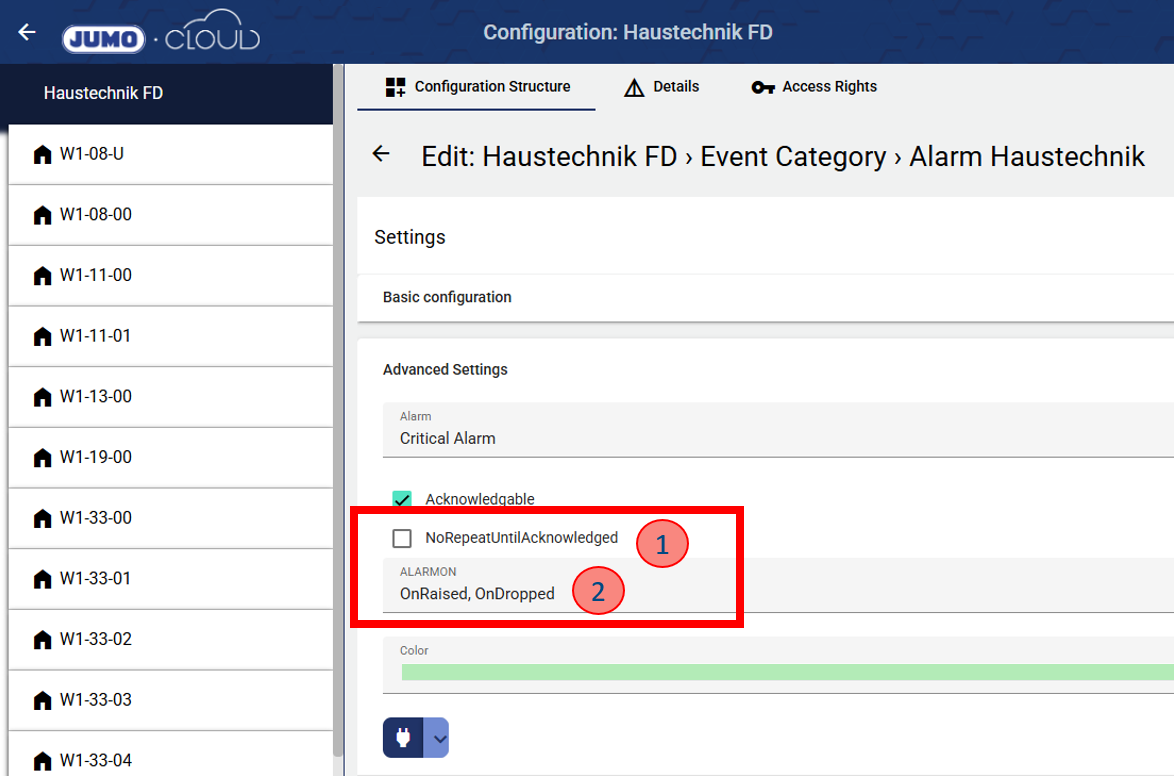
Two new functions have been added to the Event Category to expand the alarm options. The event category groups several events and controls the downstream alarm.
No Repeat Until Acknowledged: If this function is checked, no new alarm will be triggered unless the previous alarm has been acknowledged. This prevents unnecessary alarms on end devices.
Alarm on: By default, an alarm is always triggered when the event edge rises. It is now possible to set whether an alarm is triggered when the edge rises and/or when it drops.
More individualized setting options for alarms
8. Other important features
Text editor added to "Messaging":
Text formatting is now possible in the Messaging function. This means that links can also be inserted into messages. Coming soon: It will soon be possible to send emails to all registered users.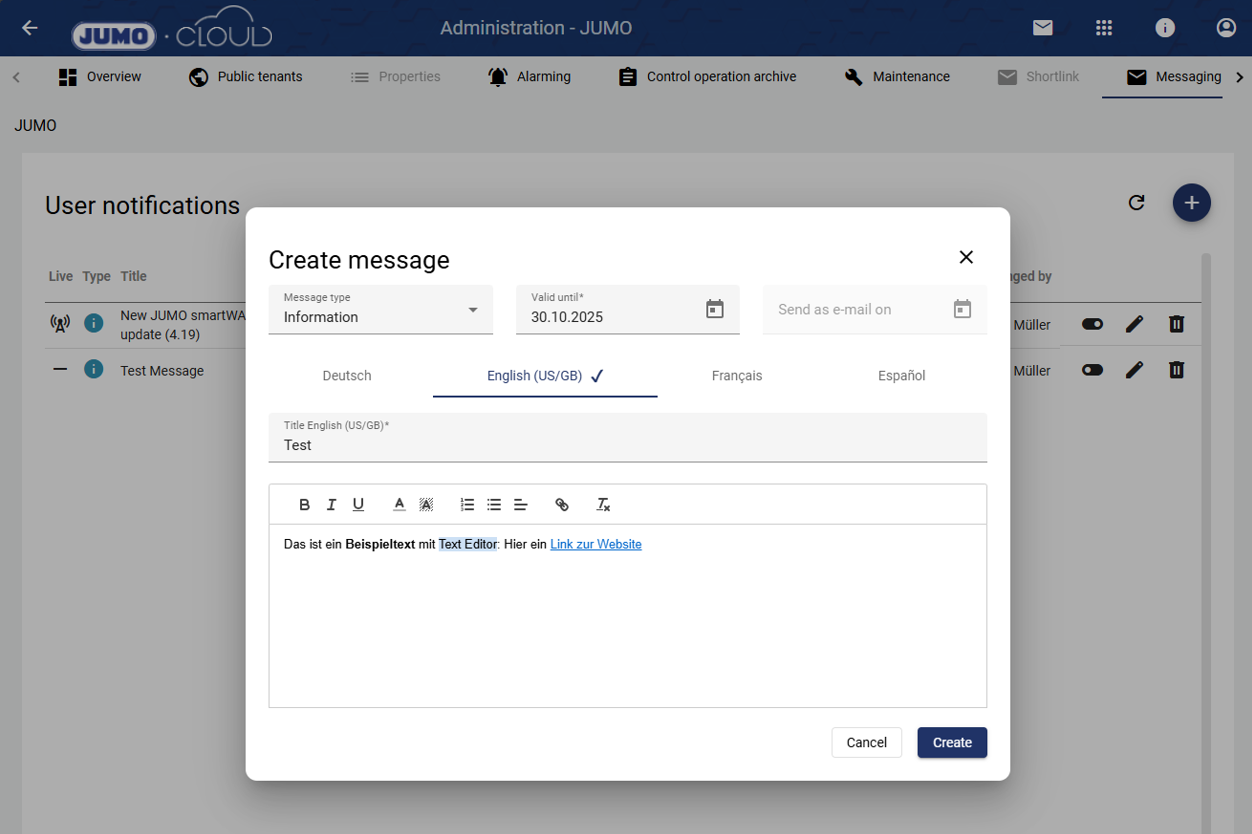
New data connection: Meter Bus (M-Bus)
The Meter Bus, or M-Bus for short, can now be used as a new data connection (not included in the Edge Gateway of the variTRON).Recalculate daily, weekly, monthly, and yearly values
This new expert function allows you to recalculate daily, weekly, monthly, and yearly values for a selected time period. For example, if process values are re-entered using the Widget: Manuel Data, the higher intervals are not recalculated from the daily value. To trigger this, the new function must be used. Incorrect counter overflows can also be reset in this way.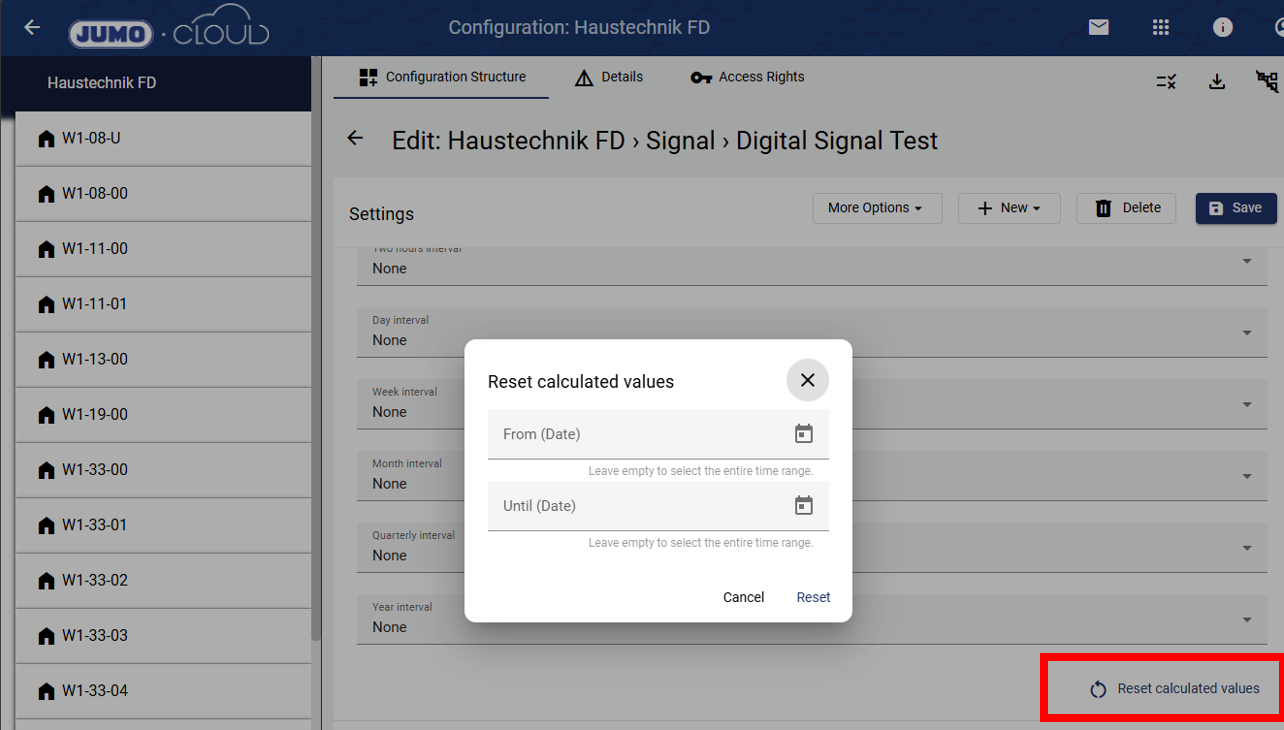
Bug fix and system maintenance