
The browser-based software solution JUMO smartWARE Program enables intuitive creation and editing of process technology programs and recipes on JUMO variTRON 500 touch and JUMO variTRON 500 via web access. At first the plant manufacturers can define process steps via JUMO smartWARE Setup or Web Cockpit. After that the customer is able to link them into a program using the graphical editor “JUMO smartWARE Program”. During the next step the plant user can control the program sequence via the connected web interface “JUMO Web Visu”.
Here you can find a YouTube step by step introduction video.
All JUMO software components combined create the “Process Technology Template”, which can be used to easily create additional applications.
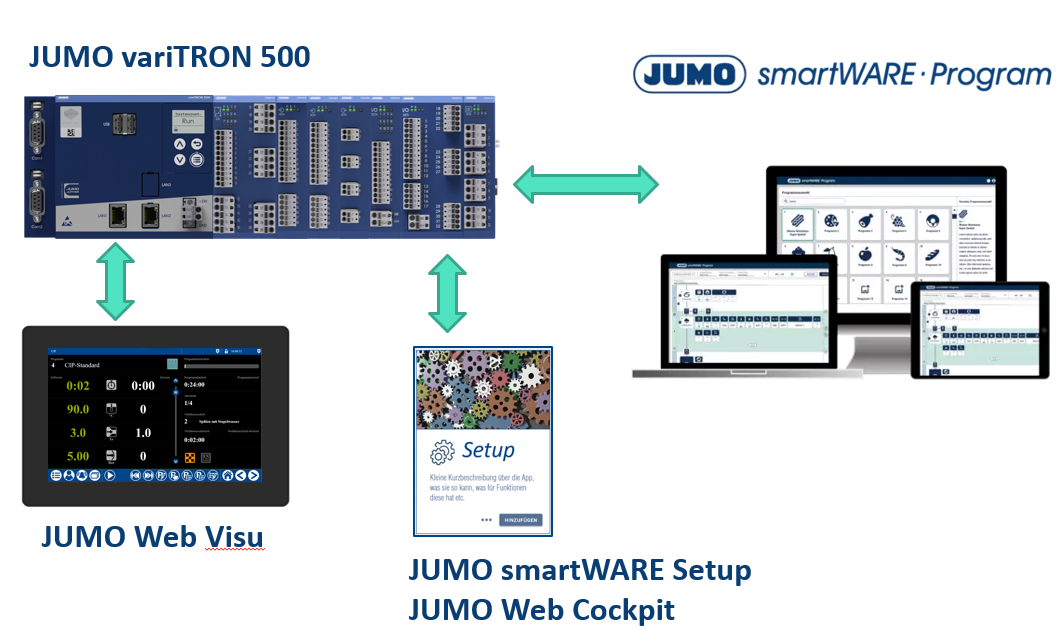
The Process Technology application now turns both JUMO variTRON 500 touch and JUMO variTRON 500 into automation systems with up to four program generators. Up to 300 user-defined programs can be created based on up to 200 process steps. Another 50 OEM-defined standard programs can be used. Each program generator is responsible for controlling one system.
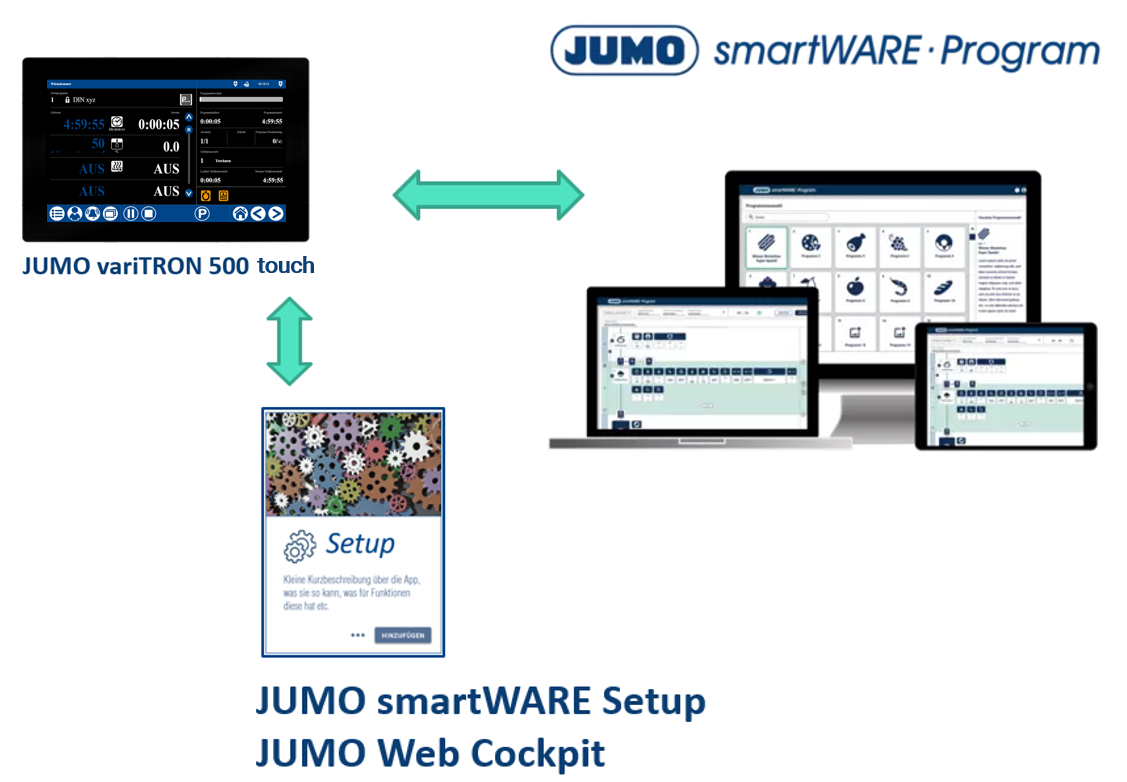
This documentation is a guide for the creation of a Process Technology application.
If you work through the main topics top down, you will get an overview of the possibilities offered by this application.
Check the requirements for your software and the JUMO variTRON.
See how your program generator is prepared for Process Technology.
Learn how to create process steps.
Understand the contents of the program parts.