With the controller app, control loops can be realized in CODESYS without additional hardware (controller module).
The number of software controllers can be entered in the global variable list "gvlConfigurationController" in the visualization template in CODESYS. Depending on this, the control loops are made available visually in the visualization template. A 0 is entered by default and the software controller is not initially displayed in the menu bar.
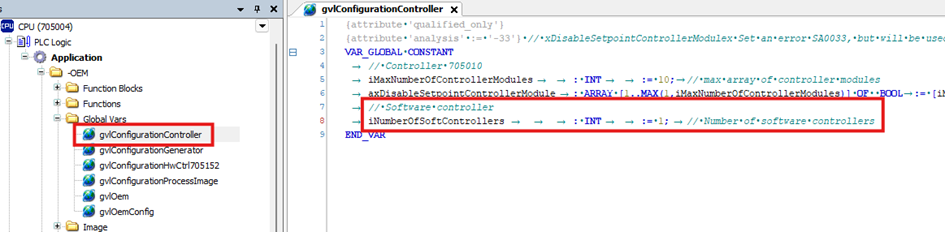
If the number in the list is changed to more than 1, the following changes must be made manually in CODESYS:
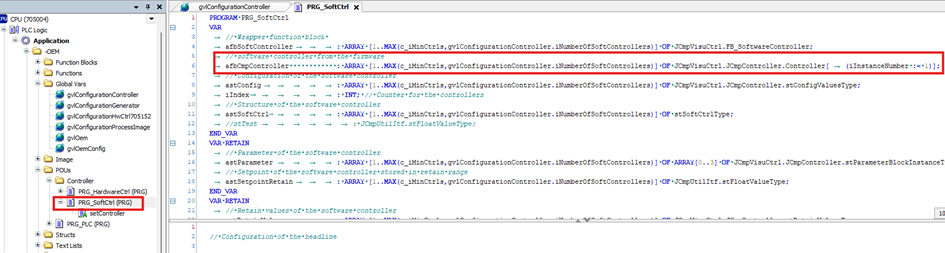
Under "PRG_SoftCtrl", the array structure adapts depending on the number of software controllers entered. The program block with the arrays is displayed. If the number of software controllers changes, the instance number must be adjusted.
The declaration of the software controller with a number of 2 is displayed. If the number of software controllers changes, the instance number must be adjusted. It is best to enter the number consecutively.
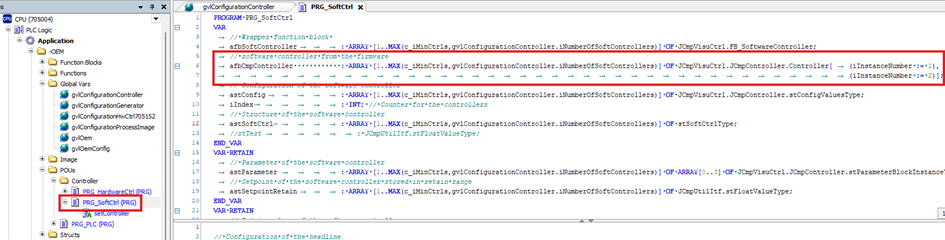
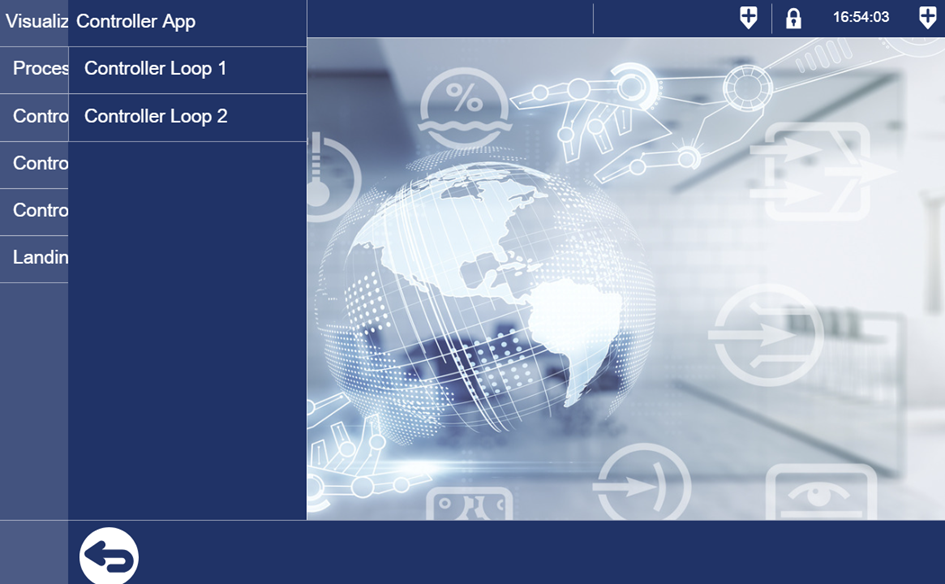
If two software controllers are selected, two controllers are also displayed in the menu bar.
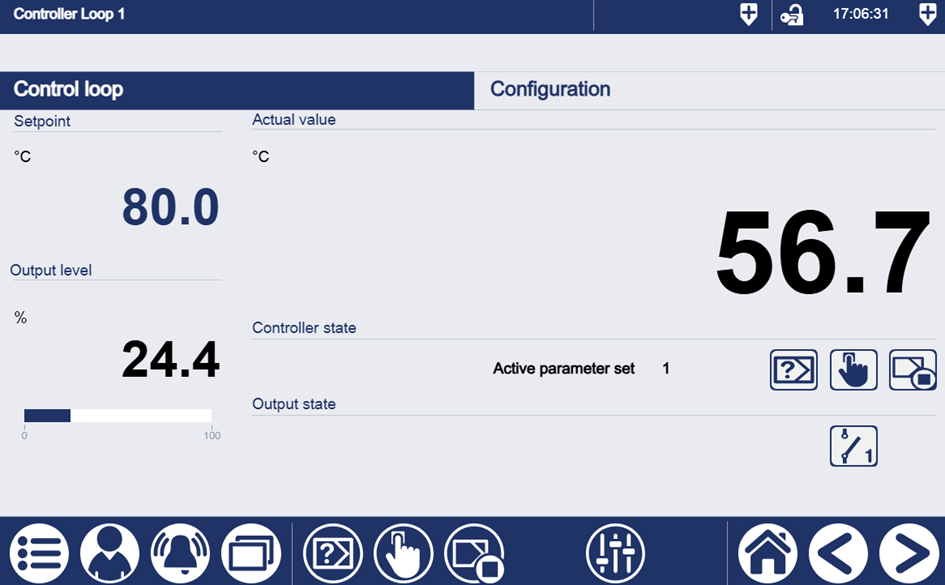
The controller screen is structured in the same way as the previous hardware controller. The setpoint, the actual value and the output level are displayed.
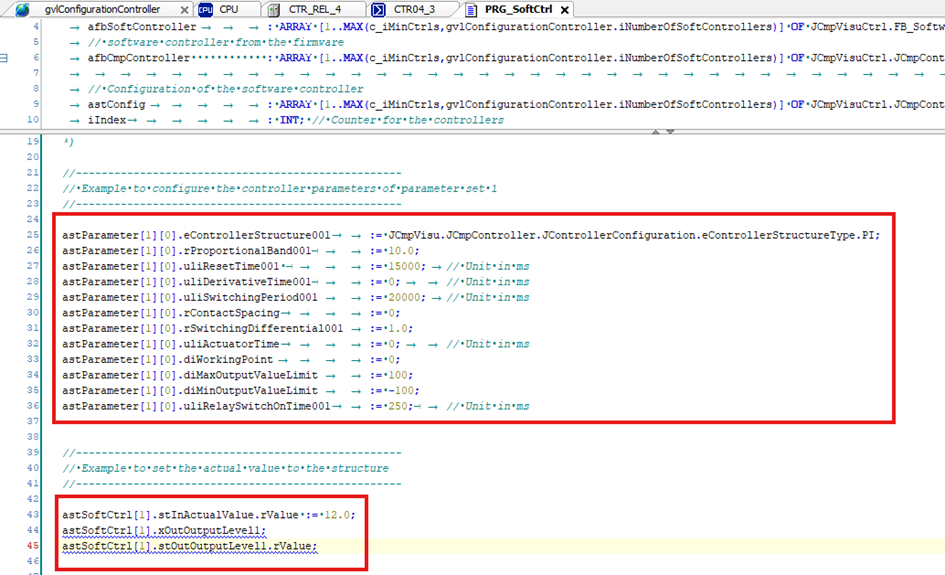
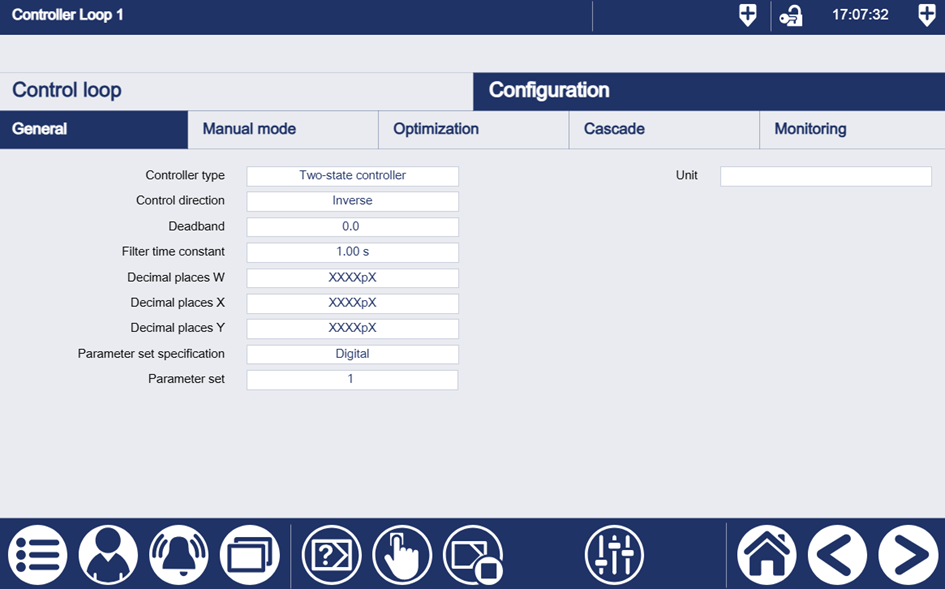
With the software controller, it is possible to parameterize the controller on a configuration page. It should be noted that in the first expansion stage, the set values are only transferred to CODESYS, i.e. they are not saved on a data basis, so the data will be lost after a restart.
In the first expansion stage, the controller parameters and the controller configuration are stored in CODESYS; in the second expansion stage, the storage is data-based. These are located in the "PRG_SoftCtrl" program. It can be seen that the controller parameters are saved as retain. In the first step, the controller settings are not saved in Retain, as the retain range is limited. If not many controllers are used, these can also be saved as a retain. The values are then retained after a restart, otherwise they are reset to the default settings.
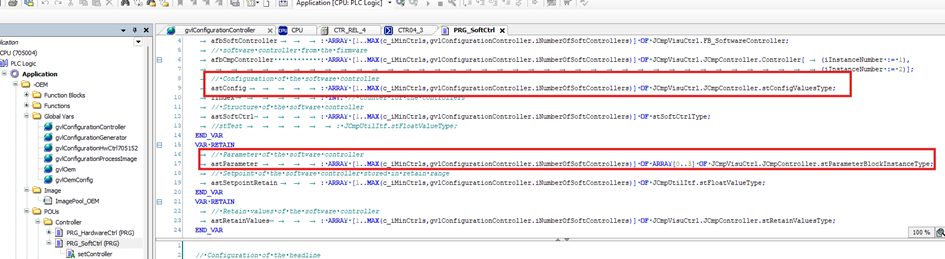
One way to save the settings is to first set the controller, optimize the controllers and then enter them directly into CODESYS.