-
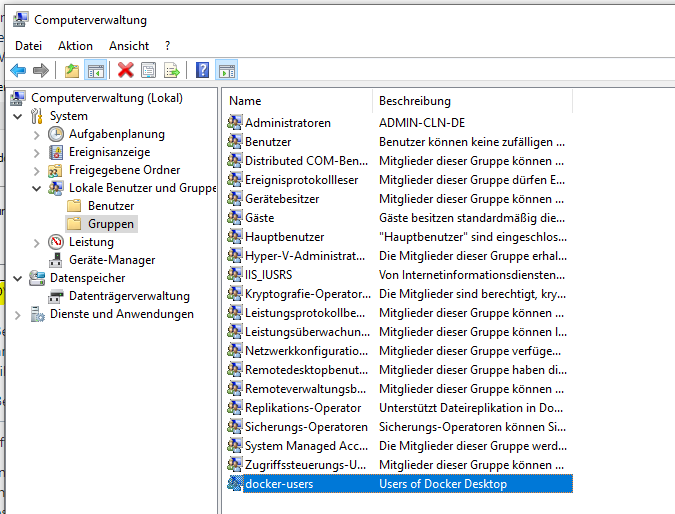
Open Computer Management
-
Navigate to System/Local Users and Groups/Groups
-
Open docker-users
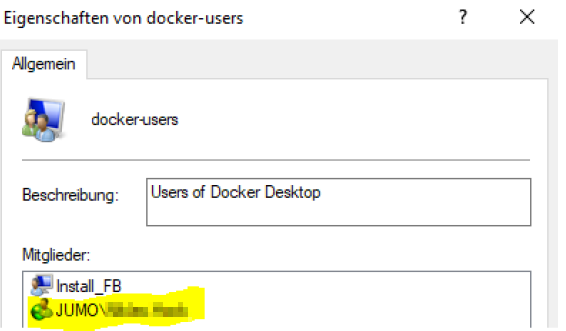
In this example, the Docker installation could only be performed by the administrator Install_FB. To run Docker with the normal user, it was necessary to add the user JUMO\User later.
To do this, as an example, add the user as follows: YOUR_DOMAIN\user_name
Access denied!
Due to missing permissions, adding the user via the user interface may result in "Access denied!". In this case, the user can be added to docker-users via a console, such as Windows PowerShell. This console must be run as administrator.
net localgroup docker-users "DOMAIN\your-user-id" /ADD
Thus, the command from the above example is as follows: net localgroup docker-users "JUMO\User" /ADD
The domain "JUMO" is only an example here, you must use the domain name of your network.
Then, if necessary, reboot Windows and perform the following steps:
-
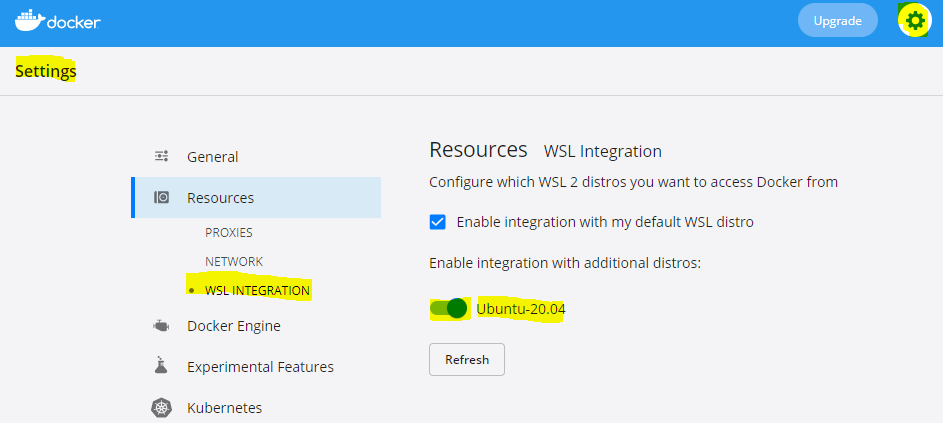
Open the Docker container
-
Settings
-
Resources
-
WSL INTEGRATION
-
Ubuntu-20.04
-
Switch / activate bar.
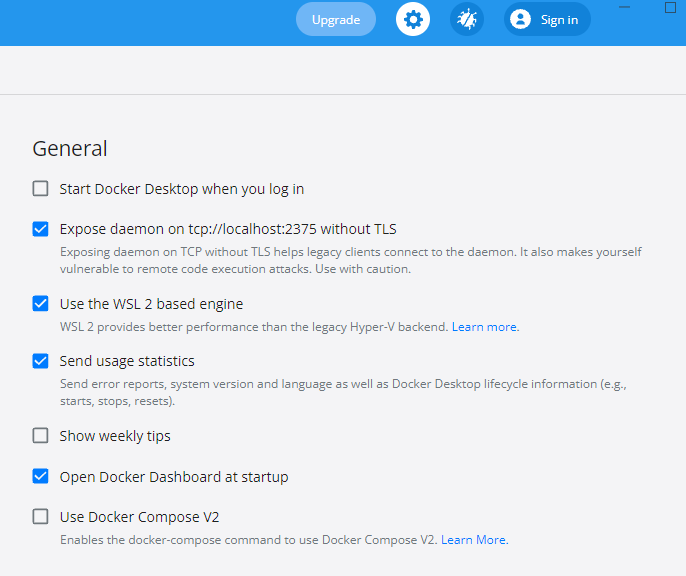
IMPORTANT!! "Use Docker Compose V2" in the General menu item must NOT be enabled.